6 Configuring Software Instructions for Use
2660021169042 Rev. A 2018-036.3 Setting Preferences
70 / 246 2660021169042 Rev. A 2018-03
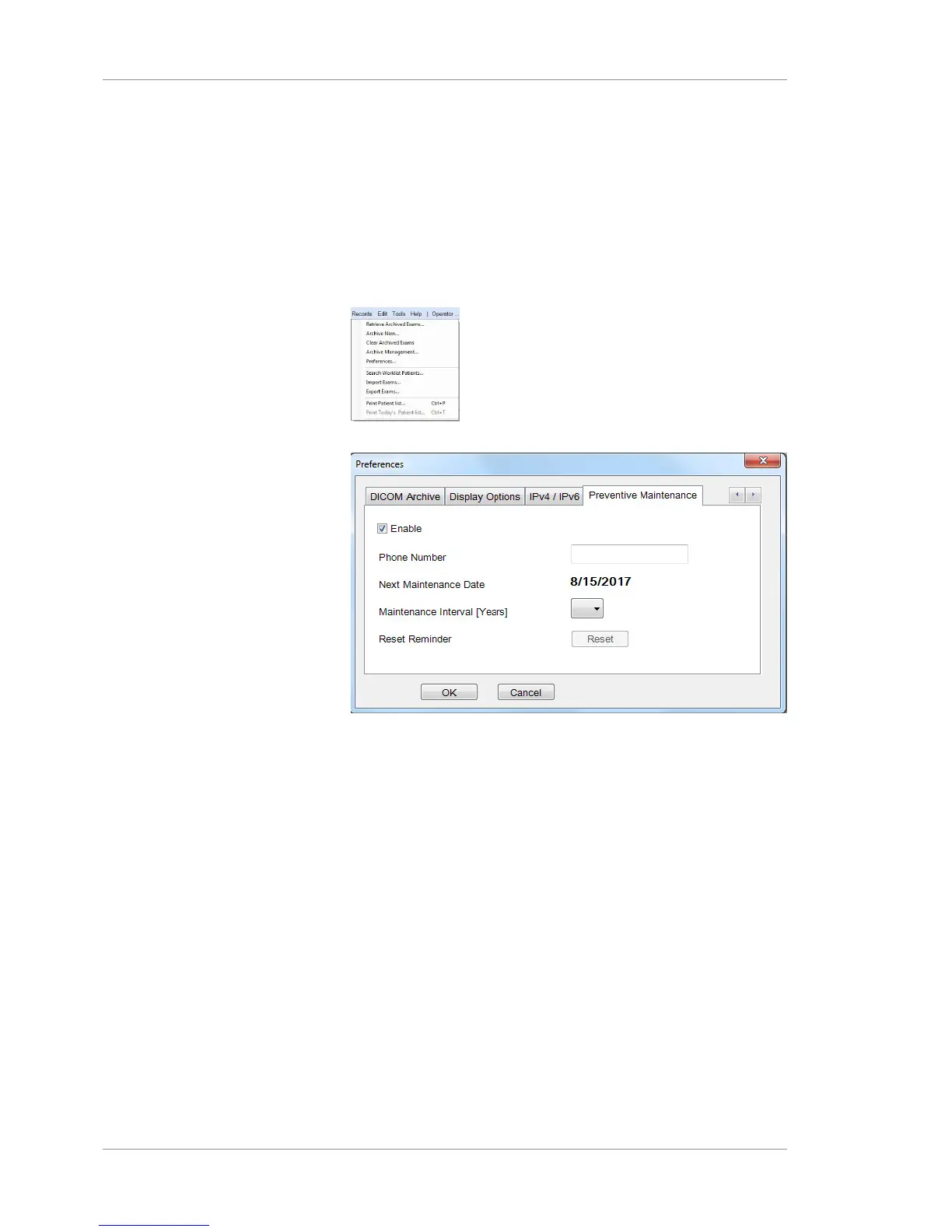
6.3.5 Setting the Preventive Maintenance Schedule
PLEX® Elite 9000 instruments require regular maintenance. The
frequency of this maintenance depends on how much your insti-
tution uses the instrument.
To set the maintenance schedule:
Prerequisite
þ Logging In as Operator or Data Analyst [}73]
Action 1. Select Records > Preferences.
2. Select the Preventive Maintenance tab.
3. Check Enable.
4. For Phone Number, type your local maintenance represen-
tative's phone number.
5. To change the Maintenance Interval, select a new interval.
6. Click Reset.
7. Click OK.













 To Next Page