8 Operation Instructions for Use
2660021169042 Rev. A 2018-038.2 Select the Patient
74 / 246 2660021169042 Rev. A 2018-03
8.2 Select the Patient
You must select the appropriate patient record before you scan or
analyze images. You can add a new patient or select an existing
patient.
If your institution connects to a DICOM system, you can also search
a DICOM archive.
8.2.1 Find an Existing Patient
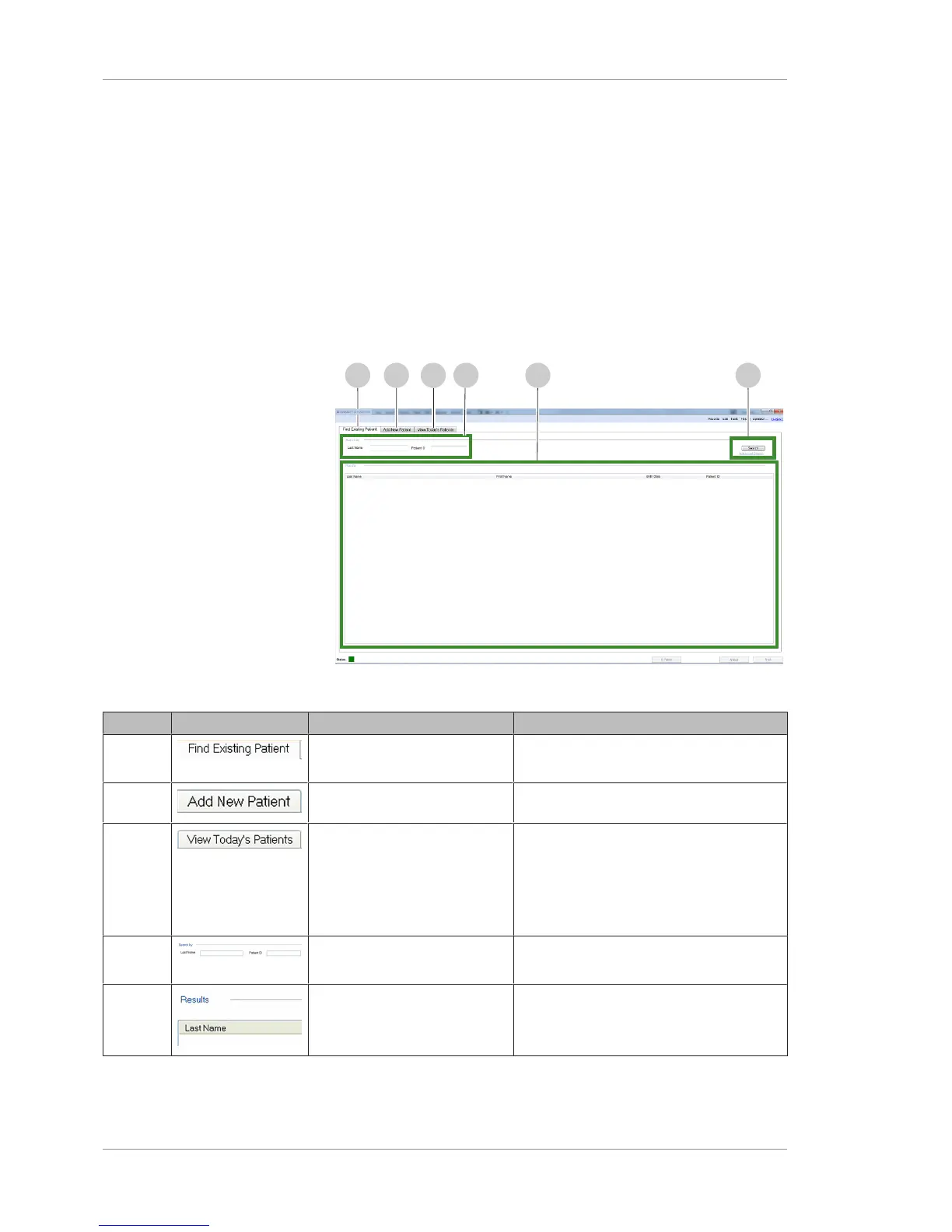
8.2.1.1 Find Existing Patient Screen
Figure17: Find Existing Patient Tab
Pos. Symbol Name Explanation
1 Find Existing Patient Tab Finds an existing patient by last name, ID
or advanced search criteria.
2 Add New Patient Tab Adds a new patient record.
3 View Today's Patients Tab Lists the following:
• New patients (added today) using the
PLEX® Elite 9000 instrument.
• Patients scheduled PLEX® Elite 9000
scans today.
4 Search By Specifies all or part of a patient name or
ID to include in results.
5 Results Lists the patients who fit the criteria (after
you click Search).













 To Next Page