8 Operation Instructions for Use
2660021169042 Rev. A 2018-038.5 Acquire Data (Scan)
96 / 246 2660021169042 Rev. A 2018-03
17. To complete the montage before all scans are acquired, click
Done (18).
18. When all scans are captured, click Finish (19).
ð The Check Quality screen opens.
19. Check Scan Quality [}97].
8.5.4 Repeating a Prior Scan (Track to Prior)
NOTE
Track to prior scan only applies for the same patient, same
eye, and same scan type.
If you want to re-scan the patient's eye, you can save time and
improve accuracy by selecting the prior scan you want to repeat.
PLEX® Elite 9000 automatically uses all of the prior scan's settings
and adjustments for the new scan.
PLEX® Elite 9000 allows you to repeat a patient's earlier scan using
the same scan settings.
When you select a prior scan, PLEX® Elite 9000 automatically:
• Sets all adjustments and settings the same as the prior scan
• Sets the same fixation target as the prior scan
• Moves the chinrest into the same position as the prior scan
• Overlays an image of the prior scan onto the fundus image
NOTE!The prior scan's overlay might obscure the fixation
target.
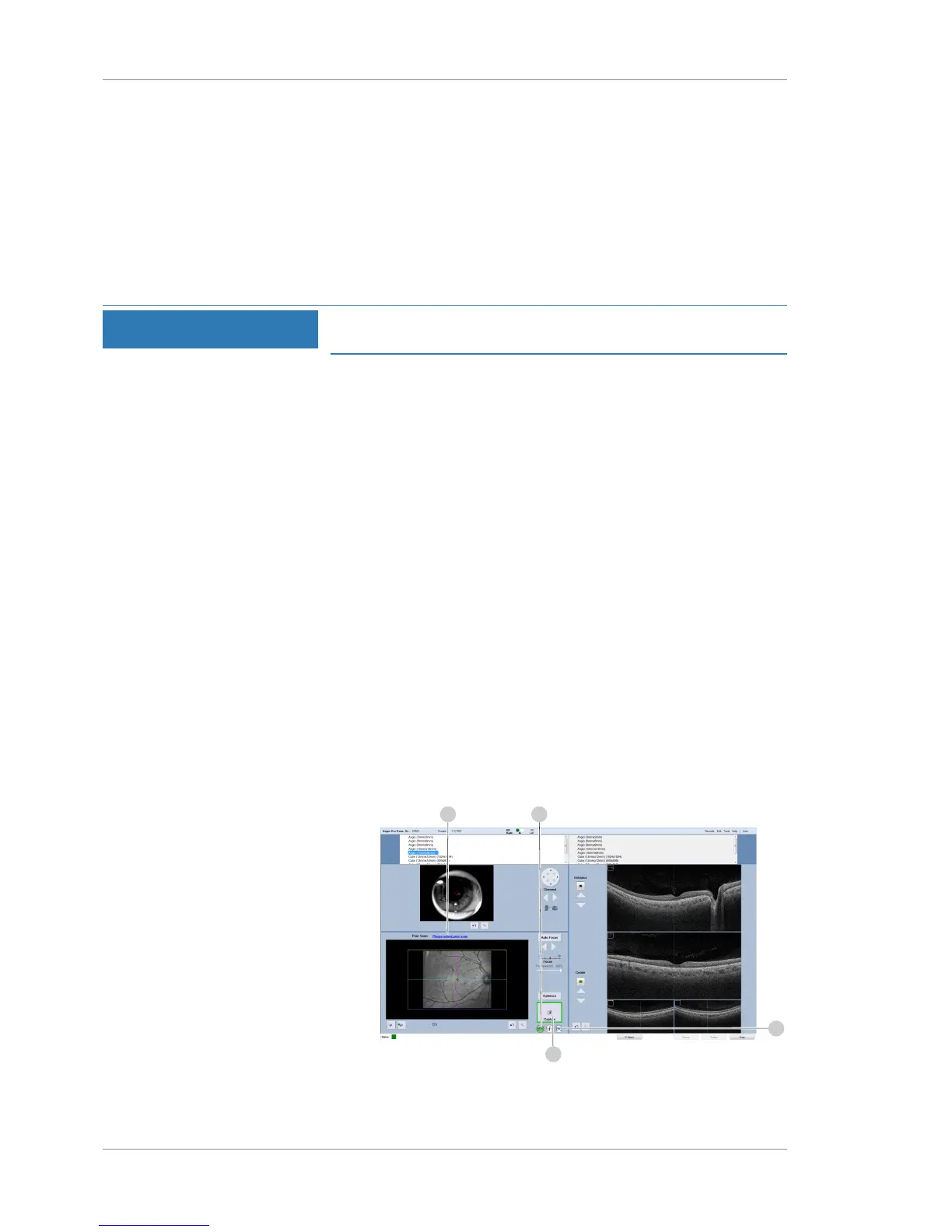
To repeat a prior scan:
Prerequisite
þ Select the Patient [}74]
þ Prepare the Patient [}78]
þ Determine Scan Type [}80]
Action 1. Click Please select prior scan (1).













 To Next Page