Instructions for Use 5 Startup and Shutdown
2660021169042 Rev. A 2018-03 5.1 System Startup
2660021169042 Rev. A 2018-03 55 / 246
5 Startup and Shutdown
5.1 System Startup
NOTE
Unsecured Logins
may result in unauthorized access or inaccurate record-keeping.
u Create individual user accounts for each staff member.
u Staff members should log out after every use.
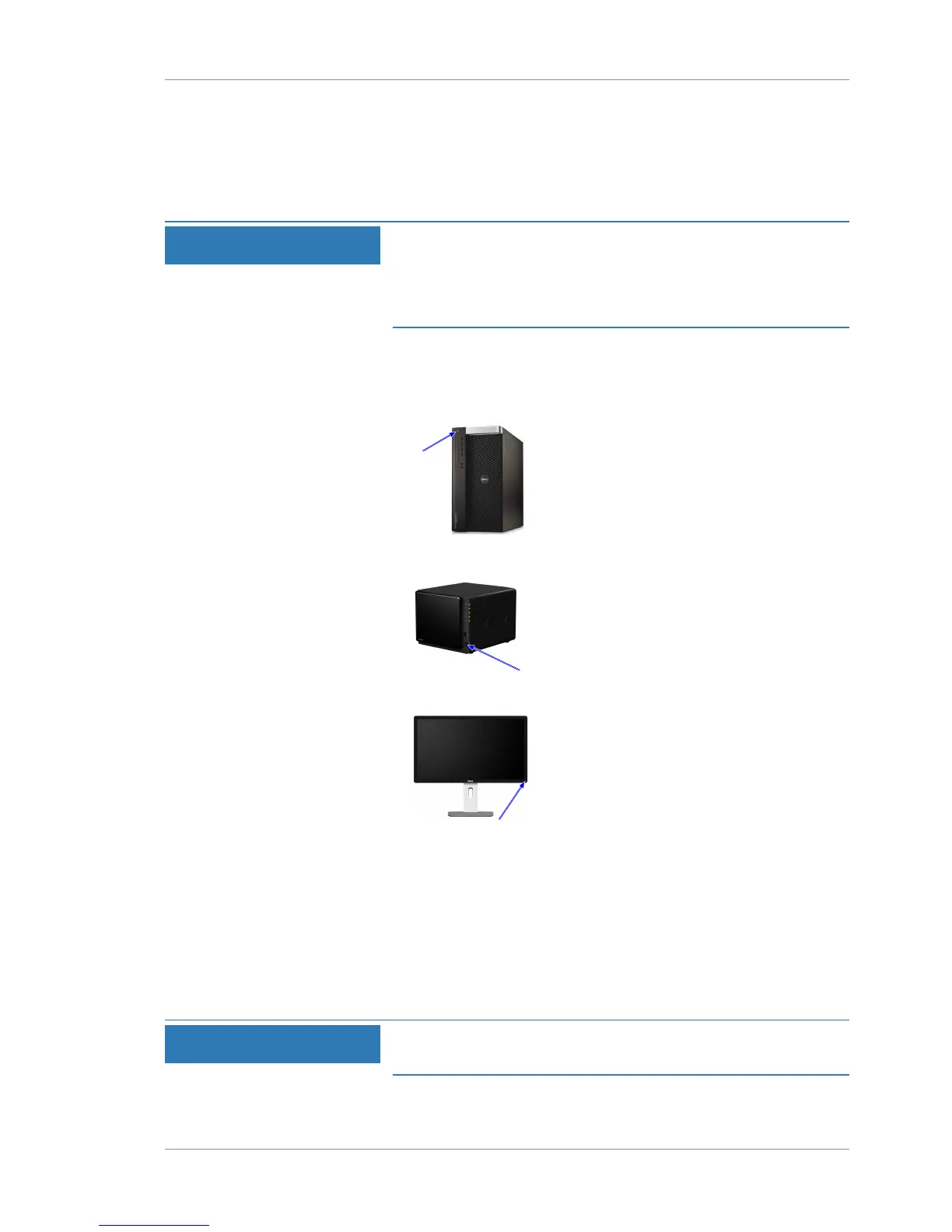
To turn on the PLEX® Elite 9000, press the PC power button. It is
not necessary to turn on (or off) the instrument or any other system
components or peripherals.
Action 1. Turn on PC power.
2. Turn on NAS power.
3. Turn on monitor power.
ð The system software starts automatically.
4. When the system starts successfully, click Continue.
5. If the system does not start successfully, refer to:
Troubleshooting [}207].
6. Log in to the software.
5.2 System Shutdown
NOTE
One plug removes power to all system components.
You do not need to unplug cables or components separately.













 To Next Page