6 Configuring Software Instructions for Use
2660021169042 Rev. A 2018-036.2 Managing Patient Categories
66 / 246 2660021169042 Rev. A 2018-03
6.2.2 Adding a Category
To add a category:
Prerequisite
þ Logging In as Operator or Data Analyst [}73]
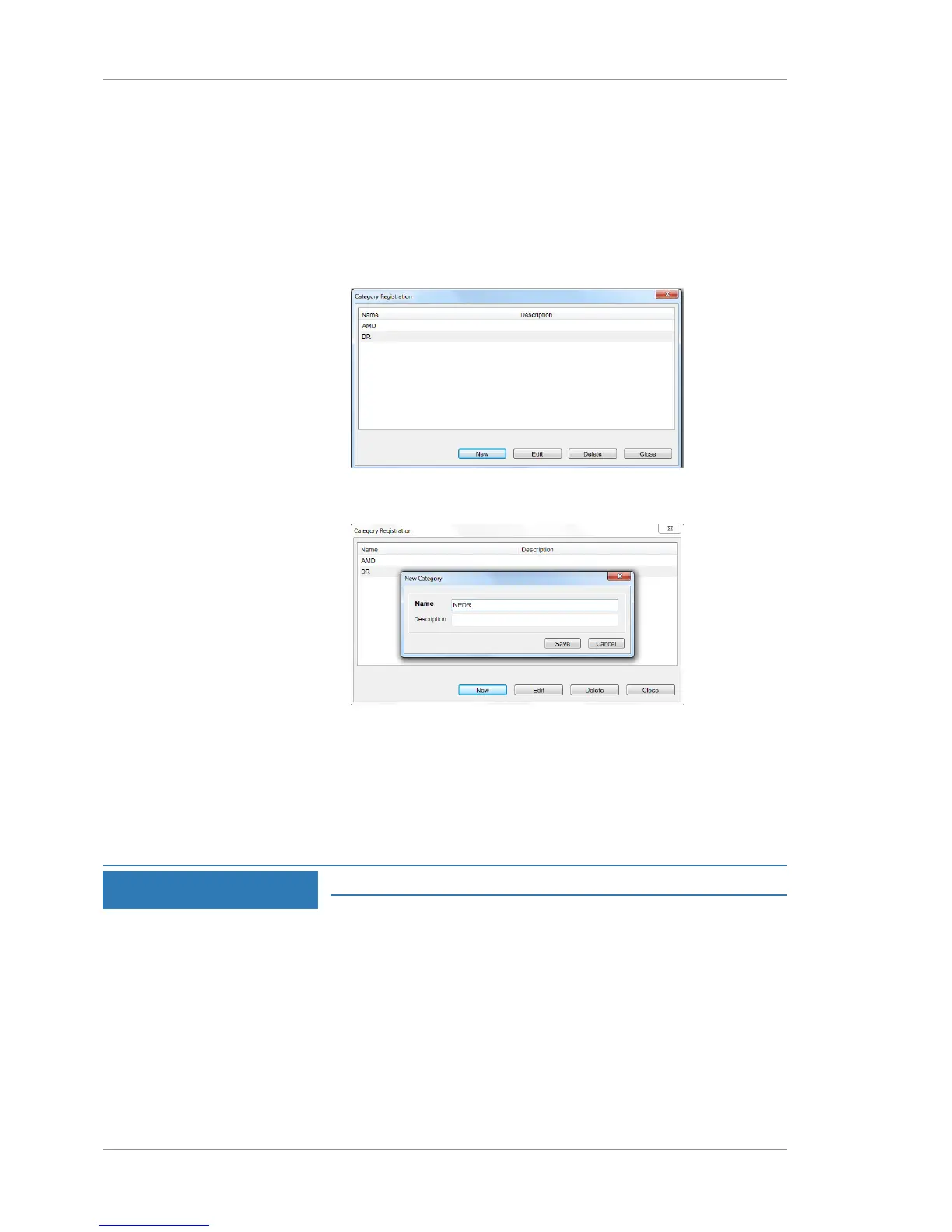
Action 1. Select Tools > Options > Categories.
ð The Category Registration dialog opens listing existing
categories in alphabetical order.
2. Click New.
ð The Category Edit dialog opens.
3. For Name, type a name for the category (up to 64-characters).
4. Click Save.
5. (Optional) For Description, type a description (up to 64-
characters).
6.2.3 Editing a Category
NOTE
You cannot edit categories created by another institution.
To edit a category:
Prerequisite
þ Logging In as Operator or Data Analyst [}73]
Action 1. Select Tools > Options > Categories.
ð The Category Registration dialog opens listing existing
categories in alphabetical order.
2. Select a category and click Edit.
ð The Category Edit dialog opens.













 To Next Page