8 Operation Instructions for Use
2660021169042 Rev. A 2018-038.6 Check Scan Quality
98 / 246 2660021169042 Rev. A 2018-03
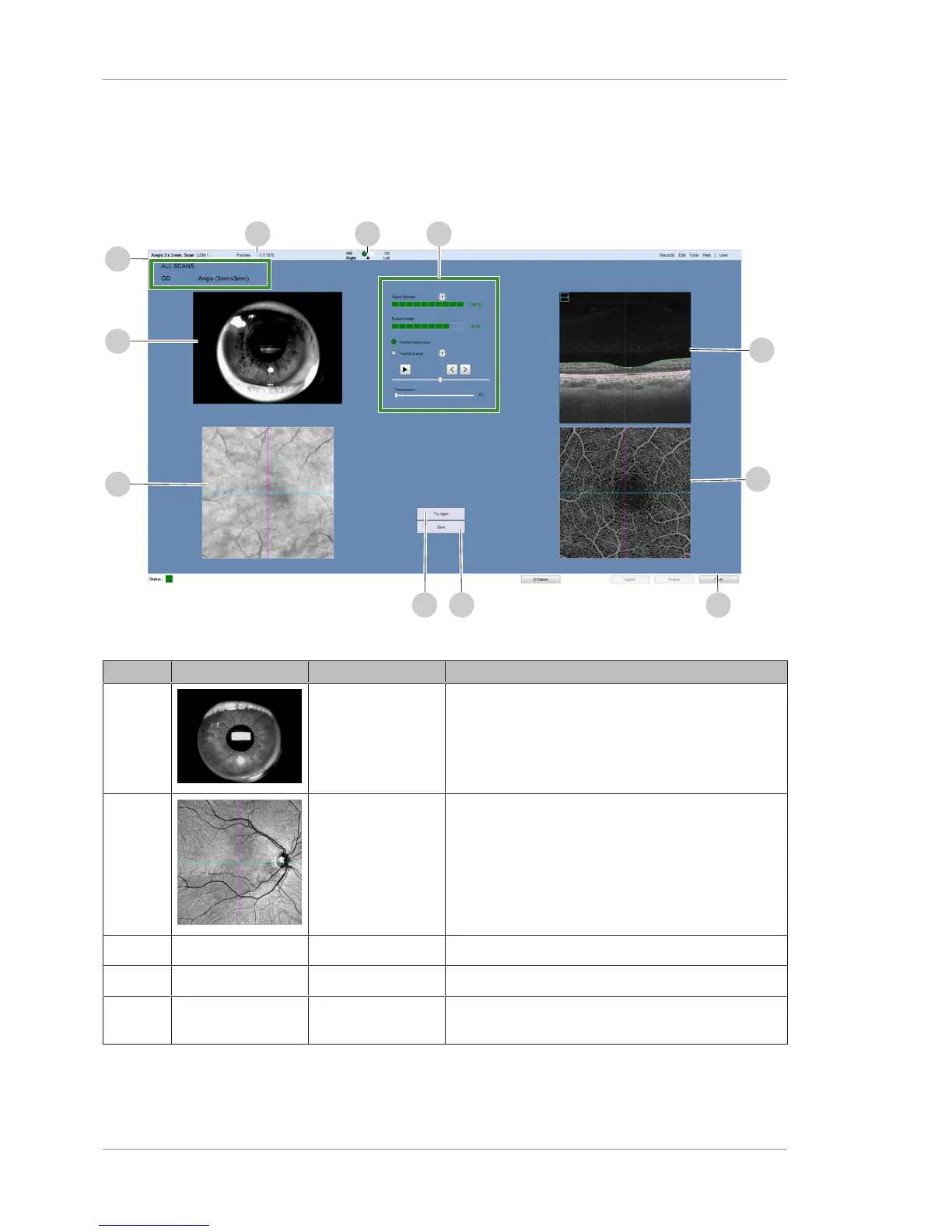
8.6.1 Quality Check Screen (Angio)
Angio quality check provides the standard set of tools for reviewing
the scanned images before you save them. The screen is the same
for all sizes of Angio Scans.
Figure22: Angio (3mmx3mm) Quality Check Screen
Pos. Symbol Name Explanation
1 Iris Image Iris image captured (not live).
2 Retina Structure Enface image captured with blue and magenta slice
navigators.
3 - Scan Summary Displays basic information about the scan.
4 - Patient Information Displays information about the patient.
5 - OD / OS Indicator Indicates whether the scan captured the right eye or
left eye.













 To Next Page