Instructions for Use 6 Configuring Software
2660021169042 Rev. A 2018-03 6.1 System Administration
2660021169042 Rev. A 2018-03 61 / 246
6.1.3.3 Editing the Instrument Identifier
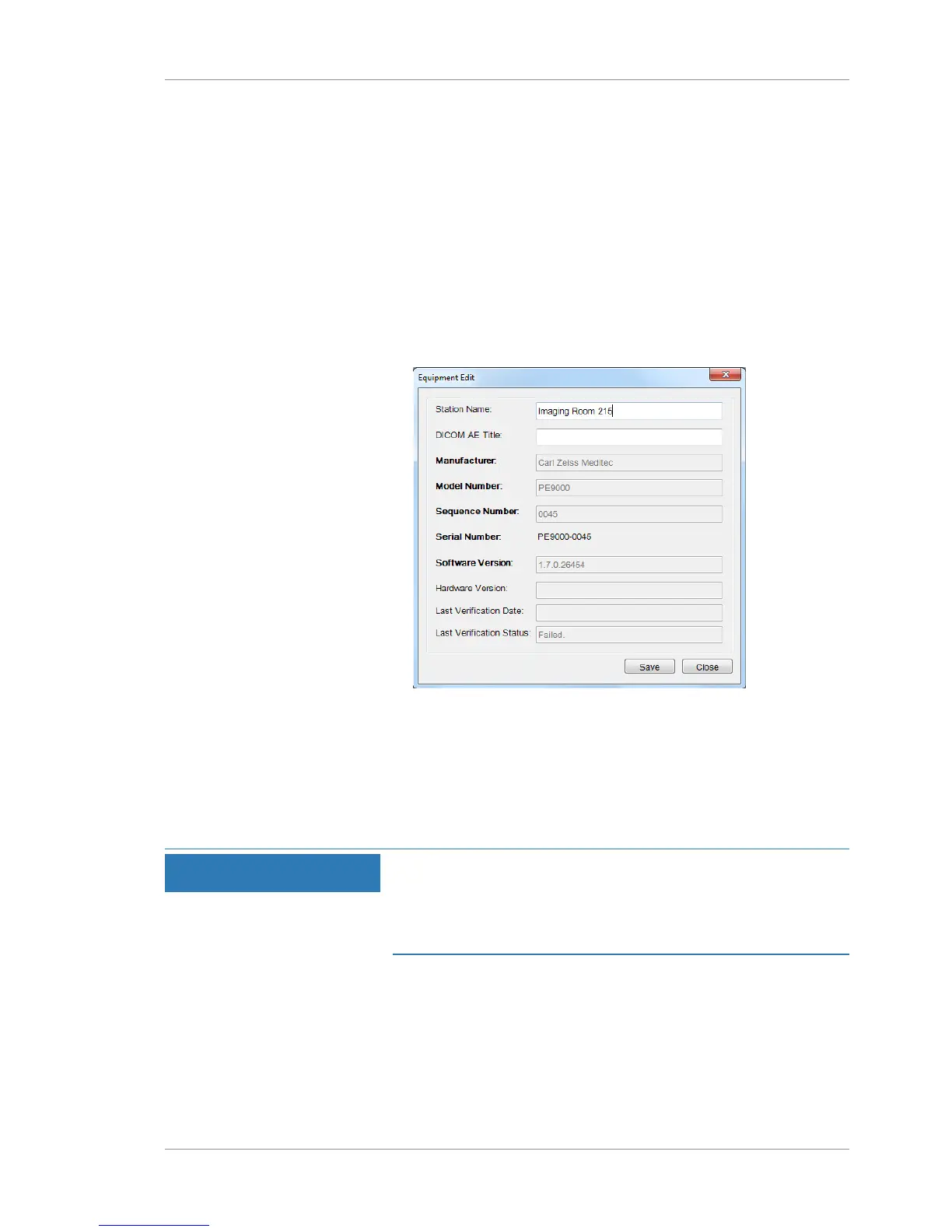
You must create a unique name for each PLEX® Elite 9000
instrument and review station.
Tip: Use Station Names meaningful
to your organization (for example:
"Imaging Room 215").
When configuring these settings, important instrument information
displays, including:
• Model Number
• Sequence Number
• Serial Number
• Software Version
Action 1. Select Tools > Options > Equipment Edit.
2. For Station Name, type an instrument identifier that is
meaningful to your institution.
3. Select Save.
4. Close the window.
6.1.4 Managing User Accounts
NOTE
Unsecured Logins
may result in unauthorized access or inaccurate record-keeping.
u Create individual user accounts for each staff member.
u Staff members should log out after every use.
PLEX® Elite 9000 saves the operator's user name for each scan
acquired. The currently logged in user name displays in the top
toolbar.




 To Next Page