8 Operation Instructions for Use
2660021169042 Rev. A 2018-038.6 Check Scan Quality
100 / 246 2660021169042 Rev. A 2018-03
8.6.2 Quality Check Screen (Montage)
This description includes only features unique to the montage
screen. For general Quality Check screen features, refer to: Quality
Check Screen (Angio) [}98].
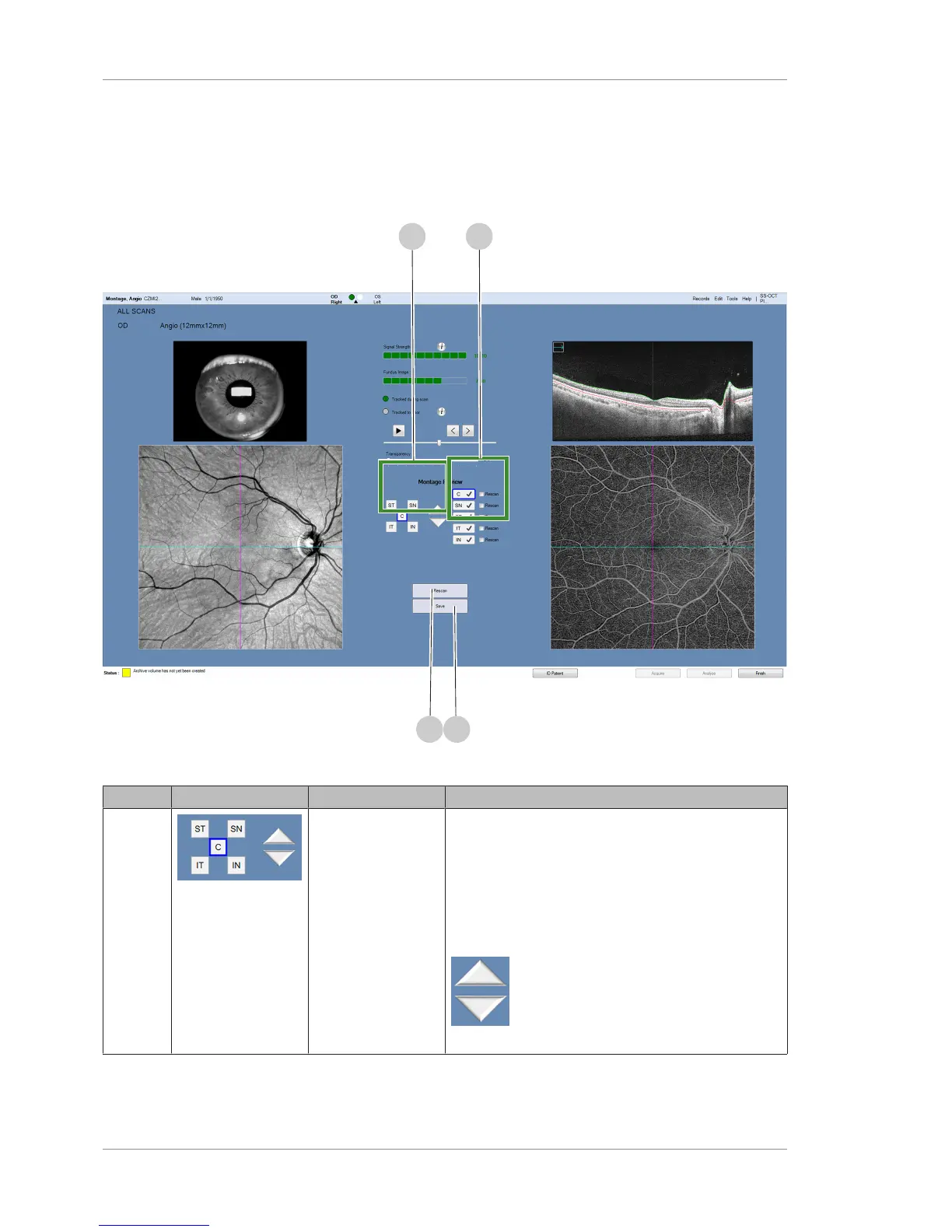
Figure23: Angio Montage Quality Check Screen
Pos. Symbol Name Explanation
1 Navigation Aids Navigational aids
• C - Select to view the Center scan
• SN - Select to view the Superior Nasal scan
• ST - Select to view the Superior Temporal scan
• IT - Select to view the Inferior Temporal scan
• IN - Select to view the Inferior Nasal scan
Navigates through the component scans so
you can check the quality of each.













 To Next Page