9 Analyzing Exam Data and Creating Reports Instructions for Use
2660021169042 Rev. A 2018-039.5 Using Presets
142 / 246 2660021169042 Rev. A 2018-03
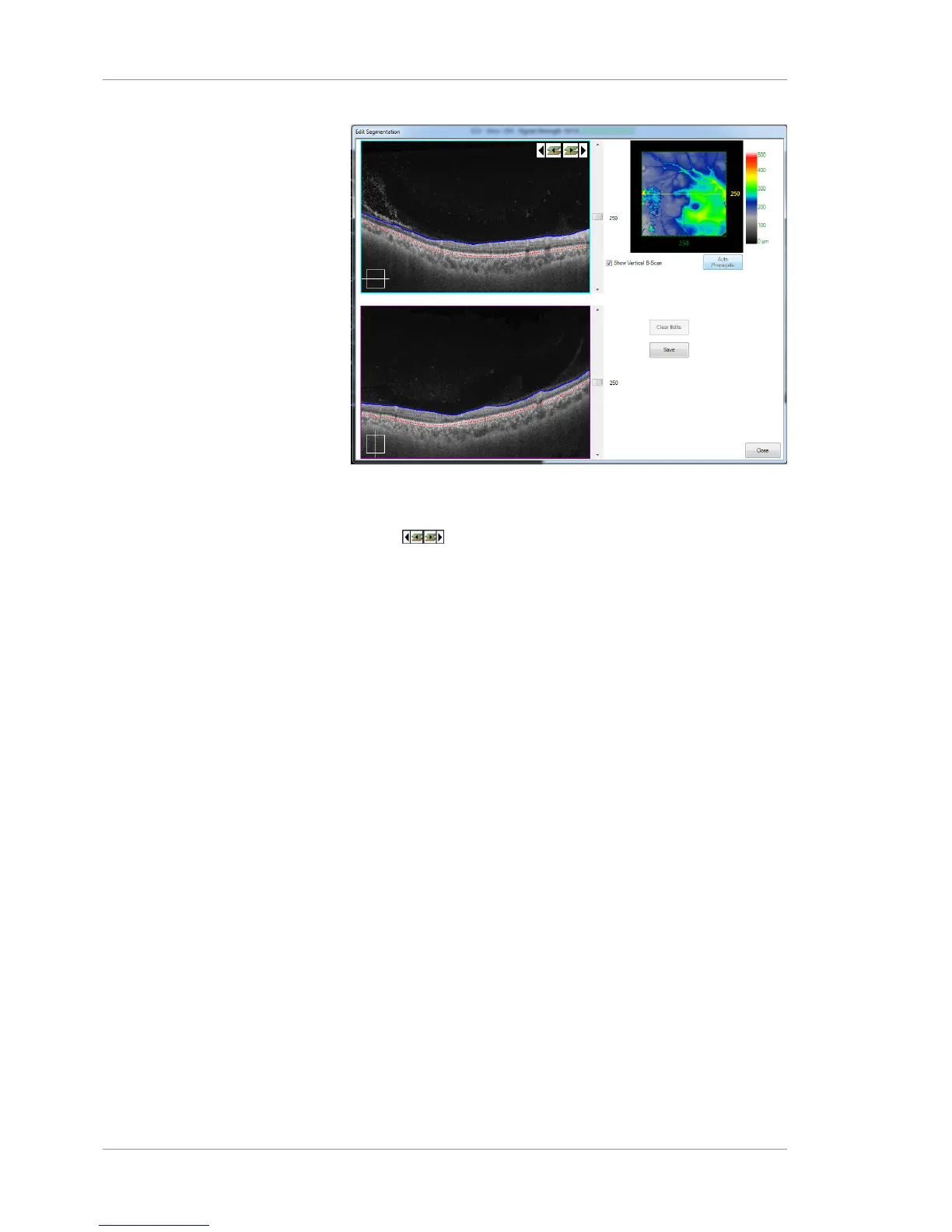
4. After each propagation step, review the thickness map, using
the slider on the right of the B-Scan images to change the
boundary (or step through the B-scans segments one at a time
using ( ) to identify areas that require further editing.
5. When you have completed editing, press Save.
6. When you are finished, press Close.
9.5 Using Presets
9.5.1 About Presets
Ten Presets on the left side of the Angiography Analysis screen
show calculated retinal layers.
Presets provide a starting point for exploring retinal vasculature.
You can manually adjust the depth and location from the Preset
using the Segmentation Lines on the B-Scan Tomogram, or the
Slice Navigators on the Angio or Structural Image.
9.5.2 Show or Hide Presets
To hide or display the presets:
Prerequisite þ Logged in to review station (or instrument): Logging In as
Operator or Data Analyst [}73]
þ The scan report or analysis is open: Opening a Report or
Analysis [}120]













 To Next Page