9 Analyzing Exam Data and Creating Reports Instructions for Use
2660021169042 Rev. A 2018-039.8 Editing Segmentation Results
152 / 246 2660021169042 Rev. A 2018-03
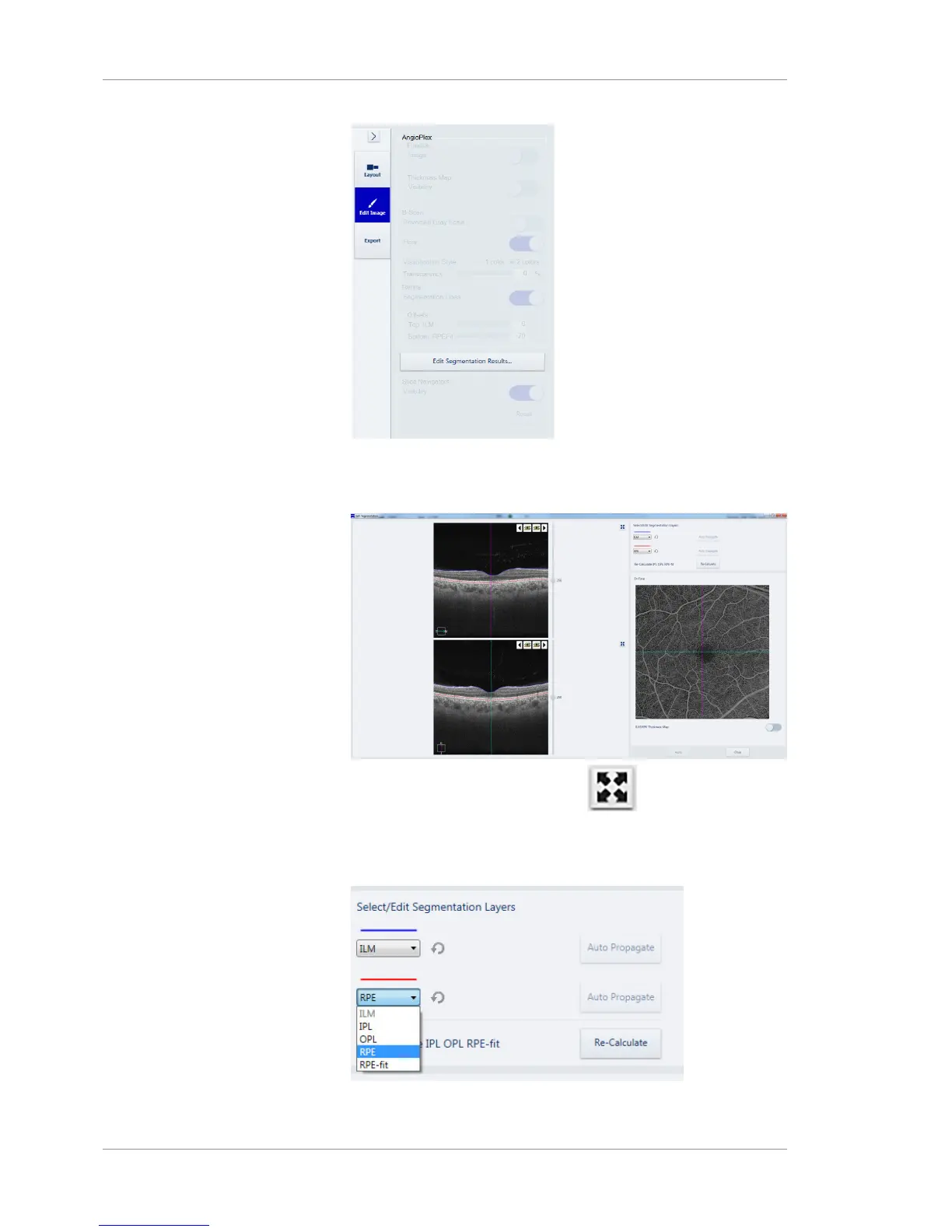
2. Click Edit Segmentation Results.
ð The segment editor opens.
3. To view a full-screen image, click ( ). Click again to exit
full-screen mode.
4. Select the top layer to edit under the blue line, adjust the blue
line to the new layer location, and click Auto Propagate.













 To Next Page