February 2020 – TD 266 OPERATING MANUAL – ZPulse® DCS 4420/4830/4520/4930 Page 47
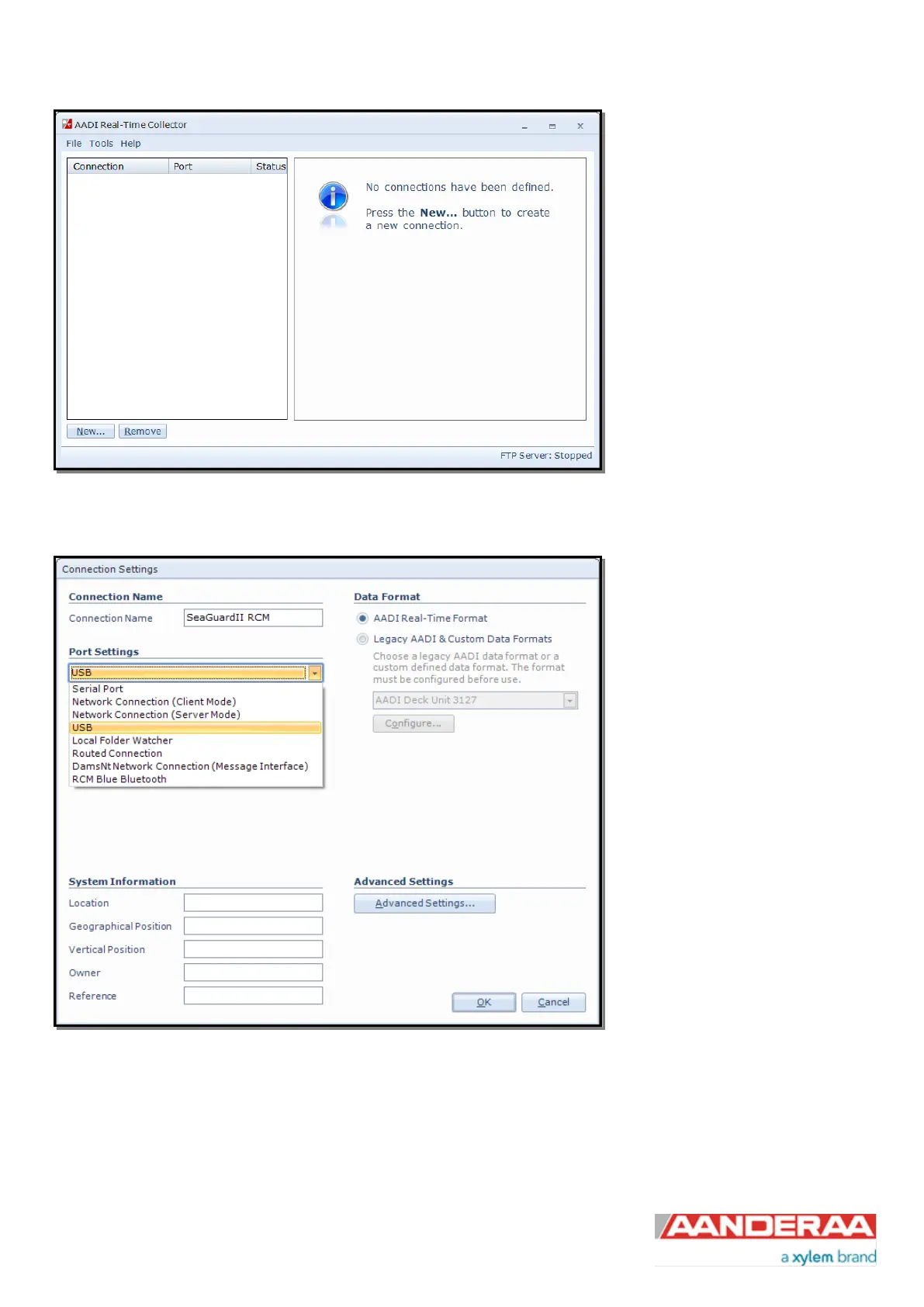
At first connection with AADI Real-
Time Collector the connection list will
be emty. Click on the New button in
the lower left corner to create a new
connection
NOTE: This only need to be done
once. AADI Real-Time Collector will
keep the information for later use and
next time you might select it from the
connection list.
Figure 3-4: AADI Real-Time Collector start up menu
If your instrument is connected via
USB then select USB from the Port
Settings drop down menu (see
Figure 3-5); and write a name in the
Connection Name box (for i.e.
SeaGuardII). We recommend using
product name and serial number if
you want to connect multiple
instruments to the same software.
Figure 3-5: AADI Real time Collector connection settings



 To Next Page