Page 48 February 2020 – TD 266 OPERATING MANUAL – ZPulse® DCS 4420/4830/4520/4930
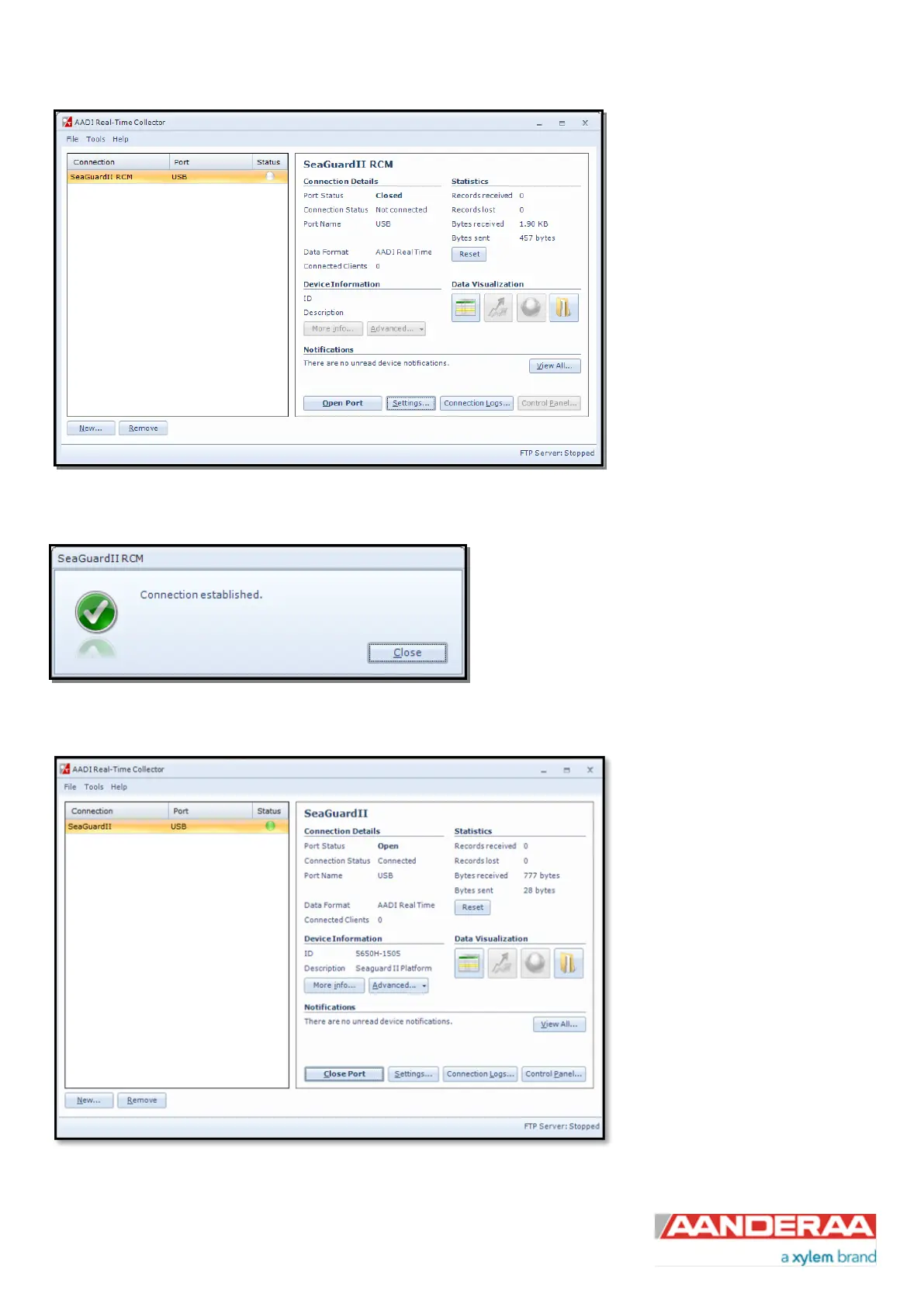
The new connection is now shown in
the AADI Real-Time Collector
connection list. Click on the line with
the new connection to highlight and
then click on the Open Port button.
After pressing the Open Port button
the connection to the SeaGuardII or
SmartGuard should be established
within a few seconds and the status
will turn to green.
Figure 3-6: New connection
When the connection is established a small window will
show up confirming the connection. After power up it will
take approximately 30 seconds before the logger is
ready.
Figure 3-7: Connection established
Open Control Panel in the lower
right corner (refer Figure 3-8), and
then jump to chapter 3.5 for
SeaGuardII and SmartGuard or
chapter 3.6 for SeaGuard
configuration.
Figure 3-8: AADI Real-Time Collector main menu



 To Next Page