February 2020 – TD 266 OPERATING MANUAL – ZPulse® DCS 4420/4830/4520/4930 Page 99
Example 2: Typical setting for reduced output and only two active transducers. Start distance and cell size set to
minimum to be able to measure in a restricted area. Interval set to 30 second.
//Press Enter to start communicating with the sensor
//press Enter
Stop
//Wait for ack #. Repeat if necessary
Set Passkey(1)
Set Mode(Smart Sensor Terminal)
//wait for ack #
Set Enable Sleep(Yes)
//wait for ack #
Set Enable Polled Mode(No)
//wait for ack #
Set Enable Text(No)
//wait for ack #
Set Enable Decimalformat(Yes)
//wait for ack #
Set Ping Number(150)
//wait for ack #
Set Enable Burst Mode(No)
//wait for ack #
Set Enable Single Interval(No)
//wait for ack #
Set Start Distance(0.4)
//wait for ack #
Set Cell Size(0.75)
//wait for ack #
Set Enable Zpulse Operation(Yes)
//wait for ack #
Set Sound Speed(1500)
//wait for ack #
Set Enable Fixed Heading(No)
//wait for ack #
Set Enable Tilt Compensation(Yes)
//wait for ack #
Set Activation X-axis(1)
//wait for ack #
Set Activation Y-axis(2)
//wait for ack #
Set Enable Forward Ping(Yes)
//wait for ack #
Set Interval(30)
//an error message is sent from the sensor if the interval is too short
Save
// wait for ack #
Reset
// the sensor will restart with new settings
Comments to example 2: Typical setup if measured close to an obstruction. By using only two transducers the sensor
can be placed close to a wall, platform leg or similar where the two active transducers are facing away from the
obstruction. The limited start distance and cell size also reduce the measured are and make it possible to measure
within a smaller area.
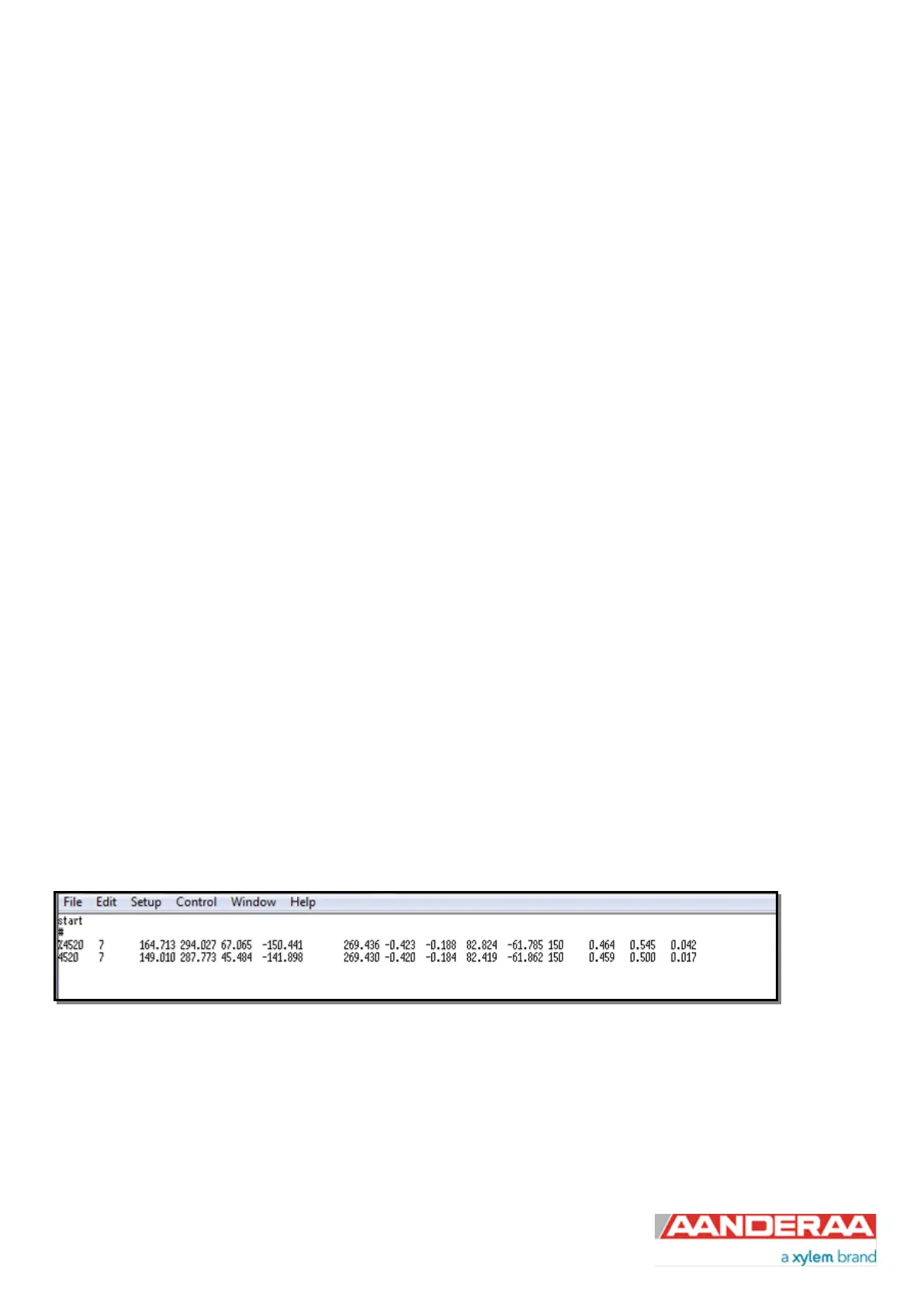
Figure 6-11: Typical output from example 2



 To Next Page