11: CFM
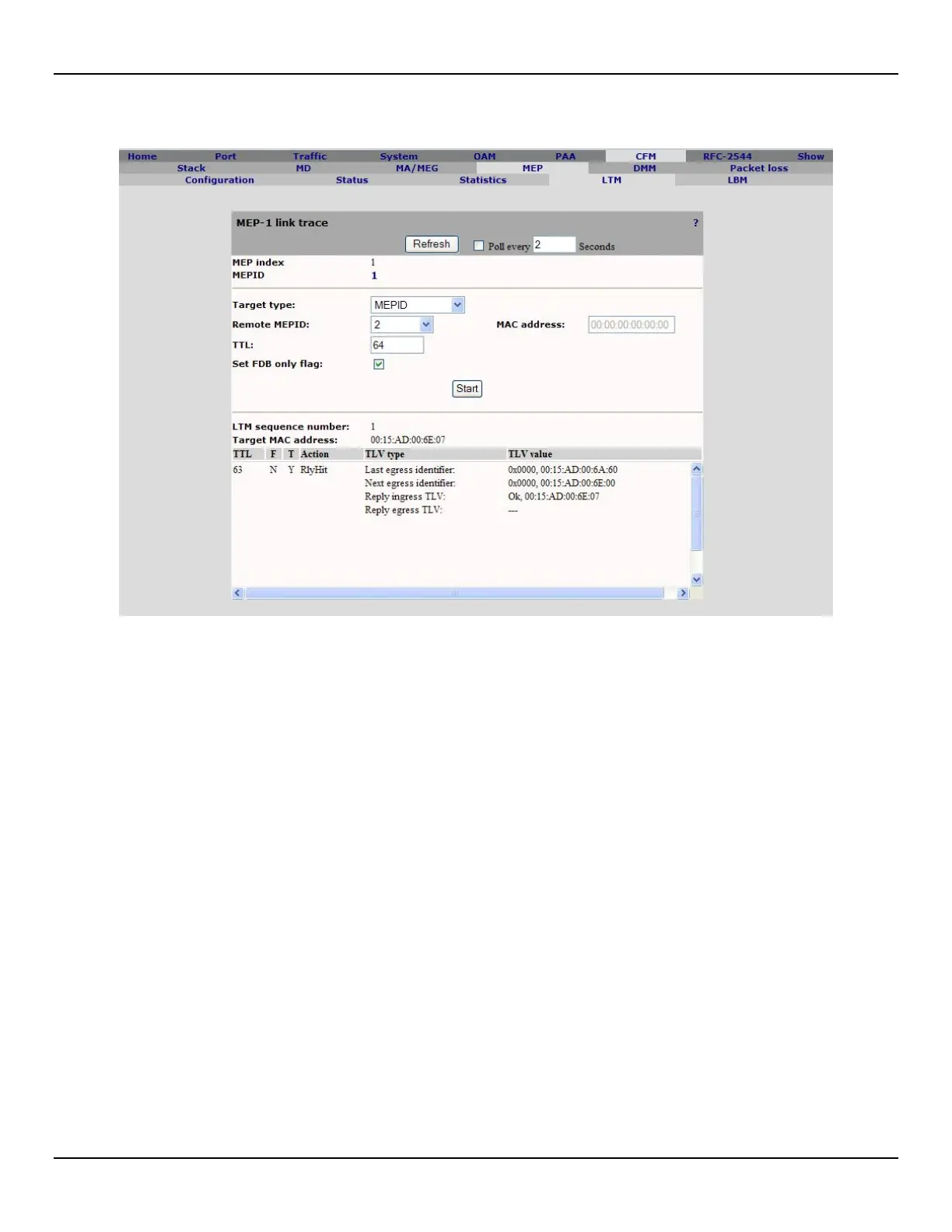
8. Open the CFM > LTM and click on the MEPID, then click Start to start the link trace.
• MEP index: Unique index assigned to each Maintenance association End Point.
• MEPID: Maintenance association End Point Identifier.
• Target type: Allows setting the link trace target by remote MEPID or MAC address.
• Remote MEPID: Specifies the target remote MEPID. The remote MEP MAC address should be resolved into
the local MEP database.
• MAC address: Specifies the target MAC address. Only unicast MAC address are valid for link trace target
address.
• TTL: Specifies the link trace time to live. Maximum value is 255. If 0 is specified no response should be
received.
• Set FDB only flag: Specifies if the LTM should set or not the flag "UseFDBonly" (IEEE 802.1ag) or the flag
"HWonly" (Y.1731).
• LTM sequence number: Indicates the sequence number used by the latest link trace request.
• Target MAC address: Indicates the target MAC address used by the latest link trace request.
• TTL: Indicates the TTL received in link trace responses.
• F: Forwarded. Indicates the responder maintenance point did forward the LTM.
• T: Terminal MEP. Indicates the responder maintenance point is a MEP.
• Action:
• Indicates how the responder system would process frame targeted for the destination address specified by the
LTM. Possible values are:
o RlyHit : The LTM reached an maintenance point whose MAC address matches the target MAC
address.
o RlyFDB : The Egress Port was determined by consulting the Filtering Database.
o RlyMPDB : The Egress Port was determined by consulting the MIP CCM Database.
• TLV type: Indicates what kind of TLVs were included in link trace responses.
• TLV value: Indicates TLV values included in link trace responses.



 To Next Page