iPAM400 – Product Manual
U-0629-0171.doc – Issue: 04 complete, approved
Page 102 of 138
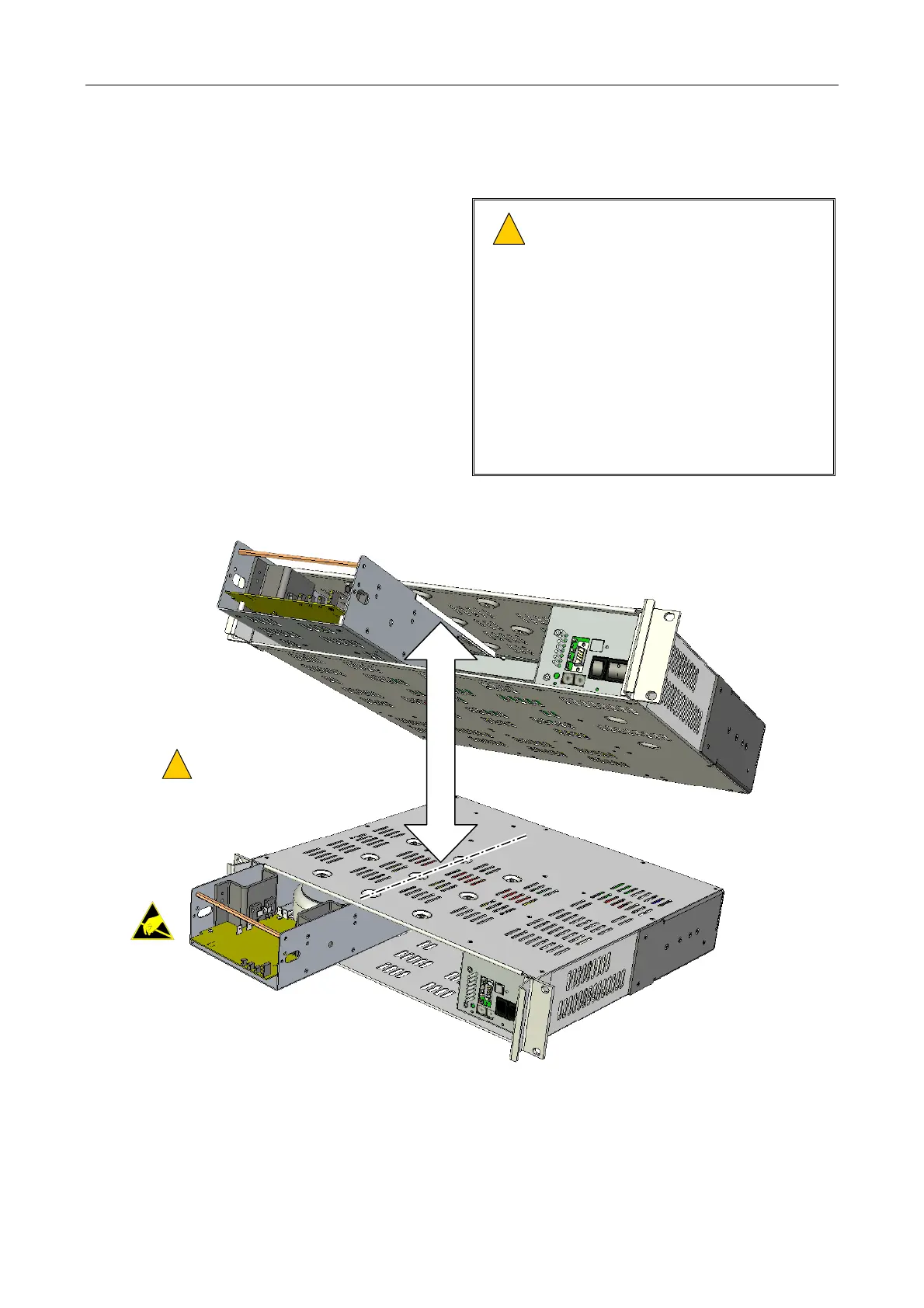
8.4 Installing an Amplifier Module into the Mainframe
Insert the amplifier module through the front of the
mainframe, using the guides on the inside top of the
mainframe to locate it correctly.
!
!
Ensure that the amplifier module’s
side panels are located in the
mainframe slides on the inside top of
the mainframe.
Ensure that the amplifier module is
pushed fully home so that its rear
connector(s) mates the matching
connector(s) in the mainframe.
Do not change any hardware settings
on the amplifier module. These are set
in manufacture for optimum
performance.
MODULE SIDE PANELS MUST
LOCATE IN MAINFRAME SLIDES
!
!
(1 x MX200 shown as example.)
MX200
MX200
MAINFRAME SLIDE



 To Next Page