iPAM400 – Product Manual
U-0629-0171.doc – Issue: 04 complete, approved
Page 113 of 138
8.13.3 MX Amplifier Module Internal Fuses
Replacing Amplifier Module’s Fuses:
1. Remove the iPAM400 front panel; see Section “8.1 Removing the Front Panel” (page 99).
2. Power the mainframe off; see Section “8.2 Powering the Mainframe Off” (page 100).
3. Remove the required amplifier; see Section “8.3 Removing an Amplifier Module from the Mainframe”
(page 101).
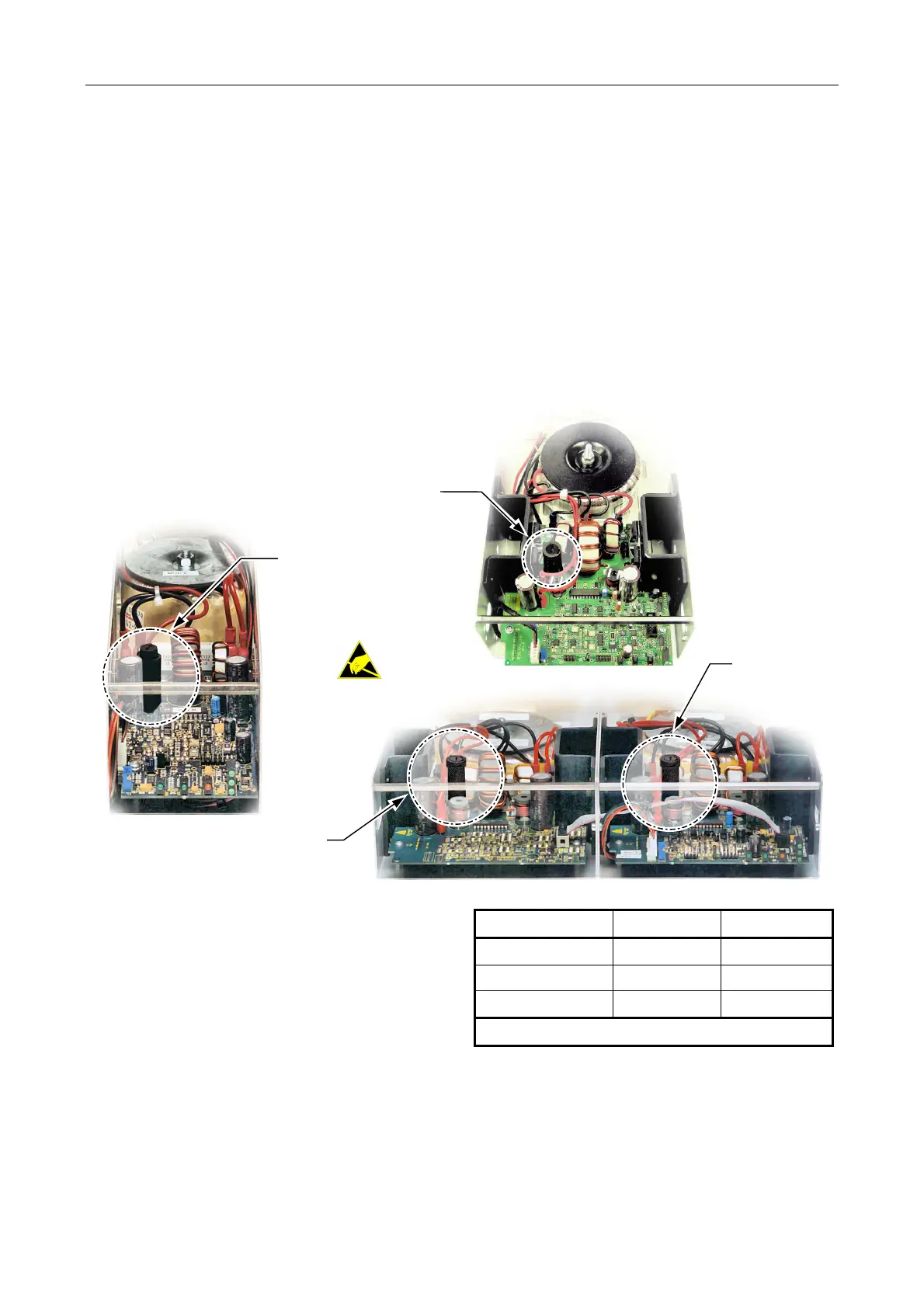
4. The fuse is located as shown in the following figures.
MX200 (ONE FUSE)
MX100 (ONE FUSE)
MX400 (TWO FUSES)
FUSE TYPE:
F15A 1¼"mm
FUSE TYPE:
F6.3A 20 mm
FUSE TYPE:
F15A 1¼"mm
FUSE TYPE:
F15A 1¼"mm
5. Inspect the fuse(s). If blown, then replace with
the type and rating as specified in the table on
the right.
Amplifier Module Fuse Type Quantity
MX100 F6.3A 20 mm 1
MX200 F15A 1¼" 1
MX400 F15A 1¼" 2
Find spare in Table 6 (page 116).
6. Re-insert the amplifier module; see Section “8.4 Installing an Amplifier Module into the Mainframe”
(page 102).
7. Power the mainframe on; see Section “8.5 Powering the Mainframe On” (page 103).
8. Re-fit the front panel; see Section “8.6 Powering the Mainframe On” (page 104).



 To Next Page