iPAM400 – Product Manual
U-0629-0171.doc – Issue: 04 complete, approved
Page 64 of 138
6.3 Setup Tool
The iPAM400’s built-in Setup Tool enables the user to configure the iPAM400 from a configuration file,
either locally or remotely. It also enables the user to easily update the iPAM400 software. Additionally the
Setup Tool provides test functions which can support the system commissioning and testing.
The following sections describe the functions provided by the Setup Tool.
!
!
It is recommended that the factory default system configuration file be copied and stored in a
safe place before carrying out any modification.
Make sure that the system configuration is copied and stored in a safe place after
commissioning.
See Section “6.3.1.7 Copying Log and Configuration Files to a USB Memory Stick” (page 82).
6.3.1 Using the Setup Tool
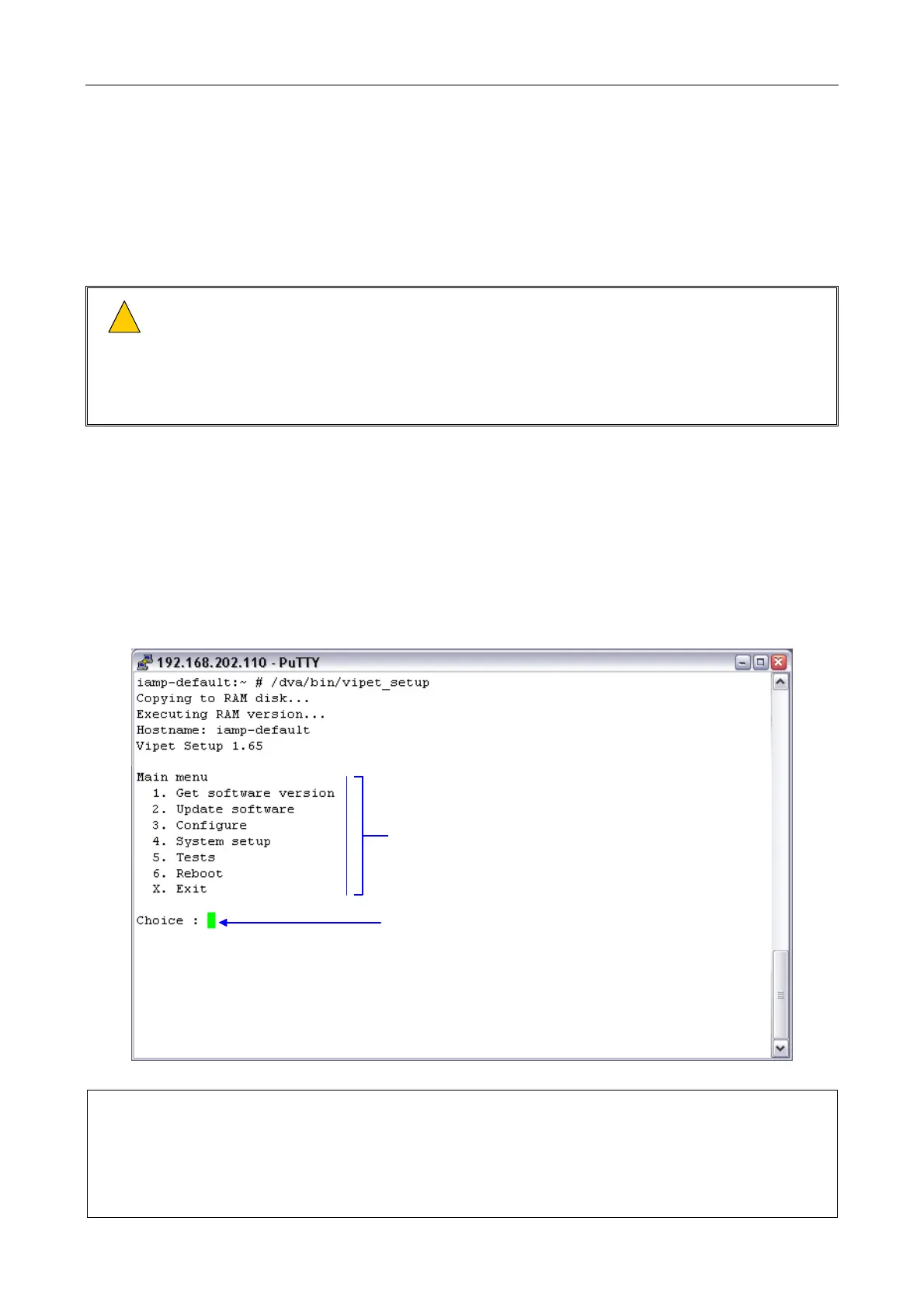
Once running the Setup Tool shows all available options, and prompts the user to select an operation by
entering the option’s number or letter. Section “6.3.2 Setup Tool Menu Structure” (page 86) describes the
entire menu structure.
The Setup Tool’s main menu structure is shown in Figure 24.
Figure 24 Setup Tool’s menu structure (Main Menu example)
Main menu options
Prompt: enter menu option number (or letter)
The Setup Tool functions and menu structure described in this section correspond to those
available at the time of writing this manual.
If any difficulties are encountered, contact ASL or an appointed ASL distributor, quoting the
software build version. The software build version can be obtained by following the procedure
described in Section “6.3.1.1 Getting the Software Build Version” (page 65).



 To Next Page