iPAM400 – Product Manual
U-0629-0171.doc – Issue: 04 complete, approved
Page 110 of 138
8.12 Battery Replacement
The battery will require replacement at maximum intervals of typically 5 years.
Replacing the Lithium Battery:
1. Remove the iPAM400 front panel; see Section “8.1 Removing the Front Panel” (page 99).
2. Power the mainframe off; see Section “8.2 Powering the Mainframe Off” (page 100).
3. Remove the mainframe from the rack; see Section “8.8 Removing the Mainframe from the Rack”
(page 105).
4. Remove the mainframe lid; see Section “8.7 Removing the Mainframe Lid” (page 104).
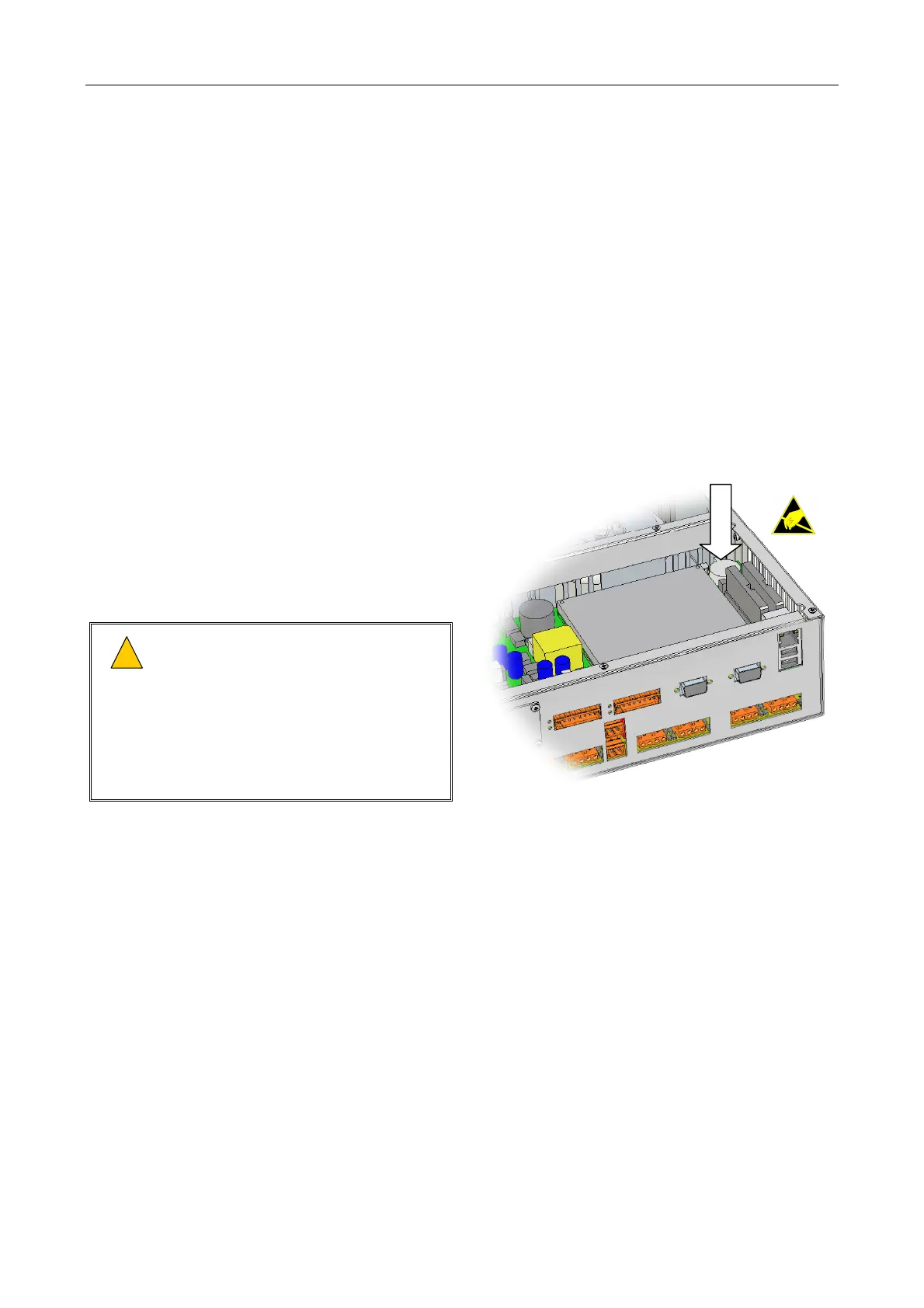
5. The battery holder is clearly visible on the
rear right corner of the mainframe.
6. Remove the battery from its clip, taking care
not to short circuit it.
7. Replace with type DURACELL CR2032 or
equivalent; find spare in Table 6 (page 116).
!
!
Danger of explosion if battery is
incorrectly replaced.
Replace only with the same or
equivalent type
Dispose of battery carefully to avoid
environmental damage. Do not dispose
of battery in a fire.
Lithium Batter
8. Re-fit the mainframe lid, and secure it in position using the 14 x M3 Pozidriv screws.
9. Re-fit the mainframe into the rack; see Section “8.9 Installing a Mainframe into the Rack”
(page 106).
10. Power the mainframe on; see Section “8.5 Powering the Mainframe On” (page 103).
11. Re-fit the front panel; see Section “8.6 Powering the Mainframe On” (page 104).



 To Next Page