iPAM400 – Product Manual
U-0629-0171.doc – Issue: 04 complete, approved
Page 104 of 138
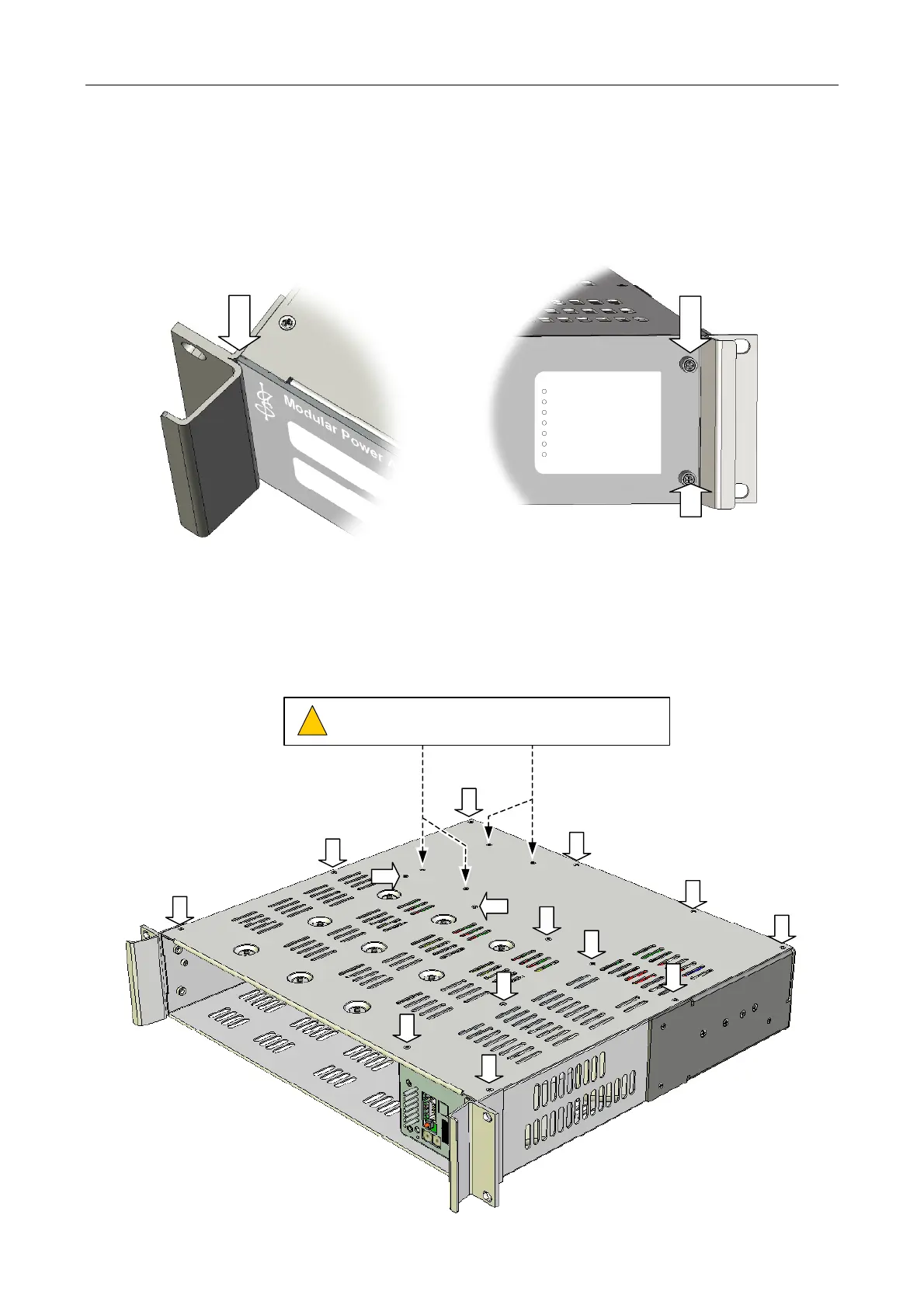
8.6 Fitting the Front Panel
Fit the front panel by sliding its left end under the left iPAM400 handle, and fixing its right end using the two
captive M3 Pozidriv screws.
LEFT END UNDER HANDLE
iPAM400
fault
sync
processor
ethernet
aux
battery
mains
CAPTIVE M3 SCREW
(POZIDRIV)
CAPTIVE M3 SCREW
(POZIDRIV)
8.7 Removing the Mainframe Lid
Remove the mainframe lid by undoing 14 x M3 Pozidriv screws.
(Front panel and amplifier modules removed)
Do NOT remove these four black M3 hex head screws.
They are securing the heatsink underneath the lid.
!
!



 To Next Page