Chapter 4 INTERFACE SETTINGS
213
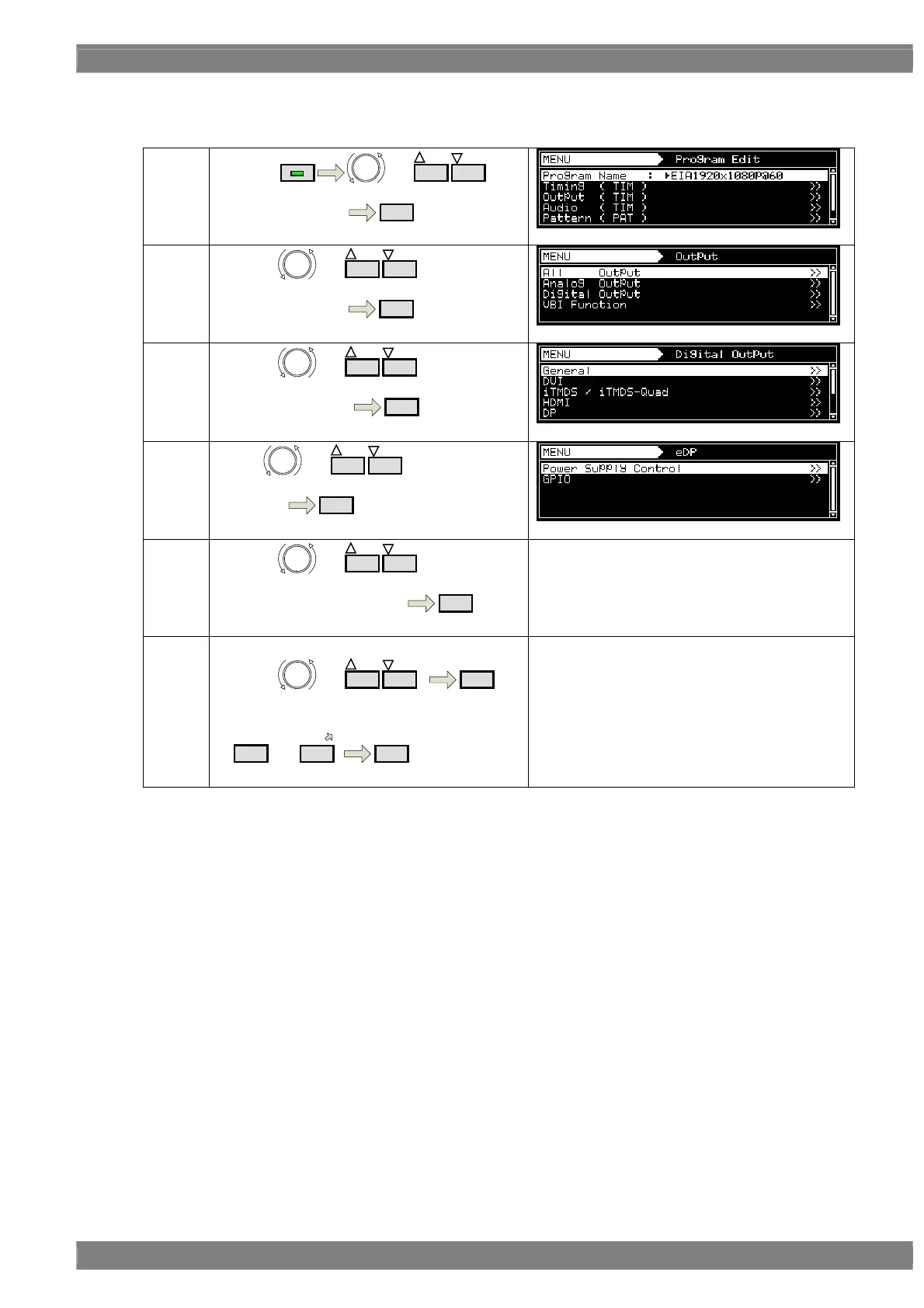
b) Setting of Power Sequence
(1)
By using
MENU
or
INC
DEC
,
Select Program Edit
SET
(2)
By using or
INC
DEC
,
Select Output (TIM )
SET
(3)
By using or
INC
DEC
,
Select Digital Output
SET
(4)
Select or
INC
DEC
,
Select eDP
SET
(5)
By using or
INC
DEC
,
Select Power Supply Control
SET
Refer to 《Parameter for power control》 in the
following page about parameter details.
《Input parameter》
By using or
INC
DEC
,
SET
Or select by number keys
0/STATUS
to
9/F
SET
Note) power output and control is done in one line.



 To Next Page