Page 26Aviom A640 Personal Mixer User Guide
Mute
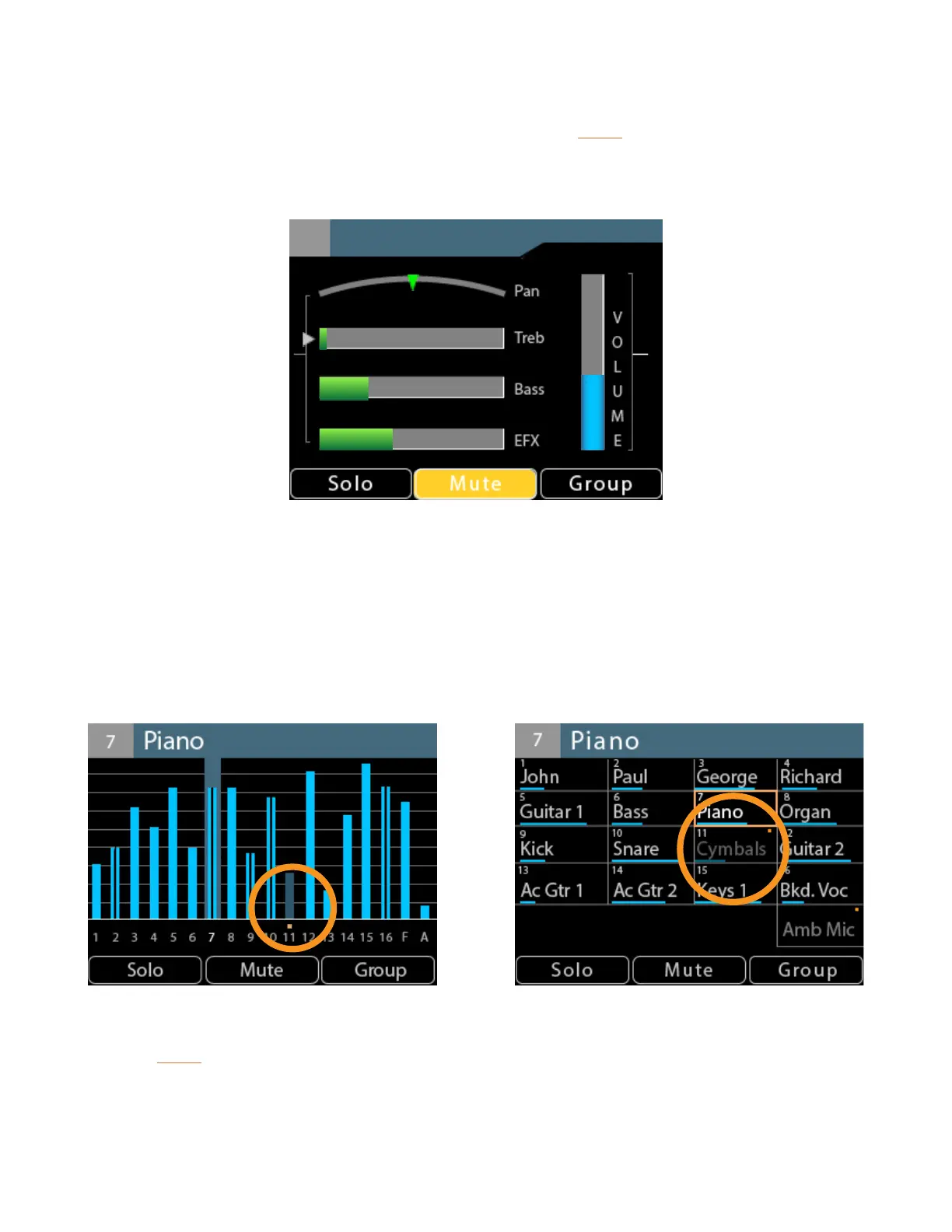
Silence the currently selected channel or Group by pressing the Mute button. The channel is
removed from the mix; its settings for volume, pan, tone control, and eects remain in view and can
be edited if needed.
George
3
Any number of channels can be muted in a monitor mix. Any time a muted channel is selected in the
Channel View, the on-screen Mute indicator will light. A dedicated gold LED beneath the channel
button also lights for each muted channel on the A640.
In Mix View, a muted channel displays a gold Mute indicator above its channel number and its
volume level blue bar is also dimmed. Muted channels in Names View also display with dimmed
volume bars and channel names. The on-screen Mute button lights only when a muted channel is
selected.
A muted channel (with dimmed volume level or text) as seen in Mix View and Names View
Press the Mute button again to return the selected channel to the mix.
Each channel’s Mute state is saved as part of a mix preset and as part of a conguration when saved
to a USB storage device.



 To Next Page