Page 63Aviom A640 Personal Mixer User Guide
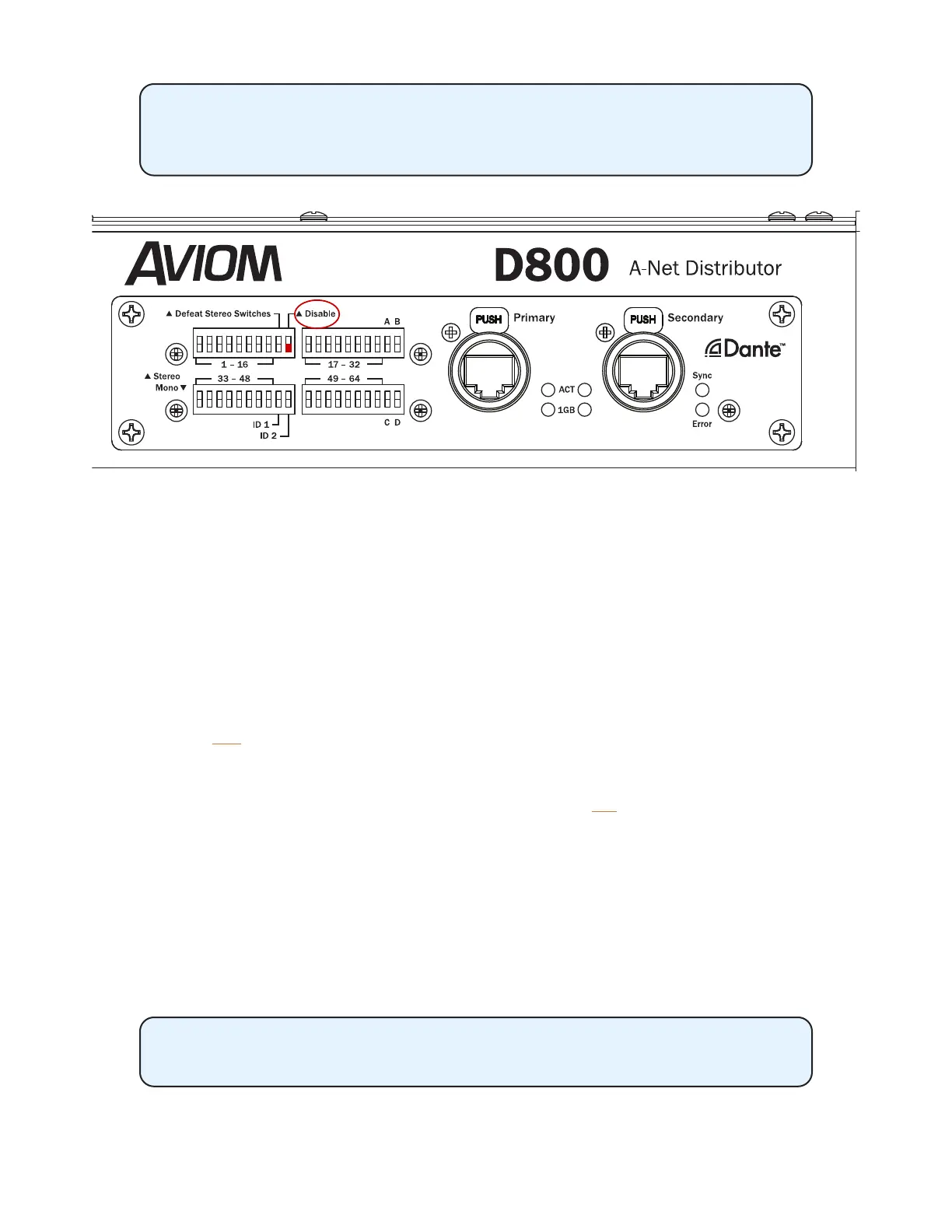
The D800-Dante’s Disable switch found in the rst set of DIP switches on the
rear panel) must be in the down position (Dante enabled) to load channel
names from a Dante network.
The Dante interface on a D800-Dante A-Net Distributor must be enabled to get channel names via Dante.
Loading Dante Channel Names In Sync
Channel names loaded into the A640 while in sync with a D800-Dante will update any time the
D800-Dante’s channel names are changed in the Dante Controller software. To sync and load channel
names for each A640 mix channel while connected to a D800-Dante A-Net Distributor:
• First, enter channel names for the D800-Dante in Dante Controller from its Device View.
• From the Edit Channel Names window on the A640, select Auto-Sync with Dante from
the menu.
• Select YeS to load the channel names and activate sync via Dante.
• Names are loaded from the D800-Dante over the Dante network and will update as needed
if any changes are made from within Dante Controller.
• To cancel the process without loading names, press the no button to return to the Edit
Channel Names window.
Once channel names are loaded from Dante, press any channel button to exit the Edit Channel
Names menu and begin mixing. If any changes to channel names are made in the D800-Dante’s
Device View in Dante Controller, the A640’s channel names will update immediately.
When the Channel Mapping function is used to create a custom conguration for the A640, the
A640’s channel button names seen in the Channel Mapping editor will update whenever mapping
assignment changes occur.
The I/II switch on the front panel of the D800-Dante must be in the II position
to use this feature for each port where an A640 is connected.



 To Next Page