Page 58Aviom A640 Personal Mixer User Guide
Check for A640 Firmware Updates
An A640 Personal Mixer can be updated to install new features by installing new rmware. The Check
for A640 Updates function in the File Transfer menu searches the USB storage device for compatible
rmware update les and can install them if they are found.
Firmware Files
New rmware les for the A640 Personal Mixer have the le extension .upd and must be stored on
the USB device in a specic location in order to be located by the Check For Updates function.
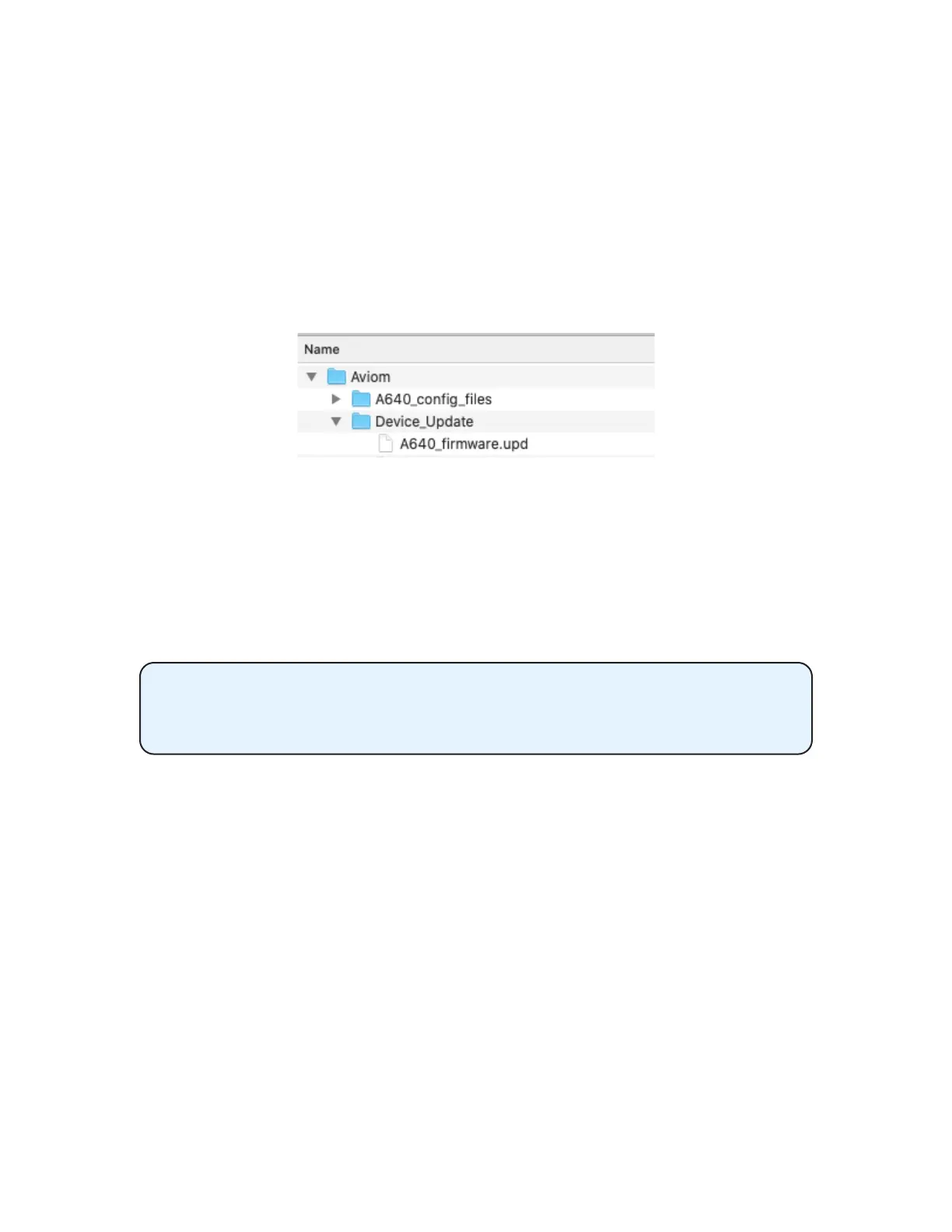
The Aviom folder structure on a USB device
When using a blank USB device for a rmware update for the rst time, create the Aviom folder at the
root level of the USB storage device. Create a second folder named Device_Update within the Aviom
folder to hold the rmware update le(s). Note that A640 congurations are stored in a separate
folder named A640_cong_les which will be created automatically when a conguration is saved
from the A640.
The Aviom folder’s structure and its folder names must be set up exactly as
shown and must be saved at the root level of the USB storage device. Any les
stored outside of the Aviom folder structure are ignored by the A640.
Aviom rmware les for the A640 are built to match the specic circuit board hardware used during
the manufacturing process. There may be multiple rmware les provided for a rmware release,
appended with letters A, B, C, etc. (for example, A640_rmwareA.upd and A640_rmwareB.upd ).
Place all rmware les into the Device_Update folder. The A640 will load the appropriate rmware le
that matches its circuit board hardware conguration automatically.
Firmware les can be copied to a computer for backup purposes. If you need to save dierent
rmware versions in the same directory, rename the les to make each name unique (for example,
A640_rmwareA-01.upd, A640_rmwareA-02.upd, etc.). Files names in the Device_Update folder
must match the original formatting to be recognized By the A640.



 To Next Page