Page 93Aviom A640 Personal Mixer User Guide
Slot Range Setup
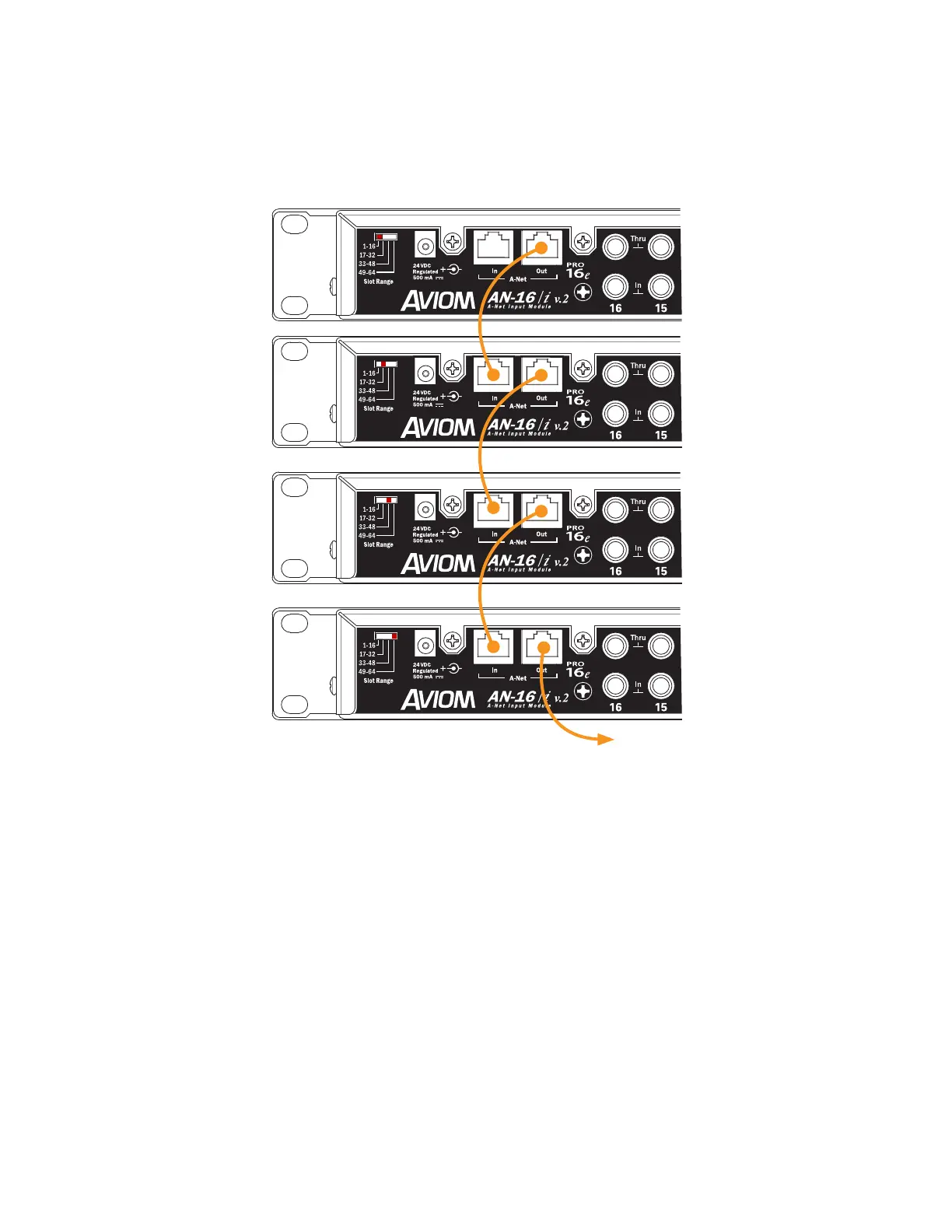
Each analog input module is daisy chained, connecting a Cat-5 cable from its A-Net Out port to the
A-Net In of the next input device in the chain.
1-16
17-32
33-48
49-64
Slot Range switches for each input device in at system are shown.
A legacy Pro16 device may be substituted for the rst bank of 16 channels.
Connect the A-Net Out of the last input device in the chain to the A-Net In of the A-Net Distributor
to send the combined set of 64 network Slots to all connected devices. The Personal Mixers are then
connected to the A-Net Distributor’s A-Net Out ports.
One legacy Pro16 device (analog or digital console card) may be substituted for the rst bank of 16
channels in a daisy chain of input devices. It will automatically default to supplying the rst 16 Slots
to the network pool.
Legacy products such as the A-16II Personal Mixer may be used in a Pro16e-based system with up to
64 input sources, but note that they can only access the rst 16 network Slots. All network Slots from
17 to 64 are ignored.



 To Next Page