Page 36Aviom A640 Personal Mixer User Guide
Names View
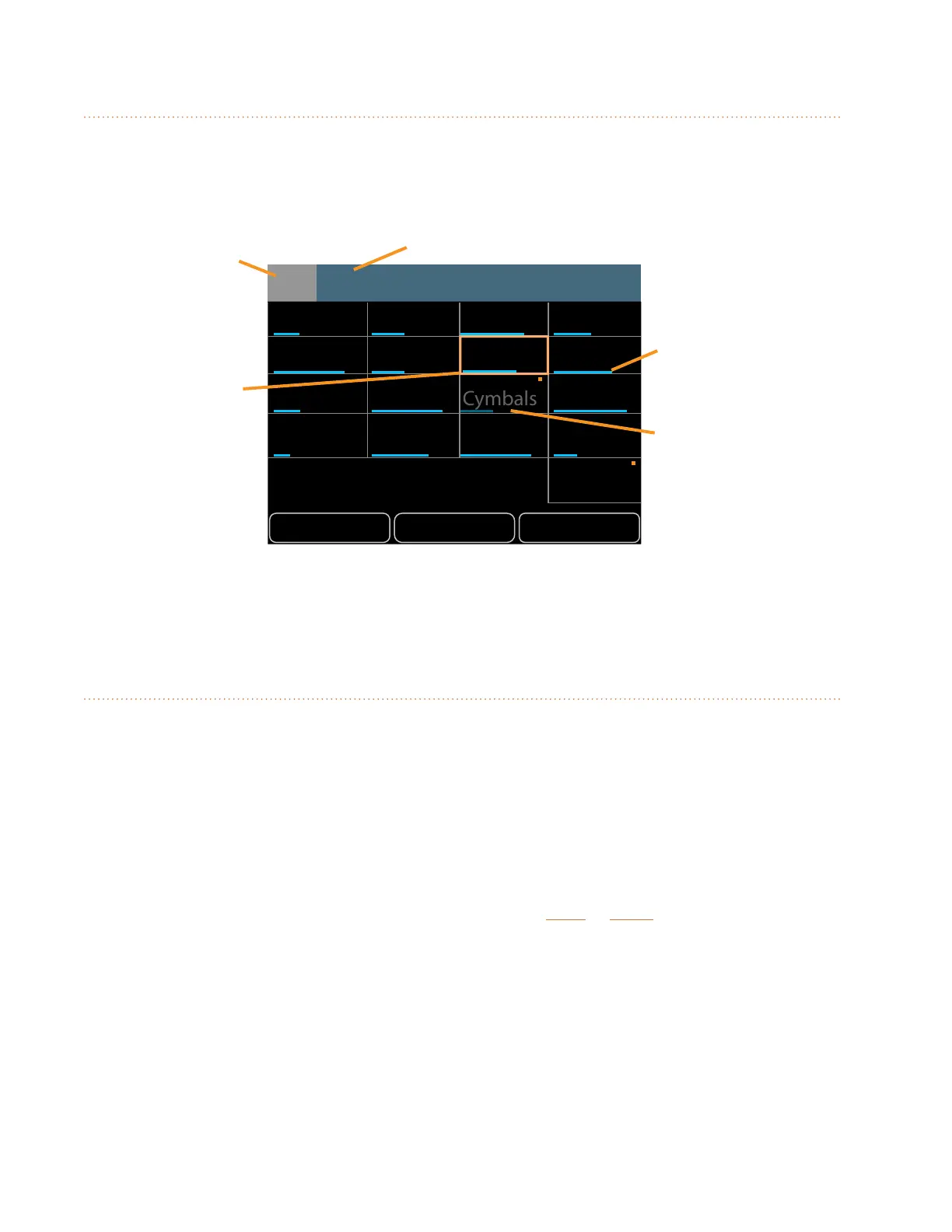
The Names View allows you to see all default or custom channel names at a glance. The currently
selected channel is displayed with a gold outline. Volume levels for all channels (mono and stereo)
are shown with a single blue horizontal bar. A muted channel's name and volume bar are dimmed.
GroupSolo Mute
John Paul George Richard
Kick Snare
Guitar 2
Ac Gtr 1 Ac Gtr 2 Keys 1 Bkd. Voc
Guitar 1 Bass Piano Organ
7
Piano
1
9
13
5
2
10
14
6
3
11
15
7
4
12
16
8
Amb Mic
Channel Number Selected Channel (or Group) Name
Channel
Volume
Muted
Channel
Selected
channel
When using the A640's Custom mode, a fully assignable channel 17 will appear in the on-screen
names list. The Ambience channel does not appear in Names View.
Editing in Names View
The selected channel's (or Group's) volume and mute on/o can be changed while in Names View.
The left encoder will scroll left or right through the mix channels. Use the right encoder to change
the volume level for the selected channel. The left and right encoder buttons are inactive in Names
View.
When using the Custom mode, any mix channels that are set to be disabled (no network Slot
assignment) will be skipped as you scroll through the channels with the left encoder. See page 65
for more info on channel mapping.
Solo or mute channels or Groups in the mix by pressing the Solo or Mute buttons on the A640
below the display. In Solo (or Additive Solo) mode, channel names are shown in green. Any Groups
created or edited from Names View will show all member channels highlighted in gold whenever any
mix channel that is part of a Group is selected.



 To Next Page