Page 62Aviom A640 Personal Mixer User Guide
from within the Dante Controller software (available from the Audinate website) can be instantly
updated on the A640 Personal Mixer.
Loading Channel Names One Time from a D800-Dante
To load channel names for each A640 mix channel while connected to a D800-Dante A-Net
Distributor:
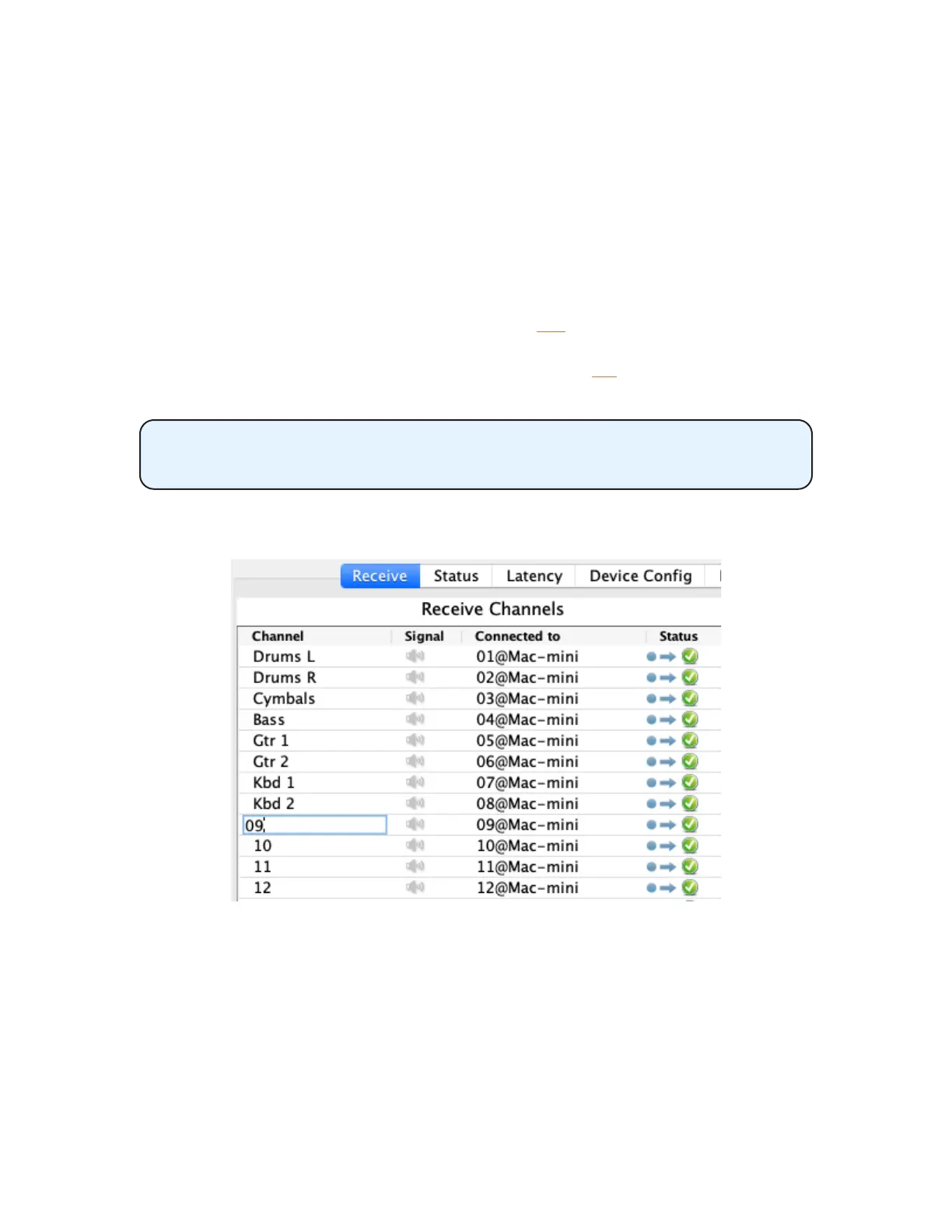
• First, enter channel names for the D800-Dante in Dante Controller from its Device View.
• From the Edit Channel Names window on the A640, select Load Names from D800-
Dante from the menu.
• When the conrmation message appears, select YeS to load the channel names.
• Names are loaded from Dante into the A640’s mixer channels.
• To cancel the process without loading names, press the no button to return to the Edit
Channel Names window.
The I/II switch on the front panel of the D800-Dante must be in the II position
to use this feature for each port where an A640 is connected.
Once names are loaded from Dante, press any channel button to exit the menu and begin mixing.
Editing channel names in Device View for a D800-Dante as seen in the Dante Controller software
If you need to alter any of the channel names after loading them from the D800-Dante with the one-
time command, use the Manual Edit option, described above. If you change the channel mapping
after loading names from Dante using the one-time command the channel names will not update.
Use the Load Names from D800-Dante again or set the A640 to load channel names in sync.



 To Next Page