Page 15Aviom A640 Personal Mixer User Guide
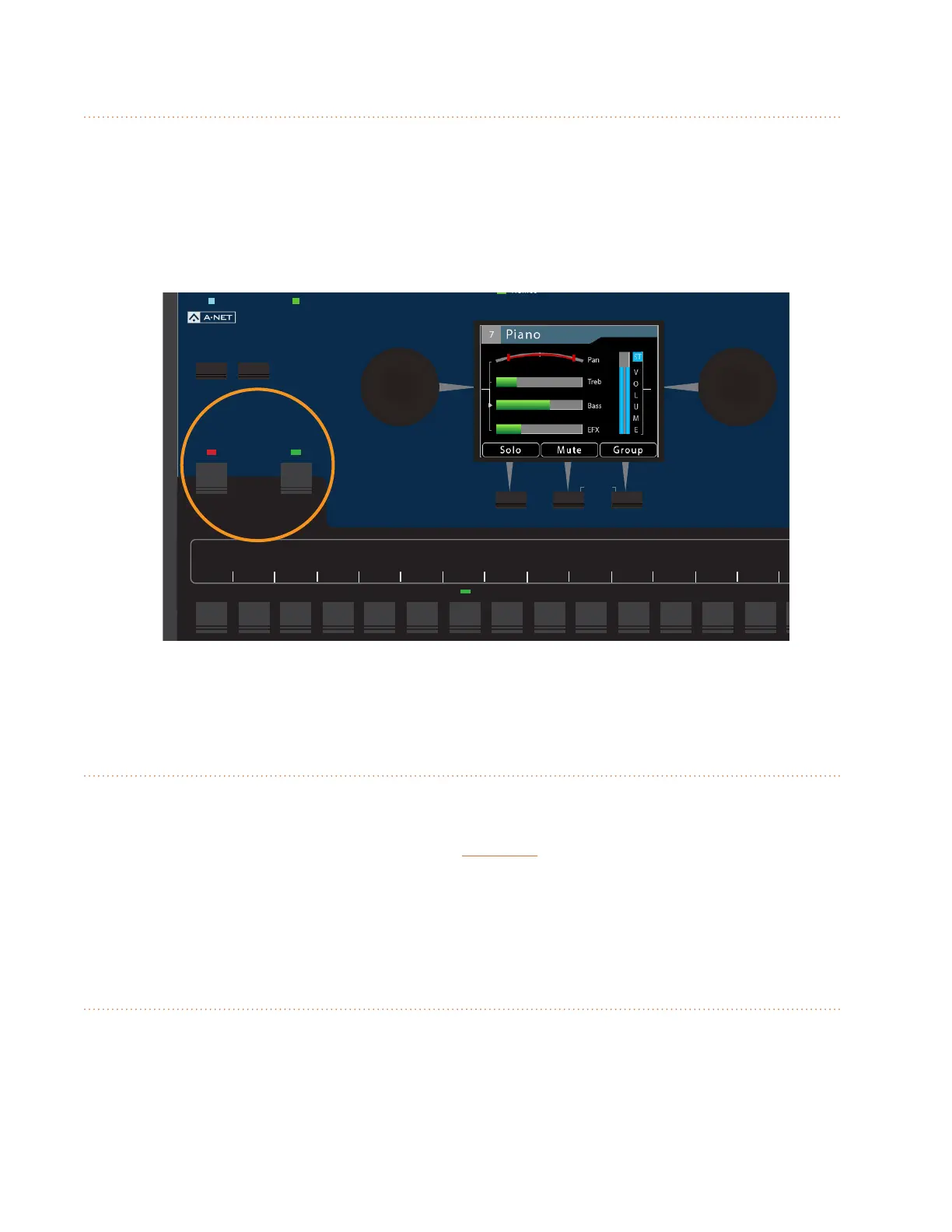
Intercom Button
The A640 Personal Mixer's built-in intercom function allows you to communicate with other
performers without removing headphone or earbuds. It has two modes–momentary (push-to-talk)
and latched (hands-free). The Intercom can use either the built-in mic or an external mic assigned to
one of the 64 A-Net channels (Slots) on the Aviom network.
See page 38 for additional information on setting up and using the A640 Intercom.
AmbienceIntercom
Save Recall
Signal/Clip
Aux Volume Master Volume
Master EQ
Channel
Mix
Names
Trim All
View Mixer Setup
1 2 3 4 5 6 7 8 9 10 11 12 13 14 15 16 Favorite
Intercom and Ambience buttons
Ambience Button
The Ambience button acts as an on/o switch for the built-in mic on the A640 Personal Mixer located
above the LCD. The Ambience mic can be used to add acoustic stage sound into your monitor mix for
a more realistic monitoring experience. Hold the aMbience button to set the level of the built-in mic.
The Ambience channel can also be used as a standard mono/stereo audio channel when conguring
an A640 in Custom mode. See "Channel Mapping" on page 65.
Built-in Ambience Mic
The Ambience mic itself is located at the top of the A640 Personal Mixer interface between the View
and Mixer Setup buttons. The internal mic can also be used with the Intercom feature.



 To Next Page