Page 73Aviom A640 Personal Mixer User Guide
Intercom
The Intercom feature on the A640 allows you to transmit audio from one user’s mixer (such as a
musical director) to all other A640 users. It simplies the process of communicating with a group
of performers wearing headphones or in-ear monitors. Use it for rehearsal, song count-os,
performance cues, musical instructions, etc.
The Intercom feature requires the use of a D800 or D800-Dante A-Net Distributor (with Aviom
rmware version 4.00 or newer installed).
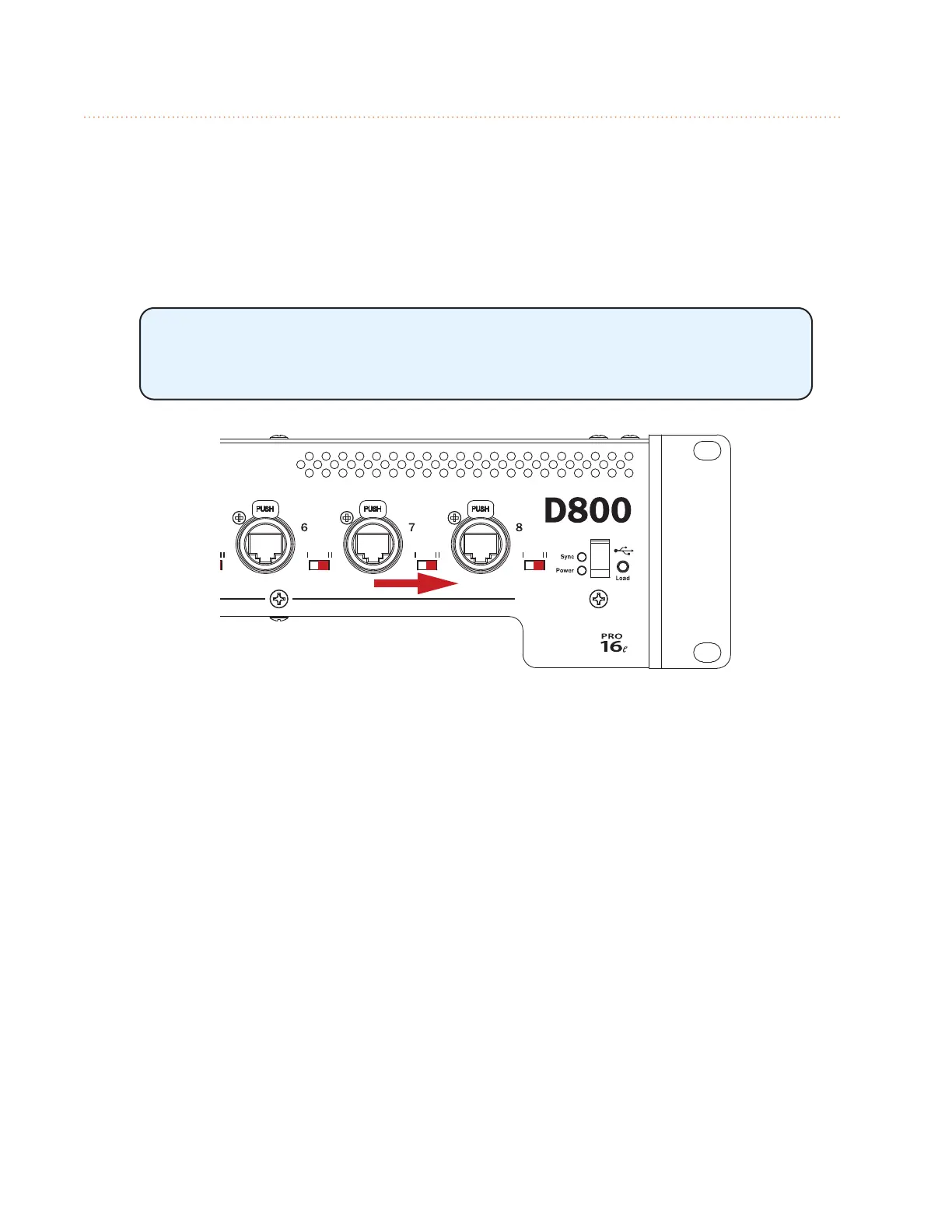
Using the Intercom feature along with a D800 requires that the I/II switches
on the D800’s front panel be set to the “II” position for bi-directional
communication.
D800 I/II switches must be set to the “II” position.
There are settings that are specic to each A640 user who will make use of the Intercom as well as
network-wide settings that aect all users.
Intercom Audio Source
The transmit audio source for the Intercom feature can use either the A640’s internal mic or one of
the A-Net network Slots to which an external microphone has been connected. When the Intercom is
engaged, this is the source that the speaker will be using to transmit audio over the network to other
performers listening on their A640 Personal Mixers.
To choose the Intercom’s audio transmit source:
• Choose Intercom in the Mixer Setup menu; press the encoder button to open the options.
• Select the Audio Source option by pressing either encoder button.
• Scroll to select Internal Mic or any one of the 64 network Slots (a warning message will be
displayed if you select a Slot that is already in use for monitor mixing).
• To prevent an A640 from broadcasting over the Intercom, choose Listen Only.
• Press either encoder button to conrm the selection.



 To Next Page