Page 82Aviom A640 Personal Mixer User Guide
If each A640 mixer channel button is assigned a stereo source, you can hear a
maximum of 32 channels (16 stereo pairs) in Default mode.
The Ambience mic channel always uses the built-in mic in Default mode.
Favorite Button
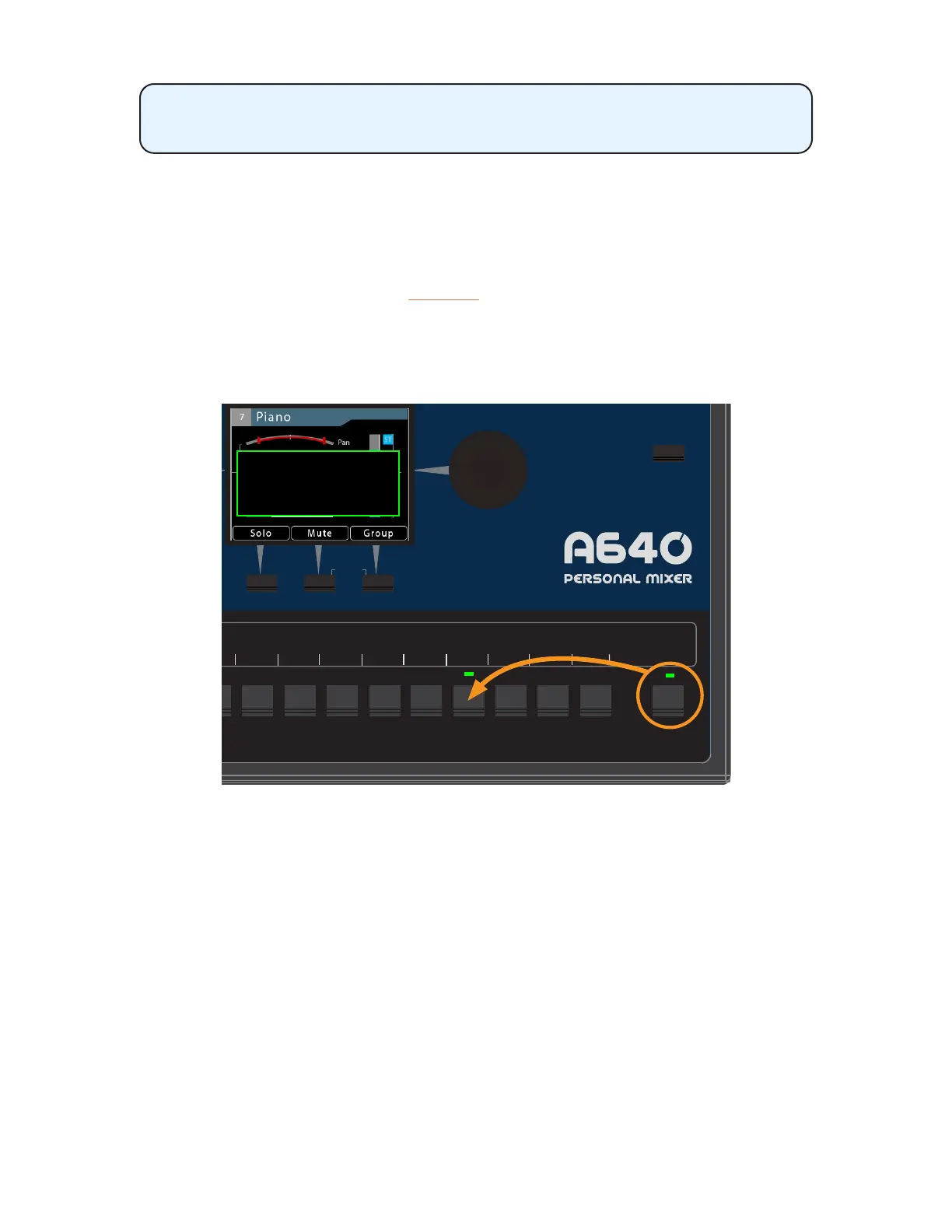
As with Pro16 mode, any one of the standard mix channel buttons may be assigned to the A640’s
Favorite channel for easy access. Hold the FaVoRite button and press any mixer channel button to
assign it. The display will show a conrmation message when the Favorite channel assignment is
changed. The Favorite button always follows the mono/stereo setting of the channel assigned to it.
The Favorite channel’s assignment is saved as part of a mix preset and a conguration.
AmbienceIntercom
Save Recall
Signal/Clip
Aux Volume Master Volume
Master EQ
Trim All
View Mixer Setup
1 2 3 4 5 6 7
8 9 10 11 12 13 14 15 16 Favorite
Favorite has been set to Chan. 13
HOLDPRESS
Any mix channel may be assigned as the Favorite.
Custom Mode
The A640’s Custom mode allows any of the (up to 64) incoming A-Net network Slots to be assigned
to any A640 mixer channel button. This feature allows each performer in an ensemble to get a set of
channels for their monitor mix that best suits their needs. The rules for stereo and mono channels still
apply—all stereo links are controlled globally at the network’s input source.
Custom mode also allows the Favorite channel and the Ambience mic channel to be used for
network audio, increasing the total number of available mono/stereo mix sources for a monitor mix
from 16 to 18.



 To Next Page