Page 102Aviom A640 Personal Mixer User Guide
Analog Cabling
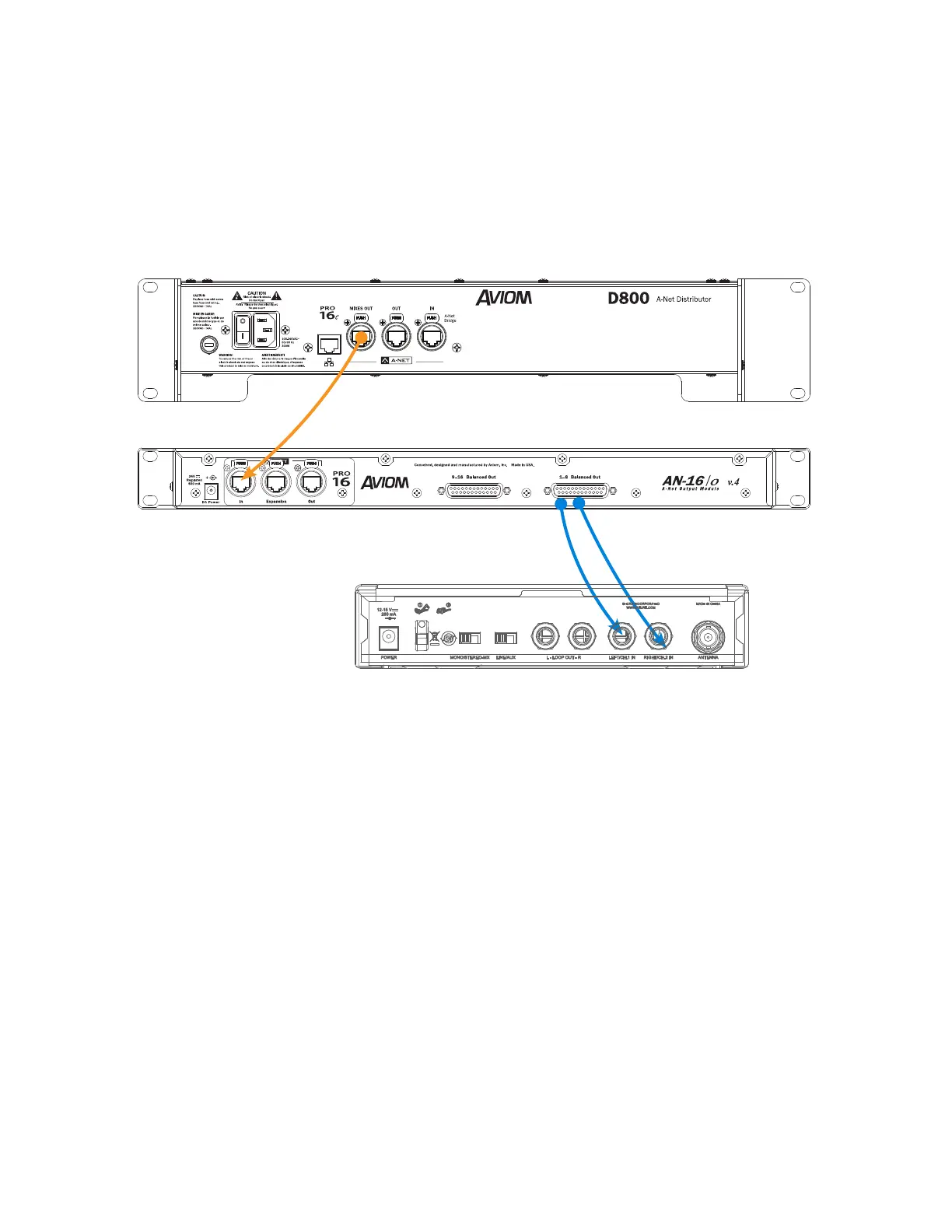
Connect the Mixes Out port from the D800 to A-Net In on the AN-16/o v.4 Output Module with a
Cat-5 cable. Analog connections for the inputs to the wireless transmitter units are available on two
DB25 multipin connectors on the AN-16/o v.4 (wired to the Tascam analog standard).
The Mixes Out port on a D800 connects to A-Net In on the AN-16/o v.4. Two of the analog outputs
from a multi-pin DB25 cable connect to the left/right audio inputs of a wireless in-ear system.
Dante Patching
The eight Network Mix Back stereo mixes from the A640 Personal Mixers connected to the D800-
Dante are also available in the Dante stream as D800 transmit channels 1-16. This allows you to route
the signals into Dante-enabled mixing consoles, processors, wireless in-ear transmitter systems, etc.,
using the Dante Controller software.



 To Next Page