Page 27Aviom A640 Personal Mixer User Guide
Mute All - The A640 Personal Mixer contains a special feature that will mute
all channels at once. Double-click the Mute button to activate the Mute All
function. Press the Mute button again to exit and return to mixing.
Group
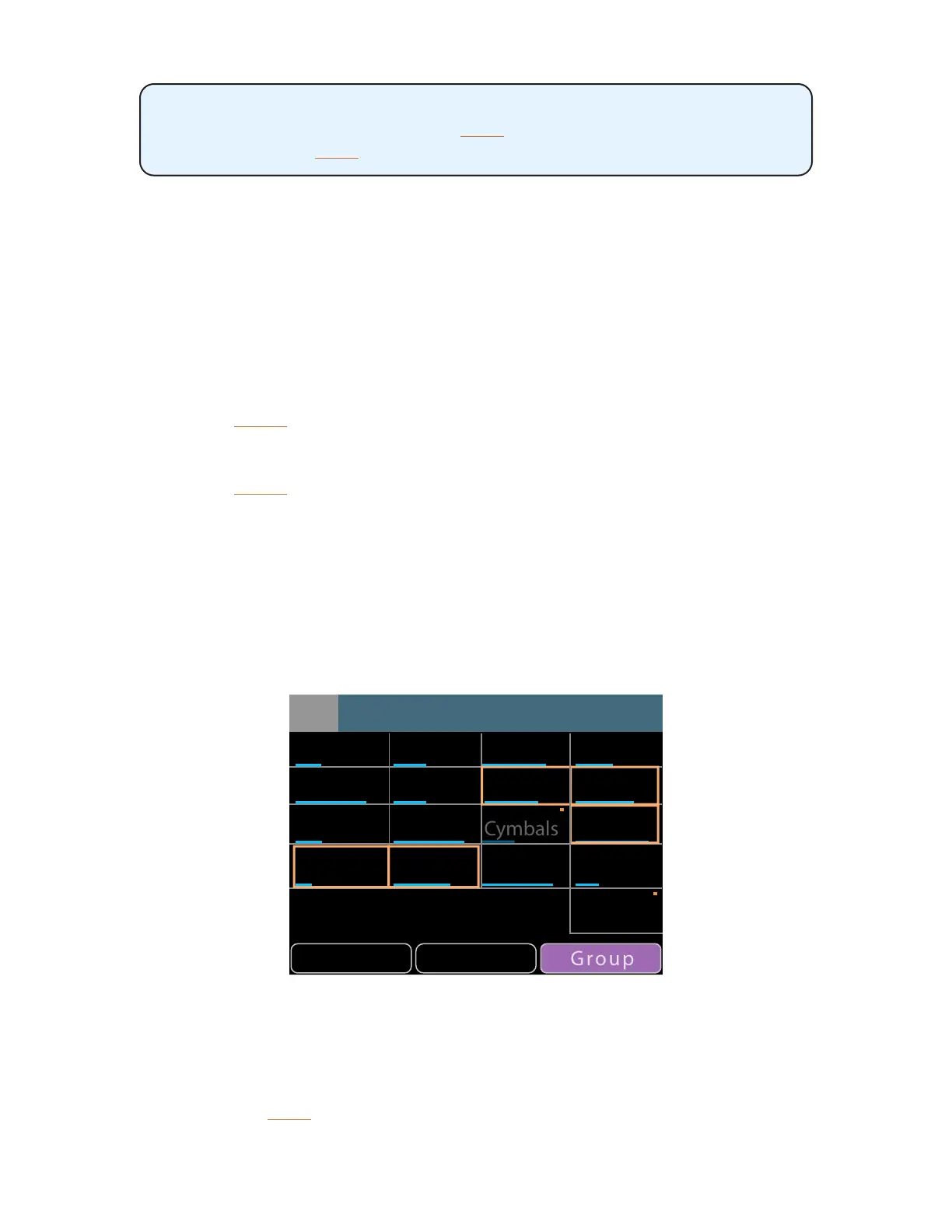
The A640 can create up to four channel Groups which make it easy to change the volume of a set of
related channels (all vocals or all drums, for example). A Group can contain any number of channels,
but each mixer channel may only be part of one Group at a time. The Ambience channel cannot be
added to a Group.
To create a Group:
• Select the rst mix channel that will be part of the Group.
• Press the GRoup button; it lights in purple.
• Double-click other channels to add them to the Group.
• The green Select LEDs blink as channels are added to the Group.
• Press the GRoup button again to complete the process.
• The Group indicator goes out.
• The Select LEDs for all channels in the Group are now lit solid green.
• With any member channel of the Group selected, turn the right encoder to adjust the
volume of the Group.
Note that the status bar at the top of the A640 display reads Group 1 (or 2,3,4) when the Group is
selected while mixing. While creating or editing a Group the status bar will display the name of the
last selected channel within the Group.
GroupSolo Mute
John Paul George Richard
Kick Snare
Guitar 2
Ac Gtr 1 Ac Gtr 2 Keys 1 Bkd. Voc
Guitar 1 Bass Piano Organ
Organ
1
9
13
5
2
10
14
6
3
11
15
7
4
12
16
8
Amb Mic
A Group of ve channels being created in Names view
When any member channel of the Group is selected while mixing, you can edit the overall volume of
the Group with the A640's right rotary encoder. All channels in the Group change volume at the same
time and will maintain their volume levels relative to each other within the Group. A Group may also
be muted; pressing the Mute button will silence all member channels in the Group. When muted, the



 To Next Page