Page 52Aviom A640 Personal Mixer User Guide
While using the File Transfer functions, audio is temporarily disabled. The A-Net
LED will blink while the File Transfer window is open.
USB Data Port
The A640’s USB data port is designed to use a PC-formatted USB storage device (also referred to
as a memory stick or thumb drive) to update its rmware and save/recall mixer congurations and
Mix Presets. It is not designed to work with external hard drives, computers, or any other type of
peripherals that connect via USB.
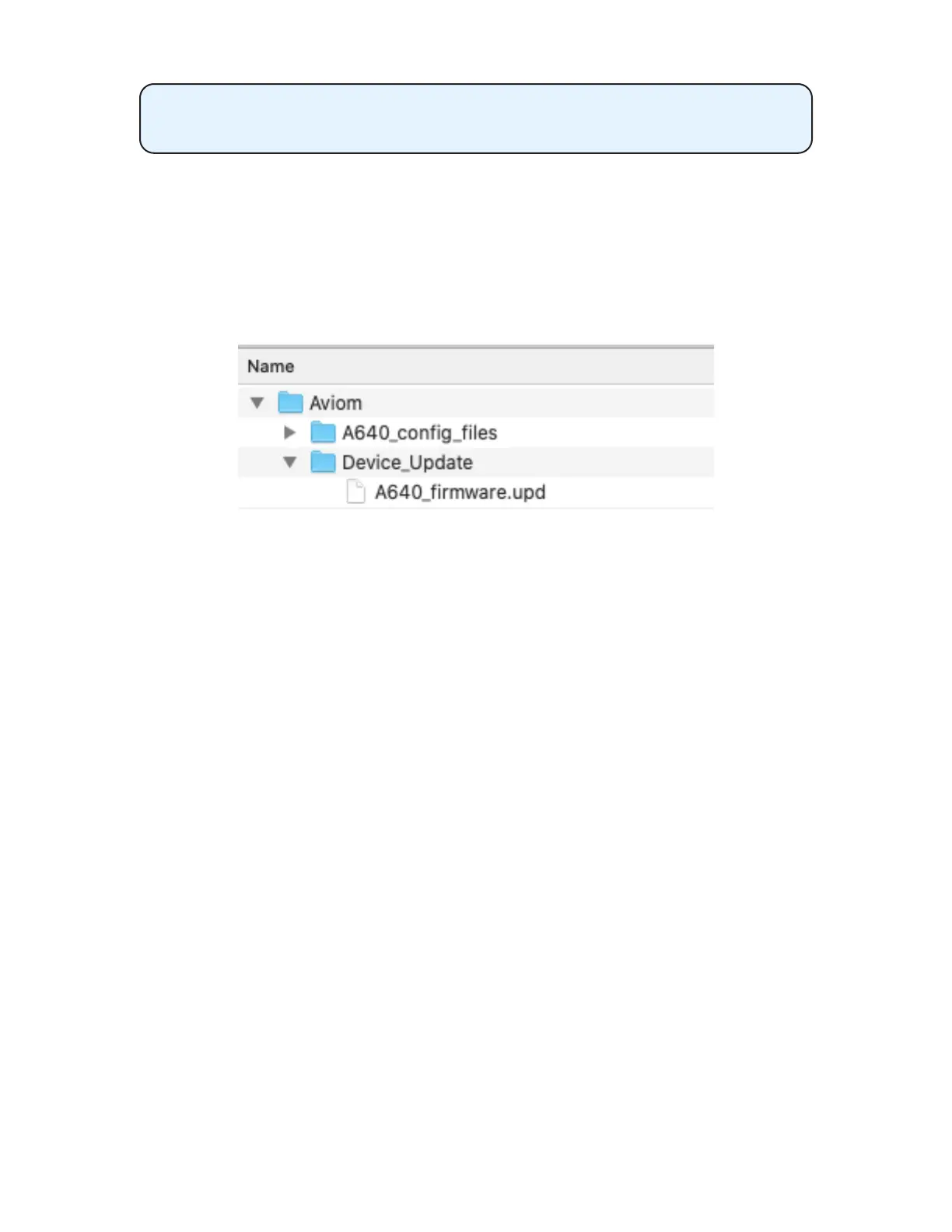
The Aviom le and folder structure on a USB storage device
All A640 congurations are stored in a folder named A640_cong_les found within a folder
named Aviom created at the root level of the USB device which will be created automatically when a
conguration is saved from the A640’s File Transfer function.
The USB storage device can contain other types of data, folders, pictures, etc., but the Aviom folder
must reside at the root level of the device in order to be recognized by the A640 Personal Mixer.
Save a Conguration
The A640 can save all settings for its 16 mix presets as well as custom channel mappings and custom
channel names that you have created. Each USB storage device can hold 32 unique congurations.
A conguration saves:
• Mixer Mode (Pro16, Default, or Custom)
• 16 mix presets
• Channel volume for each channel (including Favorite and Ambience channels)
• Pan for each channel
• Treble and Bass tone settings for each channel
• Eects (EFX) settings for each channel
• Mutes
• Groups
• Master EQ settings
• Custom channel names
• Custom channel mappings



 To Next Page