Page 33Aviom A640 Personal Mixer User Guide
AmbienceIntercom
Save Recall
Signal/Clip
Aux Volume Master Volume
Master EQ
Channel
Mix
Names
Trim All
View Mixer Setup
1 2 3 4 5 6 7 8 9 10 11 12 13 14 15 16 Favorite
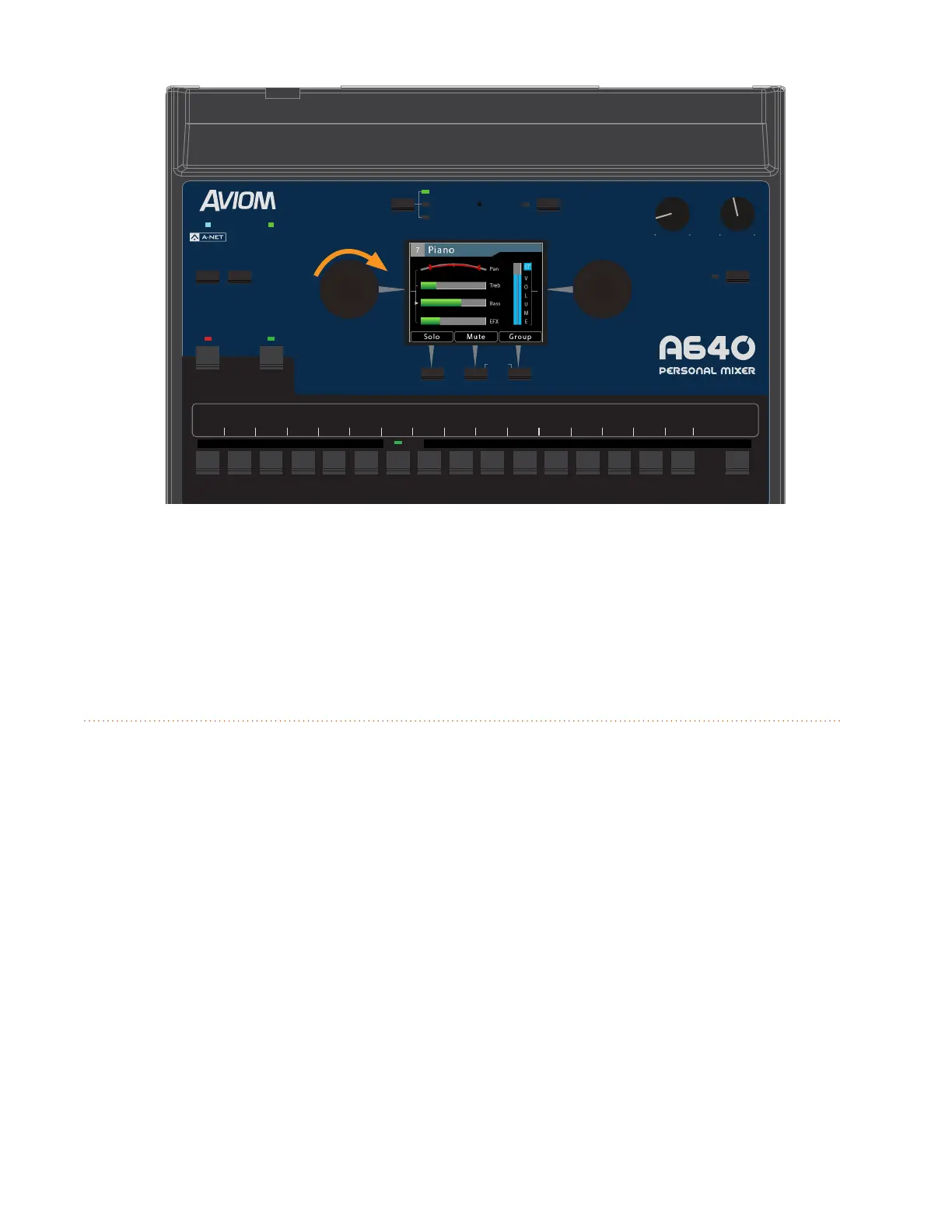
With the Bass tone control selected, turning the encoder to the right adds a bass boost.
The per-channel Treble and Bass amounts are saved when a mix preset is stored into one of the
A640's 16 preset memory locations and will also be restored with any congurations saved to a USB
storage device using the File Transfer options found in the Mixer Setup window.
EFX
Each mix channel on the A640 Personal Mixer can make use of the built-in Eects (EFX) engine.
Adding a little reverb to a channel can make a singer or horn player using earbuds more comfortable,
putting a little space around them in the monitor mix.
Use the left encoder's push button to cycle through the channel-level options in Channel View. When
EFX is selected, turn the left encoder to add reverb to the selected channel. The default amount is
fully left (o).
The EFX amounts for each channel are saved when a mix preset is stored.



 To Next Page