Surface Information
68 Progressa+ Bed Instructions for Use (216321 REV 2)
u
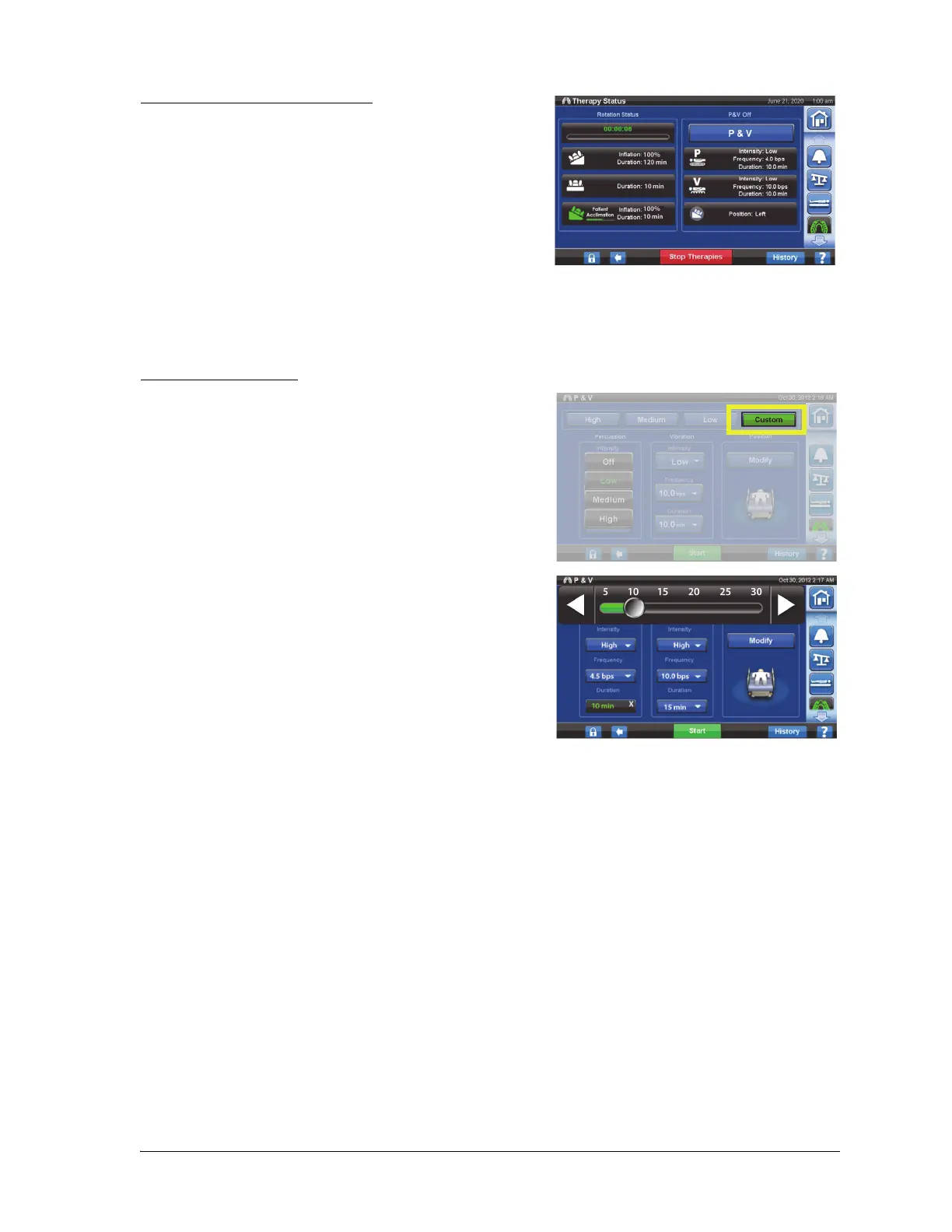
Stop Percussion and Vibration
1. Press the Pulmonary Therapy menu control.
2. Select Percussion and Vibration.
3. Press Stop Therapies or on the GCI home screen, press
Stop Therapies.
Alternatively, Percussion and Vibration Therapy will stop after the allotted time. It can also be stopped
earlier using the steps above.
If rotation therapy is on and Percussion and Vibration is started (in left, right, or center), Rotation will be
turned off automatically. Turn Rotation back on if desired.
Set Custom Settings
1. Press Custom.
2. Press the applicable setting, and slide or select the
applicable settings.
3. Press Start when all settings are correct.
The following settings can be customized:
• Percussion frequency: 1 to 5 Beats per second
• Intensity: Low-Med-High
• Duration: 5 to 30 minutes, adjusted in increments of 5
minutes.
• Vibration frequency: 5 - 25 Beats per Seconds (BPS)
• To operate Percussion and Vibration separately, select Intensity Off for the therapy that is not
desired.













 To Next Page