Chapter 2: Software Windows and Toolbars 37
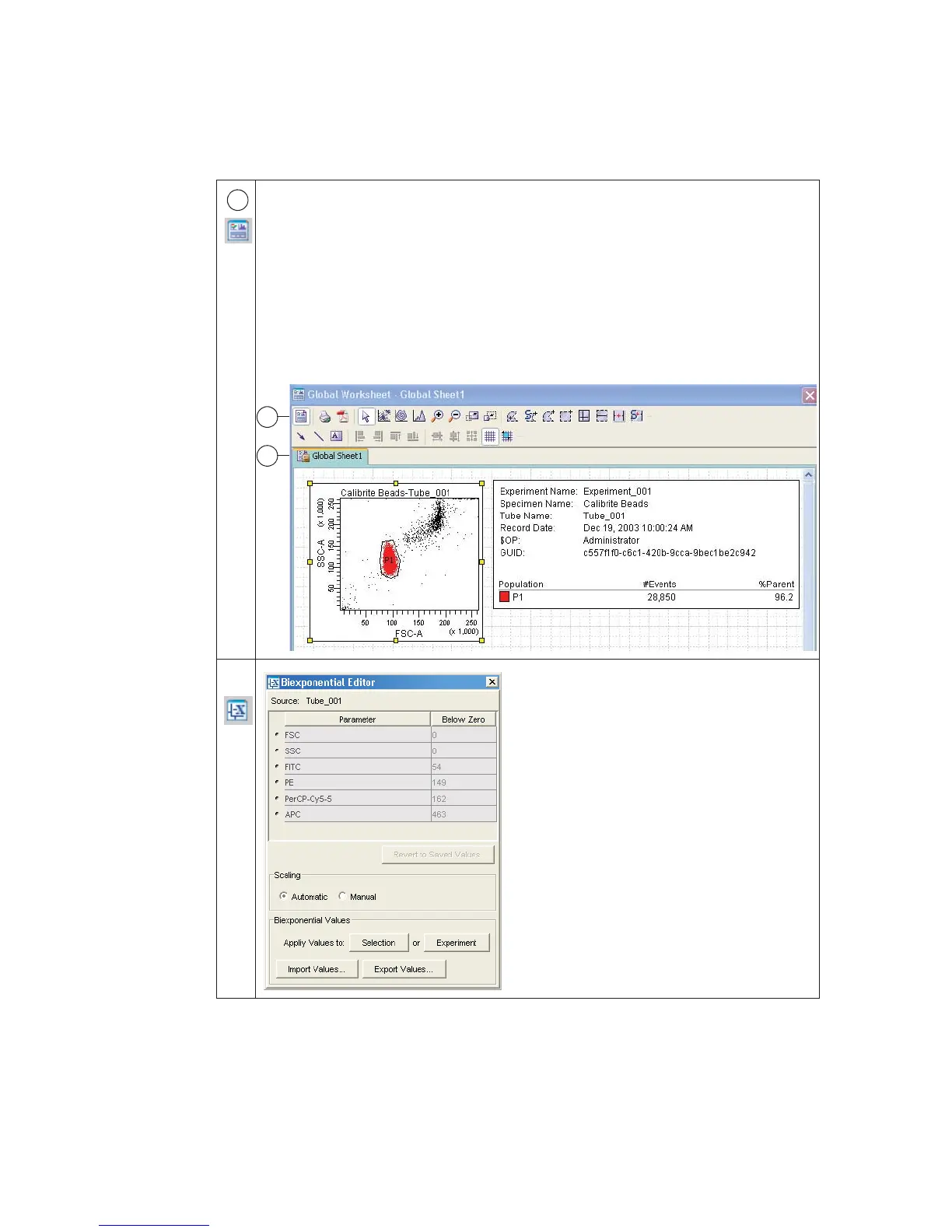
The Worksheet window is where you create global or normal worksheets
containing plots, gates, statistics, and custom text.
Plots on a global worksheet show data for the tube selected with the current tube
pointer. Global worksheets are indicated by green tabs (a). Plots on a normal
worksheet are tube specific. Normal worksheets are indicated by white tabs for
active worksheets and gray tabs for inactive worksheets.
Click the button in the Worksheet toolbar (b) to switch between the global or
normal worksheets view. Then you can create analysis objects or text, or align
objects on a worksheet.
Unlike other workspace windows, the
Biexponential Editor is hidden by default.
When you are using automatic scaling, there
is no need to show the Biexponential Editor.
Use the Biexponential Editor to manually
adjust biexponential scales, export and
import scale values, and apply values to other
elements in an experiment.
6
b
a



 To Next Page