Installation Operating instructions CS 300
4 - 4 6.110.98.5.01.40 en
4
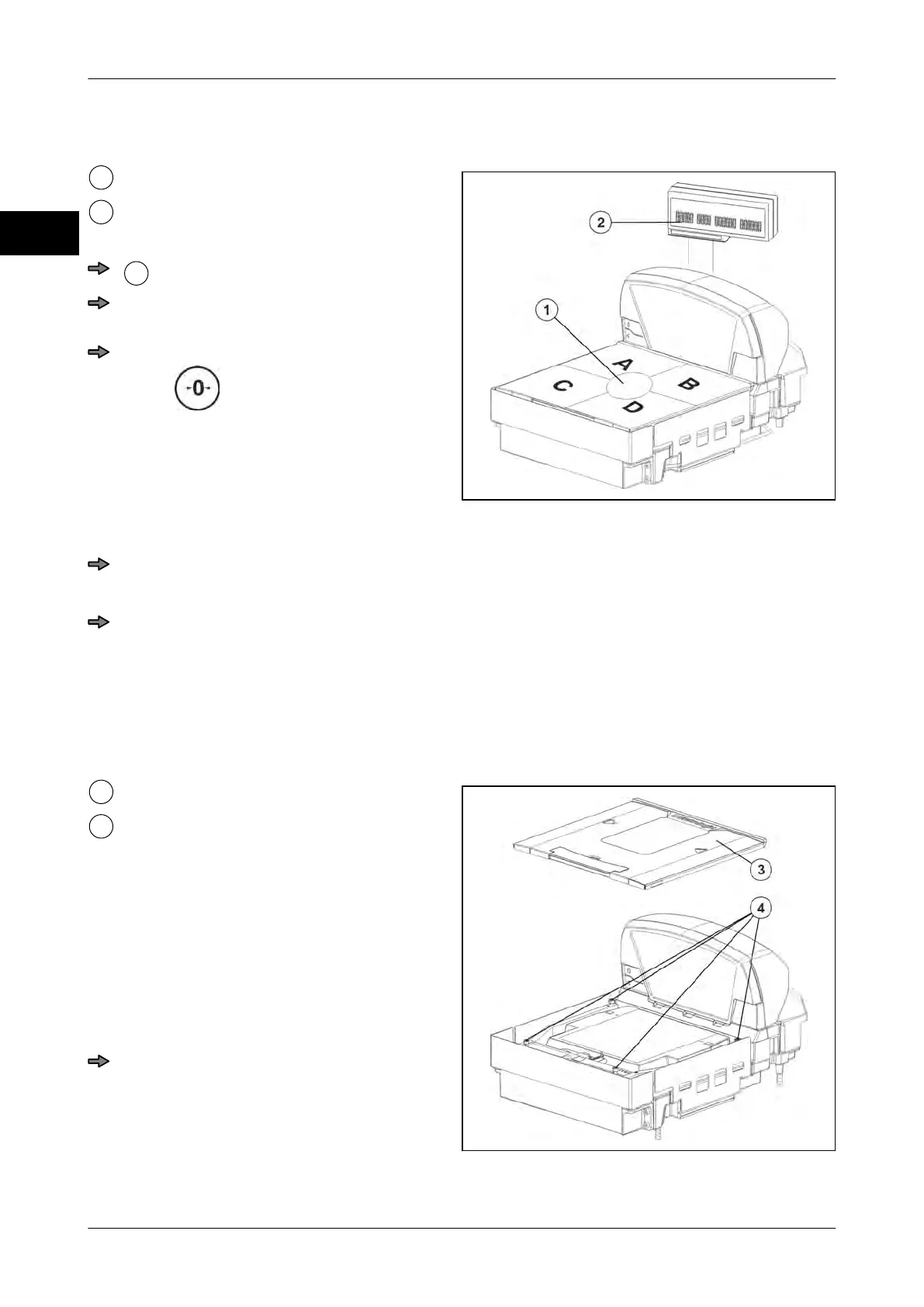
4.3.2 Checking the scale for freedom of movement
Fig. 8: Check
Center of load platter
Display
Preparation
Connect the display.
Connect the power supply to the scan-
ner.
Set the display to zero with the push-
button
Check
Place maximum load (6 kg or 15 kg) in the center of the load platter.
The display must indicate the max. load.
Shift the max. load to the center of positions A, B, C and D.
The display must indicate the max. load in every position.
–
In case of 6 kg variant e.g. between 5.996 kg and 6.004 kg.
– In case of 12 kg variant, between 11.990 kg and 12.010 kg.
If the maximum load is not reached, check the possible causes.
Possible causes
Fig. 9: Overload stop devices
Load platter
Adjusting screws
load platter does not move freely
Loosen the screws of the load frame un-
til the max. load is reached. Pay atten-
tion to the nominal size.
The overload stop devices are not
set for the scanner housing.
Adjust overload stops, see Setting over-
load stop
Remove weight
The display must return to the zero posi-
tion..



 To Next Page