Installation Operating instructions CS 300
4 - 6 6.110.98.5.01.40 en
4
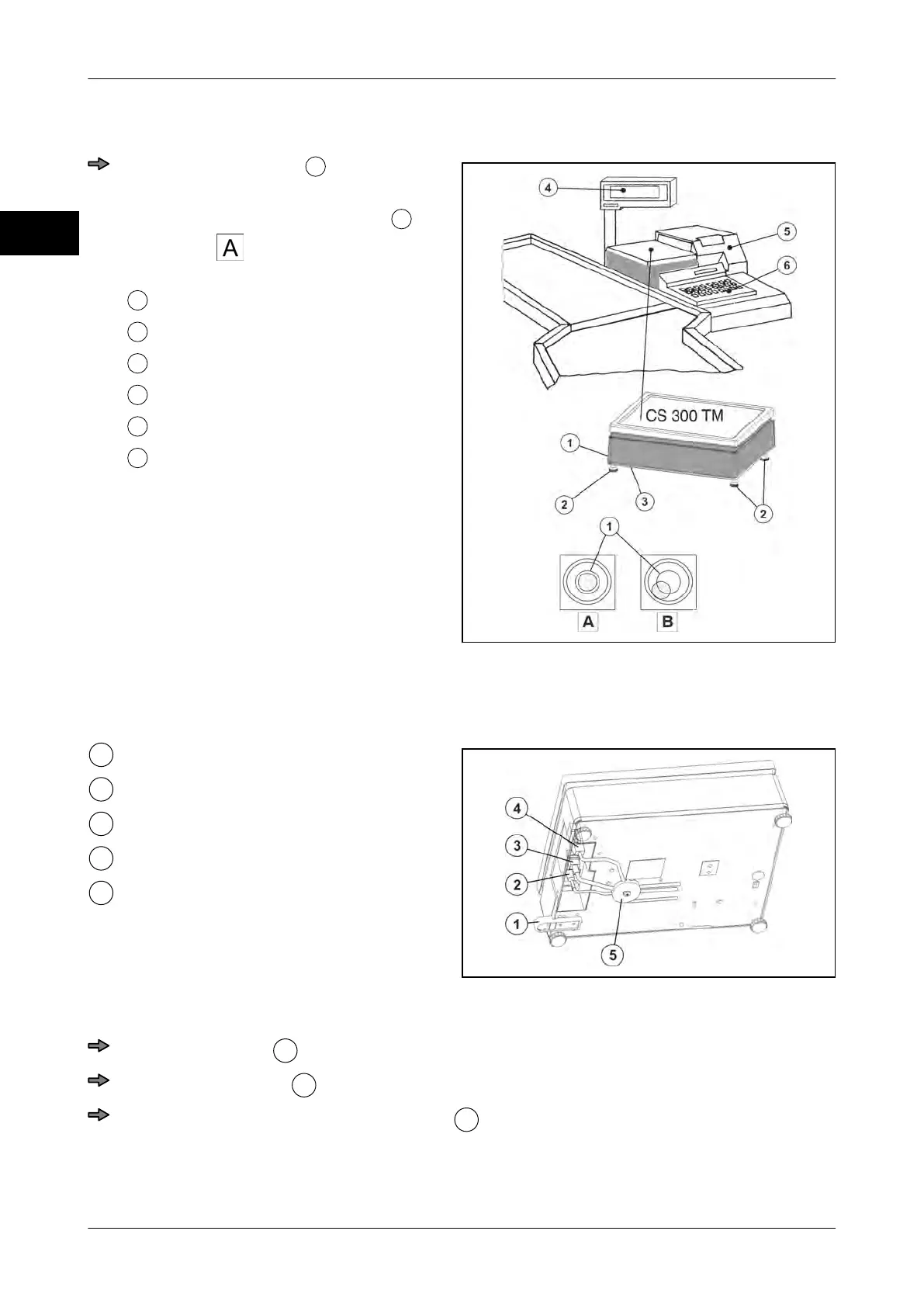
Set-up scale CS 300 TM
Fig. 11: Installation example
Turn adjusting screws
until scale is in
horizontal position.
If the air bubble in the spirit level
is in
the center , as shown in the picture,
the scale is in horizontal position.
Spirit level
Adjusting screws
Cable connections
Display (P/W)
POS with verifiable printer
Operating keyboard POS/scale
Connecting the scale CS 300 TM
Fig. 12: Cable connections CS 300 TM
Spirit level
Connector for power supply
Display connector
POS connector
Strain relief (disc)
Lay and connect cables.
Route POS cable
properly and connect it to scale.
Route display cable
properly and connect it to scale.
Insert connector for power supply cable
into scale and and lay it properly toward
the socket.



 To Next Page