Operating instructions CS 300 Programming
6.110.98.5.01.40 en 7 - 3
7
Setting options
:
00 = no checkout dialog
01 = Checkout dialog 01
02 = Checkout dialog 02
03 = Checkout dialog 03
04 = Checkout dialog 04
05 = Checkout dialog 05
06 = Checkout dialog 06 (default setting)
07 = Checkout dialog 07
08 = Checkout dialog 08
09 = Checkout dialog 09
10 = Checkout dialog 10
11 = Checkout dialog 11
12 = Checkout dialog 12
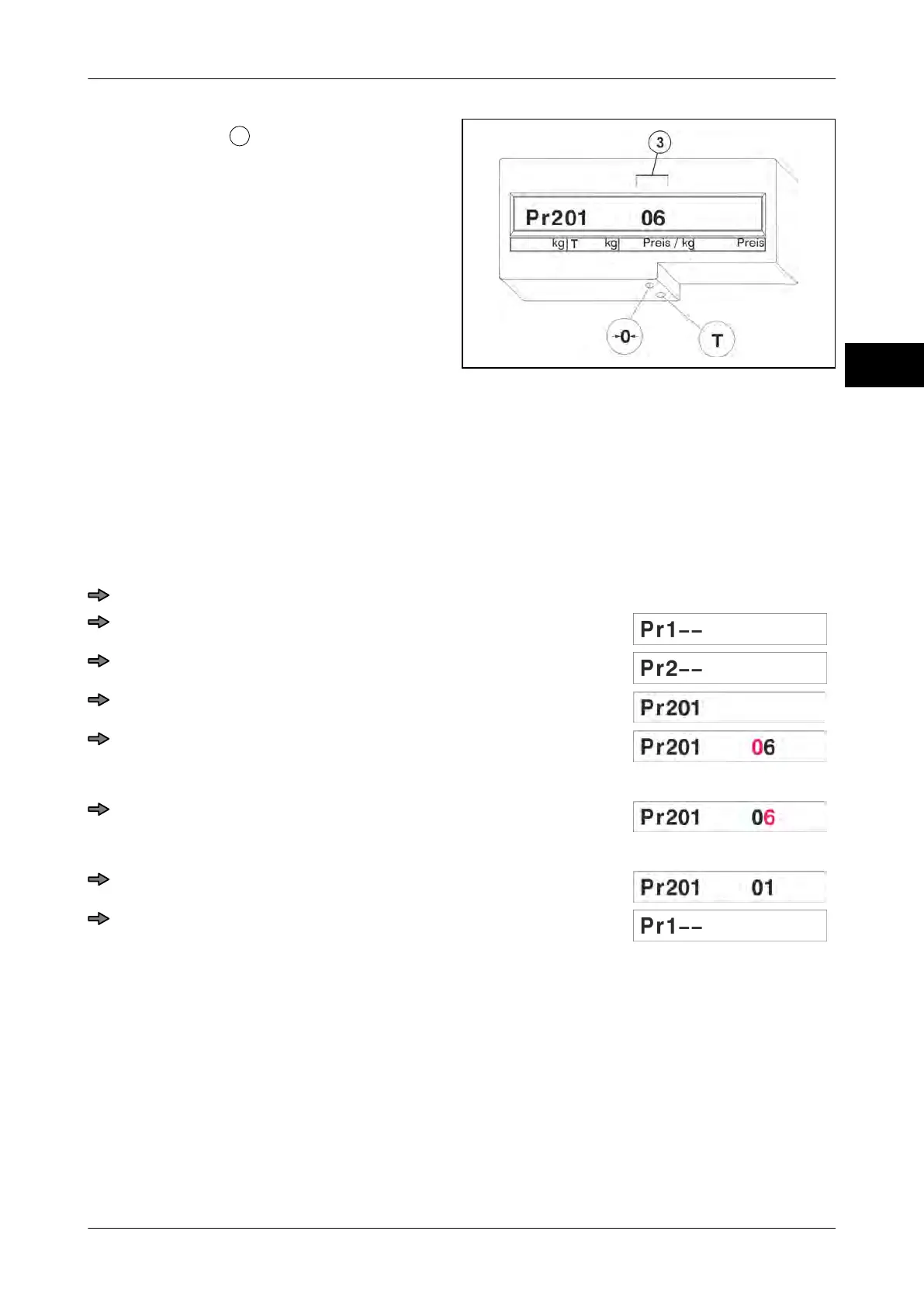
Fig. 86: Pr 201 Default setting
Example: Menu setting "01"
Press key <0> three times.
Press <T> key.
Press <0> key.
Press <T> key.
Press <T> key.
The first digit starts flashing.
Press <T> key.
The second digit starts flashing.
Press key <0> five times.
Press <T> key.
7.3.2 Pr 204 Switching between scale / POS display on 1/4 VGA dis-
play and CS 300 SD
When entering an article to be weighed at the POS, the POS display switches to the scale
display.
The point of time at which the scale display switches to the POS display depends on the
setting made in Pr204:



 To Next Page