Installation Operating instructions CS 300
4 - 30 6.110.98.5.01.40 en
4
Leveling
Re-level the scale after each change of location.
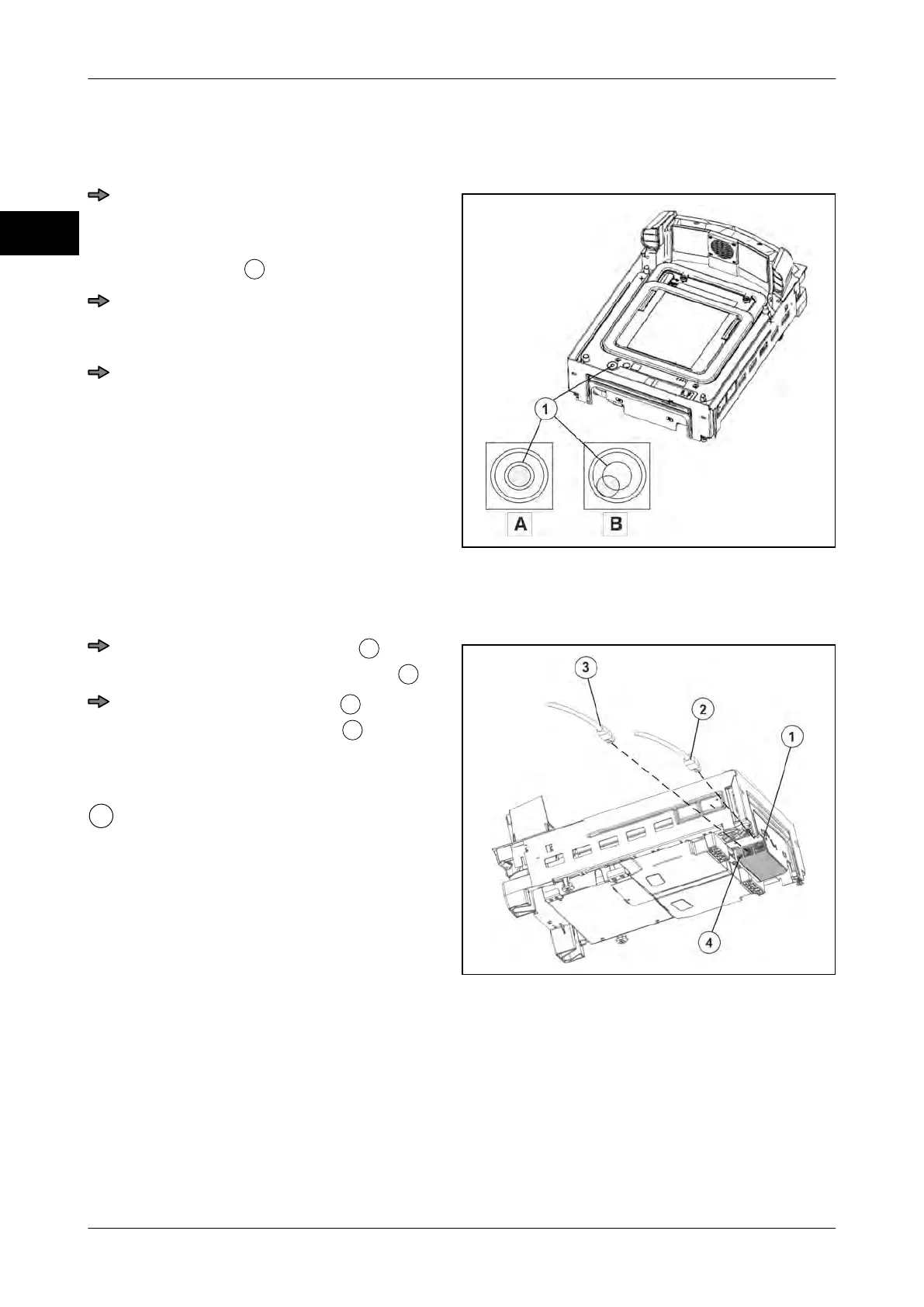
Fig. 51: Spirit level
Put the scanner with weighing system
into a horizontal position using the spirit
level.
The spirit level
is under the load plate.
If the air bubble in the spirit level is in
the center as shown in picture"A", the
scale is in horizontal position.
Then check the scale for freedom of
movement, see page
4 - 4.
Connecting CS 300 MA 98
Fig. 52: Cable connection MA 98
Properly route display cable
and
connect it to the weighing system
.
Properly route POS cable
and con-
nect it to weighing system
.
See instructions of cash register and
scanner manufacturer.
USB connection
A cable with USB A connector for cash
drawer and 5-pin mini USB B connector
for scale is required. A software must be
installed on the POS system which cre-
ates a virtual COM interface.
4.5.7 CS 300 SD (Software Display)
The software module CS 300 SD (Software Display) is used to display scale data on a
screen connected to the POS system.
The program is operated via remote keys.
Any CS 300 scale can be connected.



 To Next Page