Operating instructions CS 300 Device and operating controls
6.110.98.5.01.40 en 5 - 5
5
This software must only be used in transactions subject to verification, if
the valid software ID is displayed.
This should be checked by the operator on a regular basis.
5.2.1 Checking the software
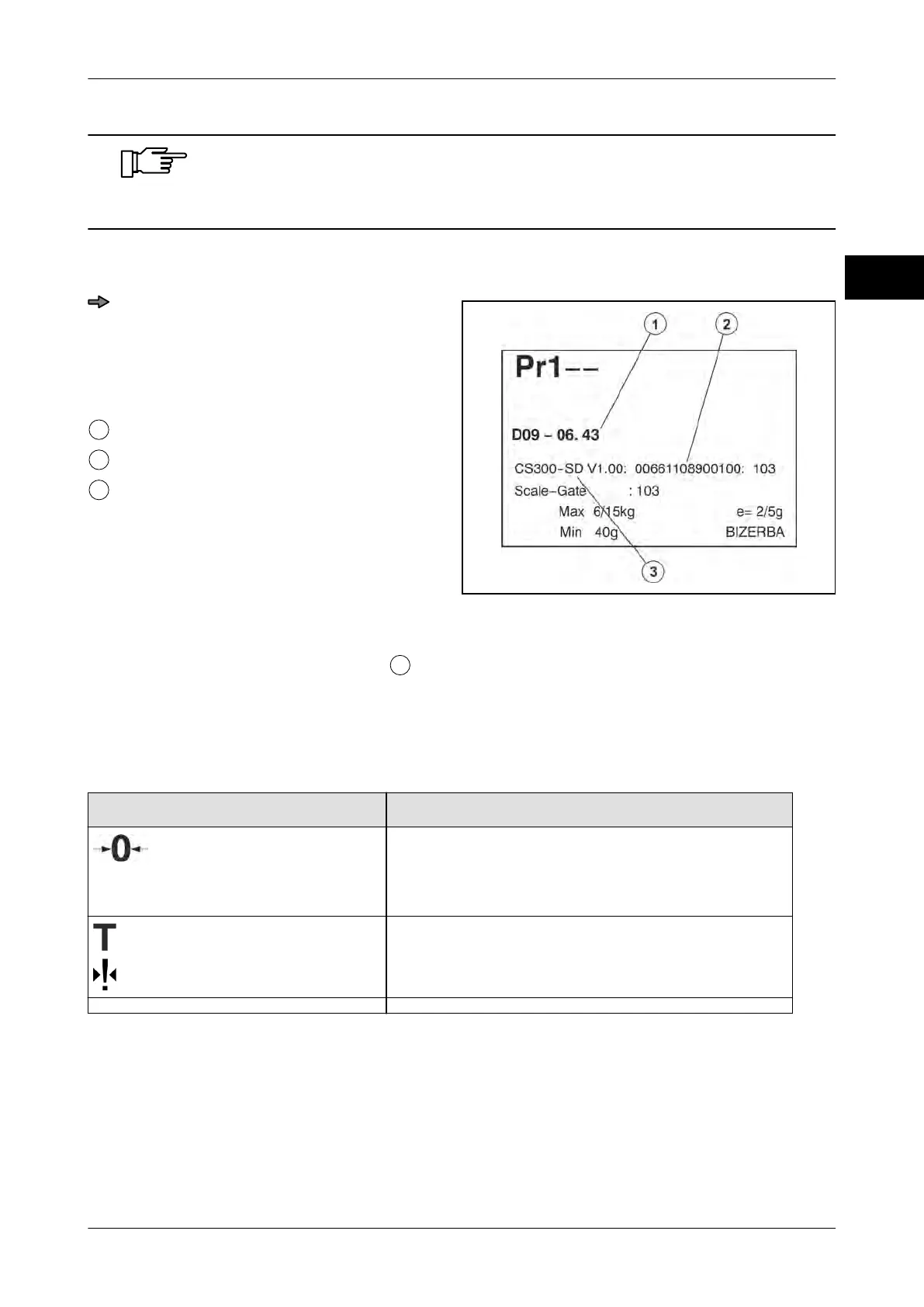
Fig. 66: Identification
Press the <0> key three times and the
<T> once while display test is running
(checked pattern on screen).
The displayed values must be identical
with those in figure 'Identification'.
Test certificate number: D09-06.43
Version number of the loaded software
Software ID: CS300-SDV1.00
Log journal
It is possible to change the software
. The change of software is recorded in a download
logbook. To view the logbook, go to menu Pr 705
, see page 7 - 11.
5.3 Keyboard
Overview of function keys
Key Function (depending on operat. mode)
Key symbol Bizerba display
Switching on/off display
Zero setting
Programming function
Key symbol Bizerba display
Key symbol scanner MA 94
Tare function with menu setting Pr 209 / 00 only
Programming function
Keyboard designs



 To Next Page