Programming Operating instructions CS 300
7 - 14 6.110.98.5.01.40 en
7
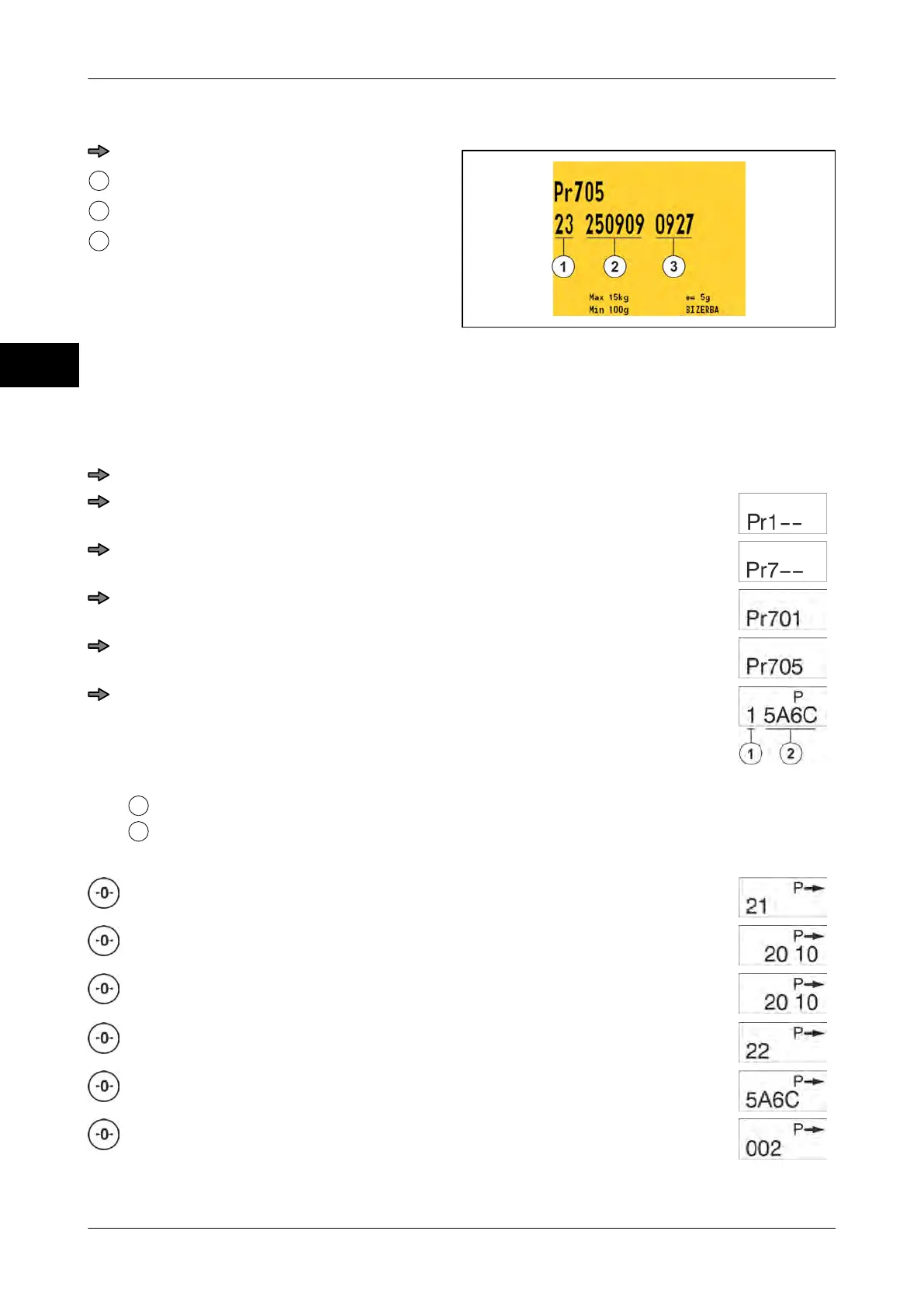
Step 2-3
Fig. 98: Step 2-3
Press key <0>.
Displayed step
Date
Time
Steps 2-1 to 2-3 are repeated until all logbook entries have been displayed.
If all entries have been displayed, the scale returns to the initial menu display.
Calling up logbook entries with WS display
Press key <0> three times.
Press <T> key.
Press key <0> six times.
Press <T> key.
Press key <0> four times.
Press <T> key.
Step 1
Displayed step
Software ID
Press <0> key or further steps.
Step 2-1
Consecutive number of logbook entry
Department number e.g. 20 /compo-
nent number e.g. 10
Step 2-2
Software ID
Version number of legally relevant part



 To Next Page