Operating instructions CS 300 Installation
6.110.98.5.01.40 en 4 - 9
4
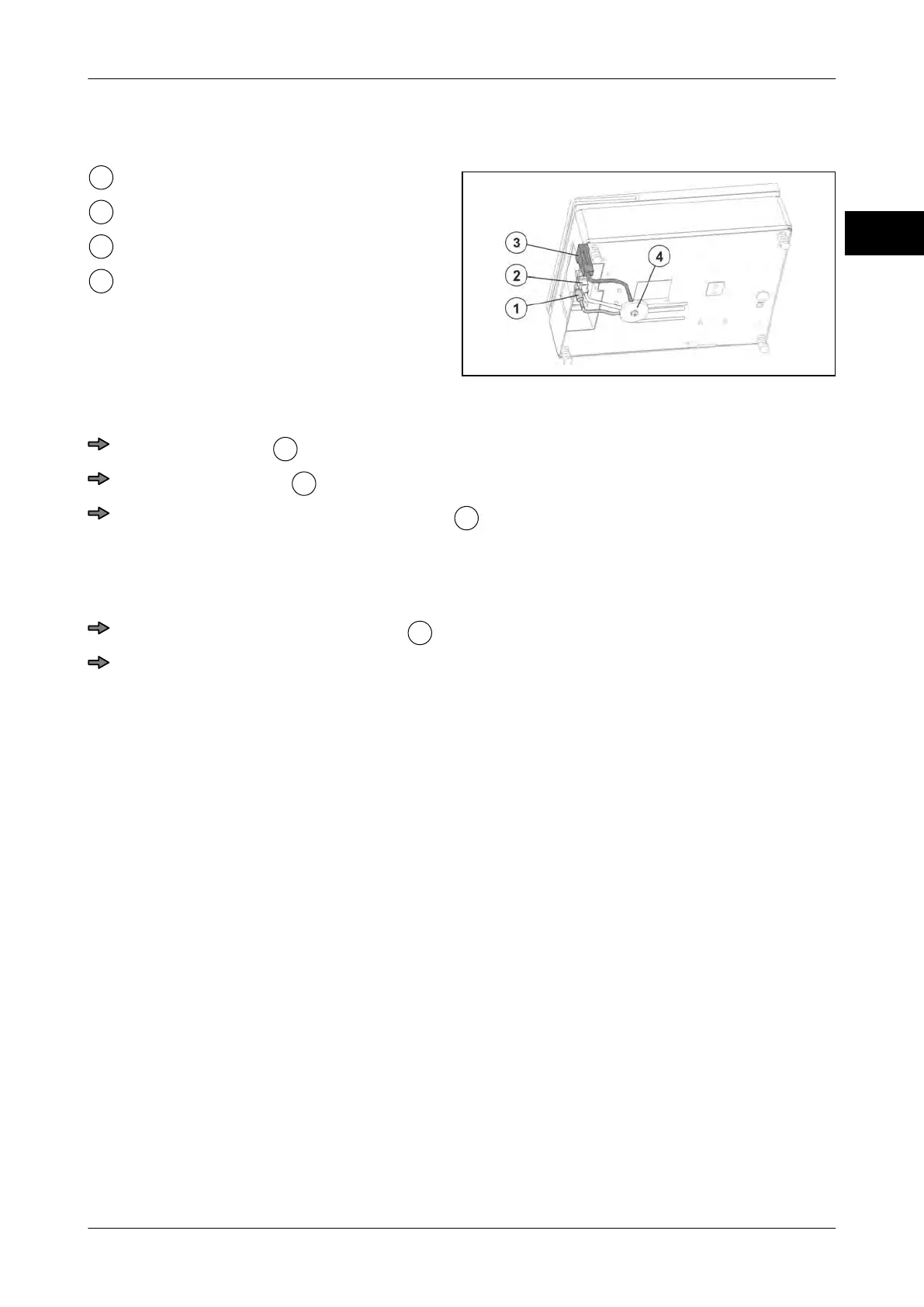
Connecting the scale CS 300 TE
Fig. 17: Cable connections CS 300 TE
Connector for power supply
Display connector
POS connector
Strain relief (disc)
Lay and connect cables.
Route POS cable
properly and connect it to scale.
Route display cable
properly and connect it to scale.
Insert connector for power supply cable
into scale and and lay it properly toward
the socket.
Relief cable tension
The strain relief and screw are contained in the accessory kit.
Place all cables under relief strain
.
Screw the relief strain directly under the scale.
The cables are now strain-relieved.
4.5.3 CS 300 ER-K
THe CS 300 ER-K (Built-in rollerconveyorCompact) is designed for installation in POS
counter and for attachment of coller conveyor..



 To Next Page