Installation Operating instructions CS 300
4 - 16 6.110.98.5.01.40 en
4
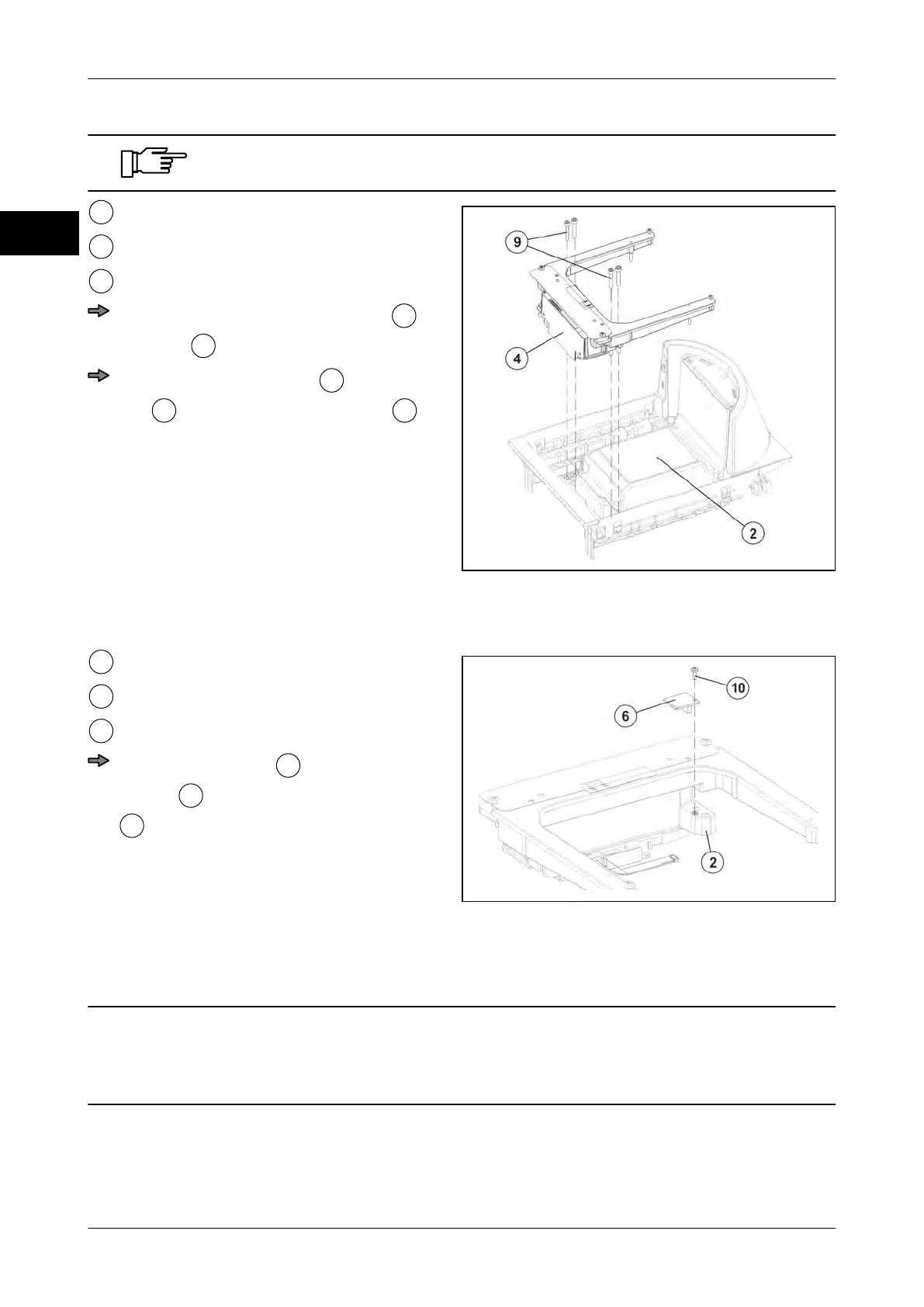
Never lift the weighing system at the load arms.
Fig. 26: Installation of weighing system CS
300 MA 84
Scanner
Weighing system
4 Fastening screws
Carefully insert weighing system
into
scanner
.
Screw weighing system
to the scan-
ner
using 4 fastening screws
(torque 6-7 Nm).
Screw adapter to weighing system
Fig. 27: Screwing adapter
Weighing system
Adapter
Fastening screw
Screw the adapter
to the weighing
system
using the fastening screws
.
Installation of scanner with weighing system into POS counter
CAUTION Do not lift scanner by weighing system!
The weighing system will be damaged.
–
Do not lift the scanner by the load frame or the weighing system.



 To Next Page