Programming Operating instructions CS 300
7 - 10 6.110.98.5.01.40 en
7
Every software download is registered in the logbook.
Overview of logbook information
Step 1 Software identification number (software ID).
Step 2 Entries in the logbook.
The display related to step no. 2 is divided in substeps.
Step Display
2-1 21 Consecutive number of logbook entry,
Department number,
Component number.
2-2 22 Software ID, version number of loaded software.
2-3 23 Date and time of download.
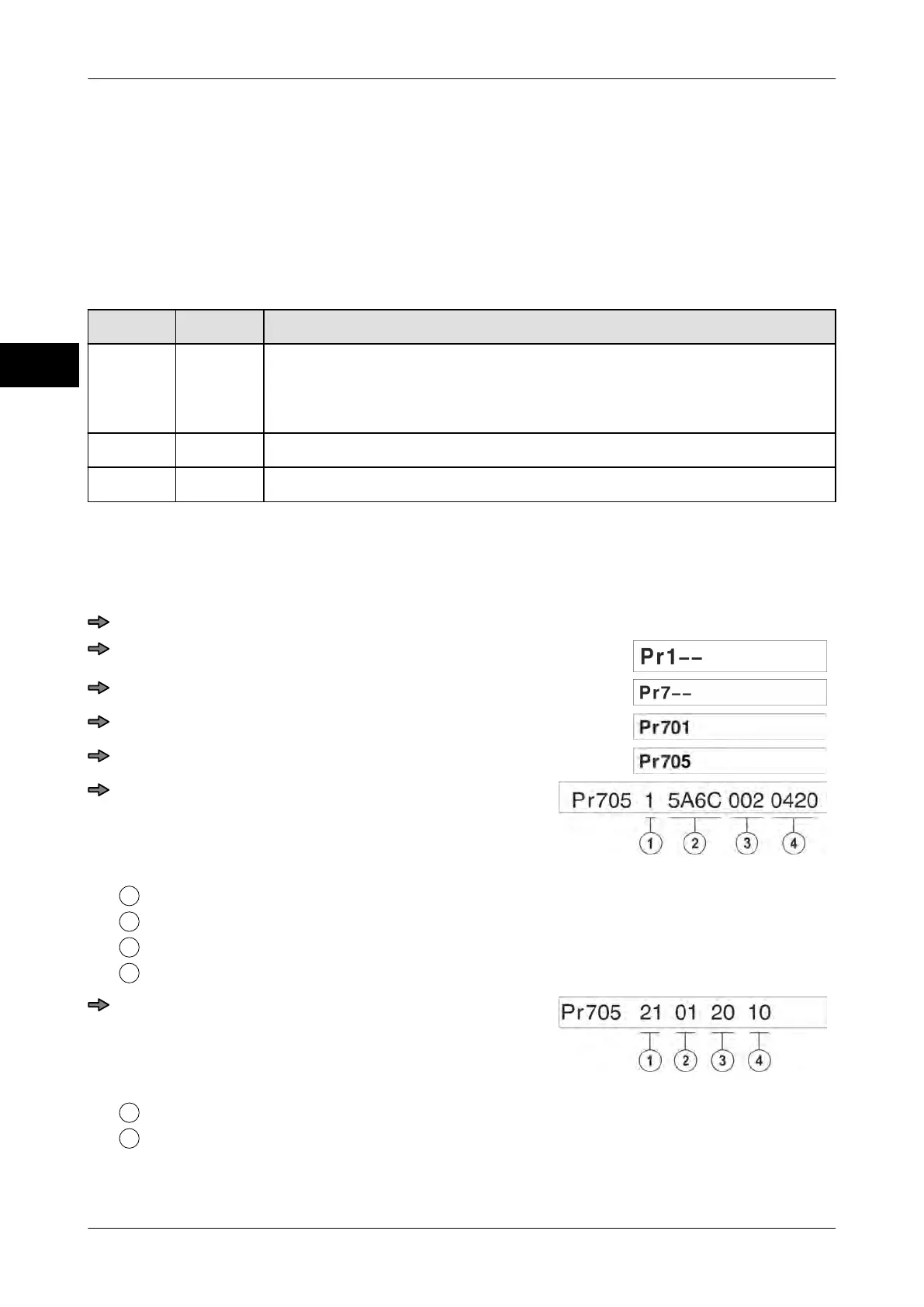
Calling up logbook entries with P displays.
Example:
Press key <0> three times.
Press <T> key.
Press key <0> six times.
Press <T> key.
Press key <0>four times.
Press <T> key.
Step 1
Displayed step
Software ID
Version number of legally relevant part
Program version CS 300 of legally non-relevant part
Press key <0>.
Step 2-1
Displayed step
Consecutive number of logbook entry



 To Next Page