Page 257 of 479
6.2.3.3.2 Bank Configuration
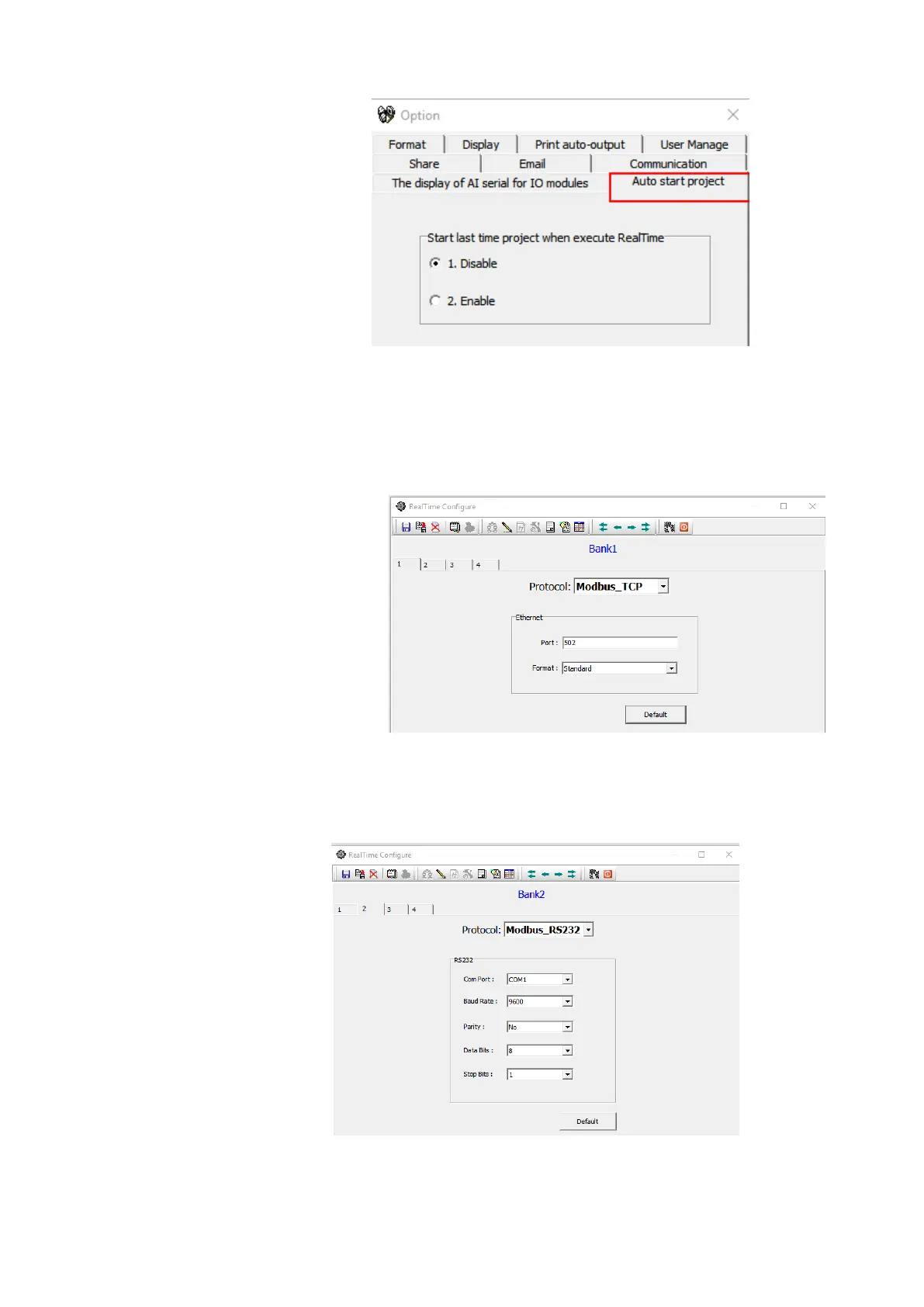
There are four banks are available in real time viewer configuration to configure for the devices
to connect with the software. All the four banks will utilize different communication ports for the
communication. The Ethernet and serial communication ports can be used for communication.
1. Ethernet Bank Configuration
The Ethernet port can be configured with port no as 502 and protocol as
Modbus_TCP
1. RS232/RS485 Bank Configuration
The serial RS232 or RS485 ports can be configured with Protocol as
Modbus_RS232 and other communication parameters such as com port no, Baud Rate,
Parity, Data Bits and Stop Bits as per the connection.
Note: It is possible to connect more than one device with the software with different mode of
connection. For example one device can be connected via Ethernet and another device can be
connected via RS485 or RS232.



 To Next Page