Page 238 of 479
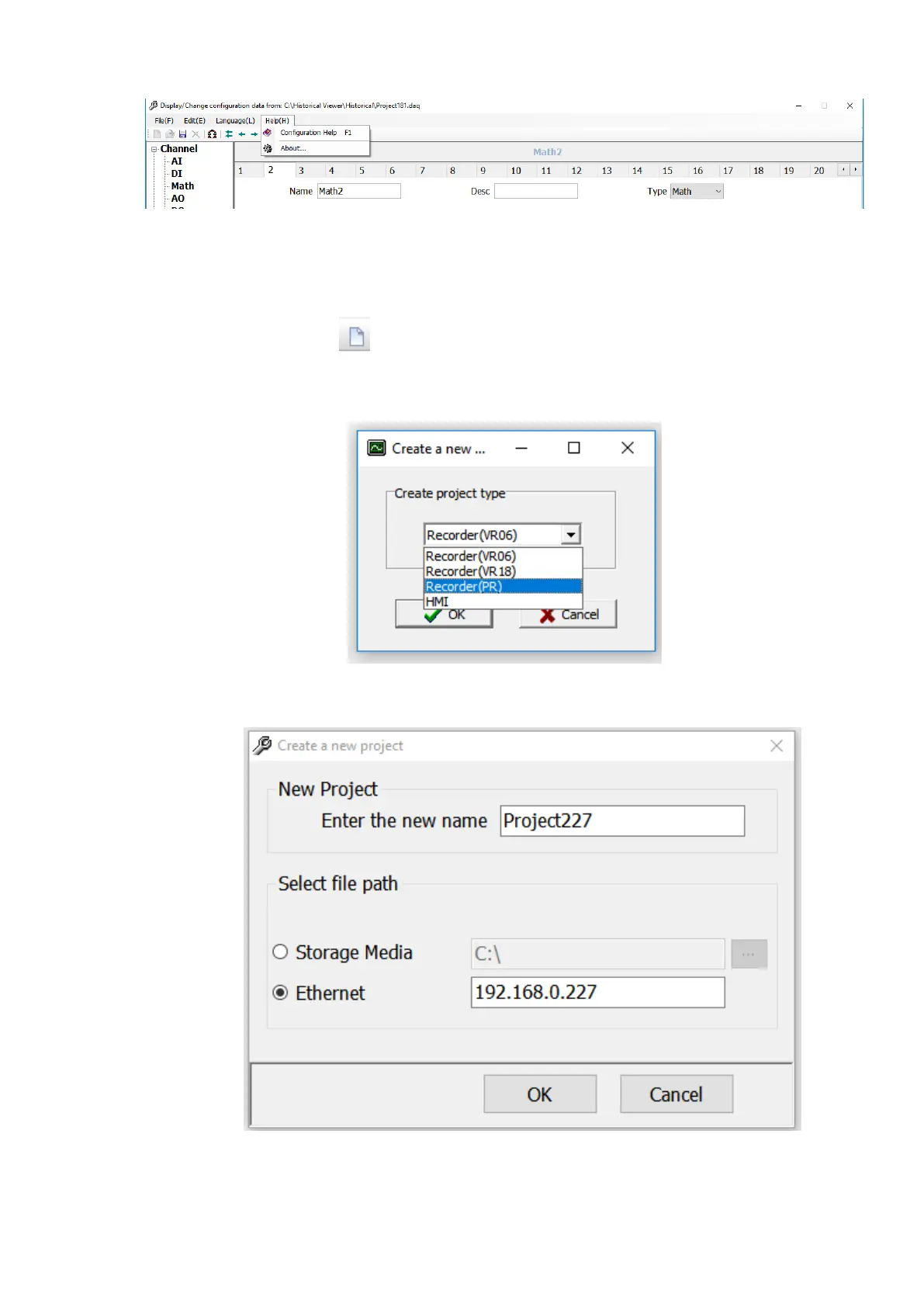
1. Configuration Help: Open the software help file.
2. About: Provides the information about the software like version and other related information.
6.1.3.5 Create a New Project
To Create a new project follow the below procedure.
1. Click the icon or select New from File Menu.
2. The software will prompt the user to select the device type. Select Recorder (PR) and click
ok to create a new project.
3. The Software will prompt the user to configure the project name and the path for the
recorder.
❖ Input the project name in the new project name field.
❖ If the device is connected to PC via Ethernet then select Ethernet in file path and



 To Next Page