Page 209 of 479
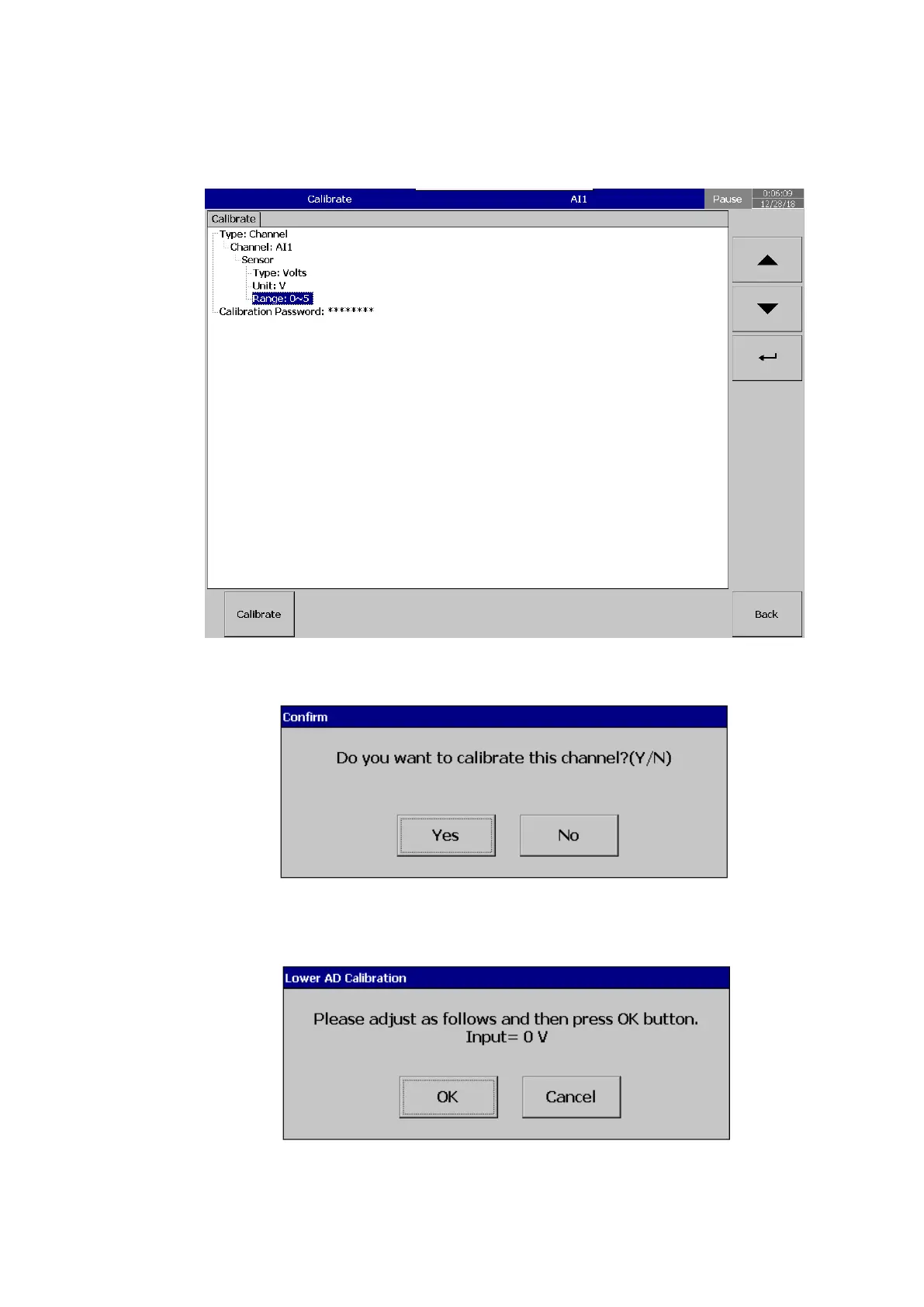
5.15.1 Calibrate an AI with 0-5V
After Entering the Calibration menu, select the channel, input type and range then press
calibrate key.
The system will prompt for a user conformation to do the calibration of the channel.
Press Yes to do the Calibration on No to exit. The system will inform the user to input the low
value input to the channel.
After input 0V, select ok, the user can see the below screen.



 To Next Page