Page 353 of 479
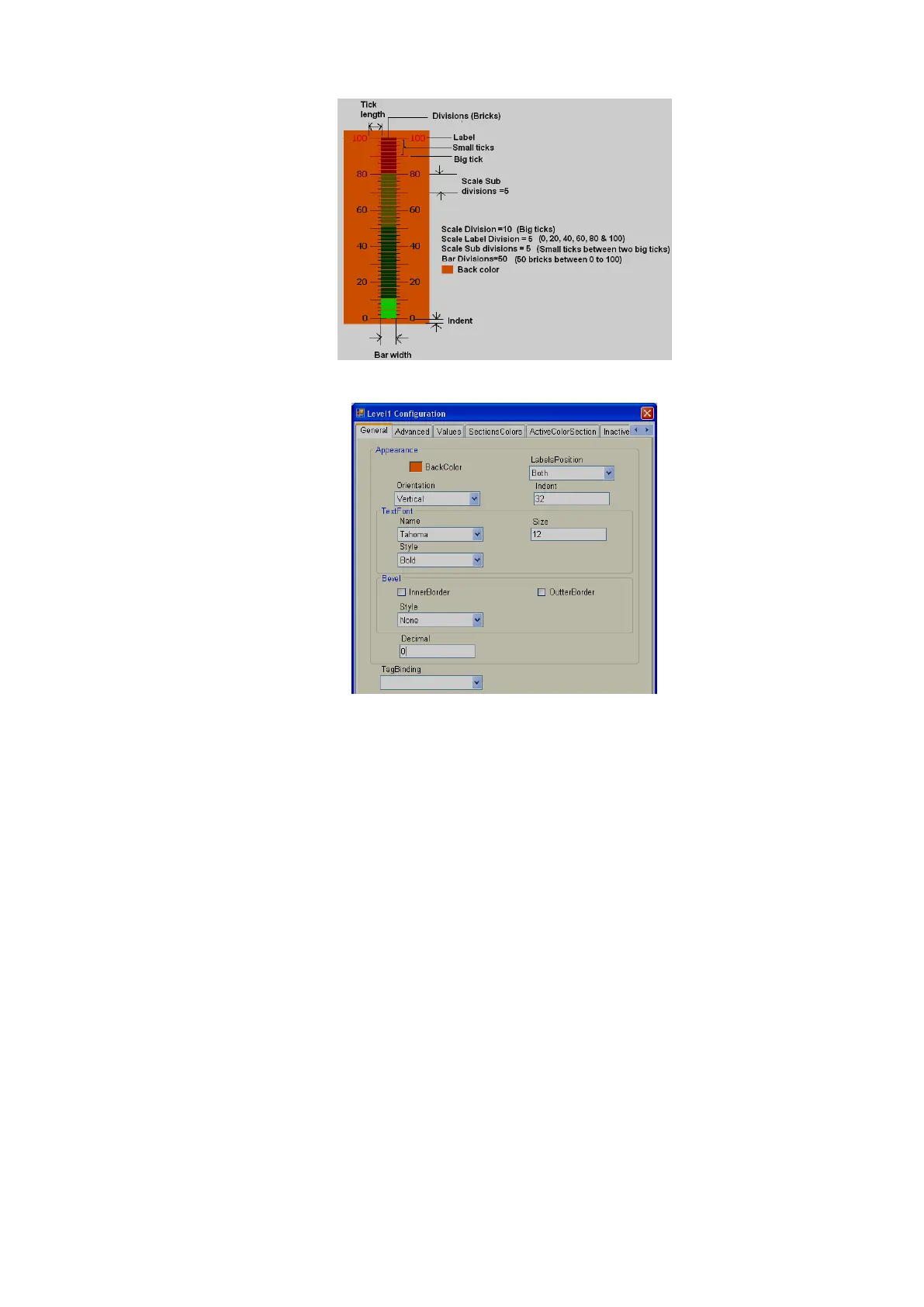
Properties
Back Color: Defines the background color for the component.
Labels Position: Define label position. Available options are Top Left, Bottom Right and Both.
Naming convention depends on orientation. If orientation = Vertical, then, if
“Top left” is selected, label position will be shown on “Left” side. If orientation
= Horizontal, then if “Top Left” is selected, label position will be shown on
“Top” side of component.
Orientation: Vertical/Horizontal. Select direction.
Text Font: Used to set the font of the label. Options include Name of Font, Size of font and
Style of font. Supported styles include Regular, Bold, Italic, Underline & Strikeout.
Bevel: Defines inner border and outer border for the component. Please refer to common
properties at the beginning of this section for more details.
Decimals: Define number of decimals to be displayed for value to be displayed along with level
component in run time.
Tag Binding: Selects the Analog Tag of process value.



 To Next Page