700M HFID 6-2-15
105
Press to set the analyzer in CH
4
mode and enter the manual zero calibration screen.
Introduce zero gas into the rear of the analyzer. Once the concentration stabilizes, press to
set the Zero Offset. Press to return to the CH
4
Correction Factors menu.
Press to set the analyzer in THC mode and enter the manual span calibration screen.
Introduce THC span gas into the rear of the analyzer. Verify the span concentration on the screen
matches the Total Hydrocarbon concentration on the bottle certificate. If the concentration does
not match, press and change the concentration to match. Once the concentration stabilizes,
press to set the span. Press to return to the CH
4
Correction Factors menu.
Press to set the analyzer in CH
4
mode and enter the manual span calibration screen.
Introduce CH
4
span gas into the rear of the analyzer. Set the concentration on the screen to match
the Methane concentration from the bottle certificate. Press and change the concentration,
then press again to close the field. The concentration value is temporarily set and will
revert back to the original span concentration. Once the concentration stabilizes, press to set
the CH
4
correction factor. The correction factors are now set.
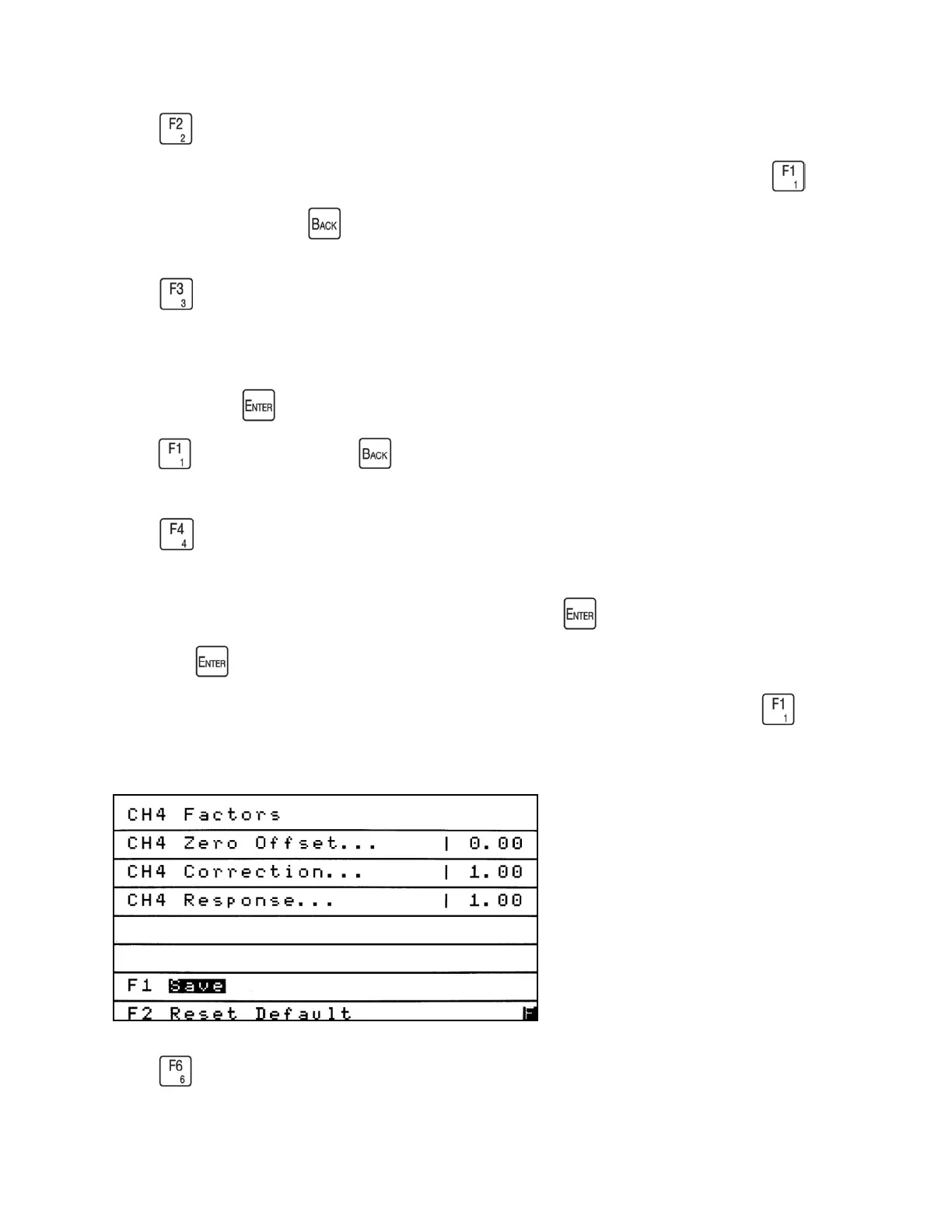
Press to manually edit the CH
4
Factors.



 To Next Page