700M HFID 6-2-15
112
Output Adjustments
→
→
→
→
→
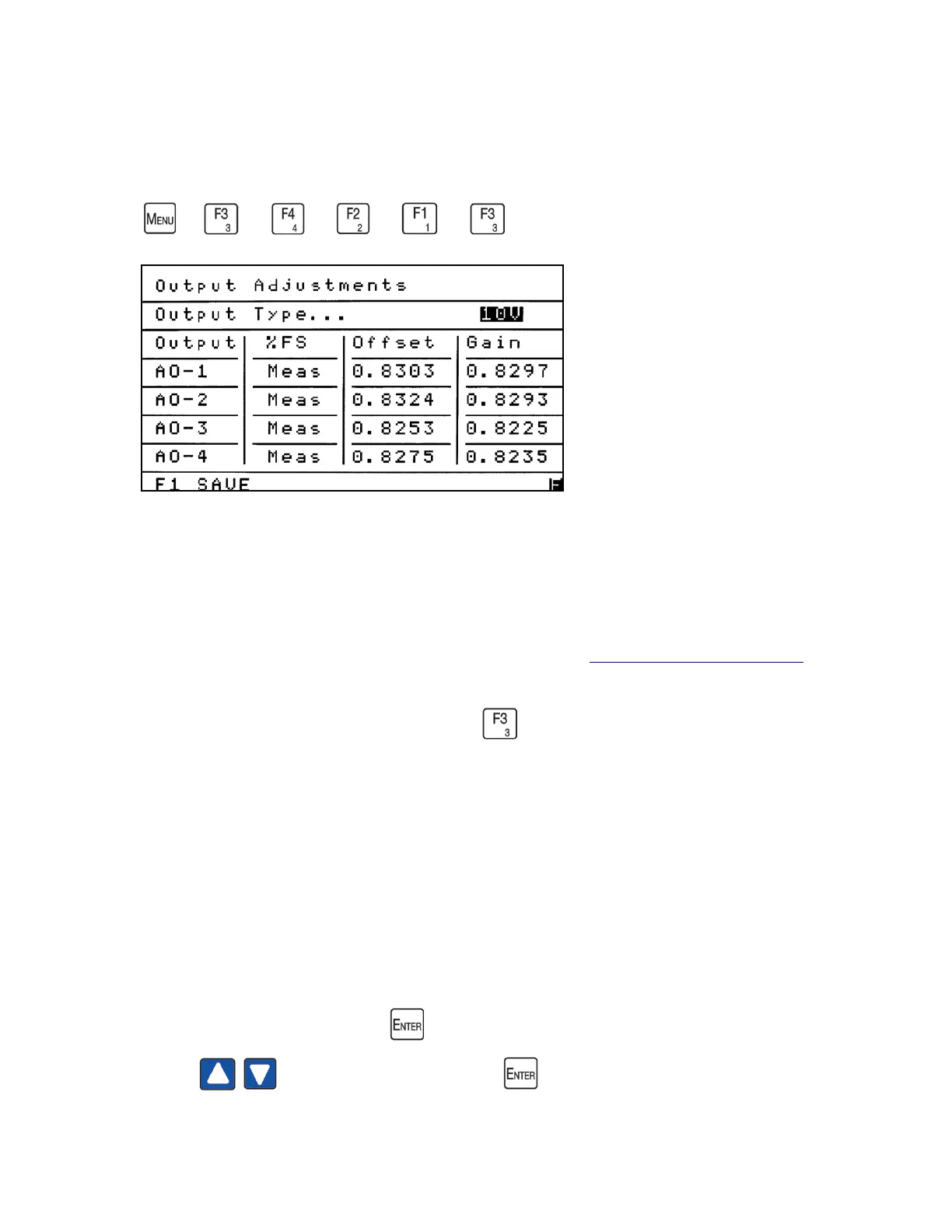
The Output Adjustments screen allows the operator to set the output to either mA
or voltage and calibrate the outputs to exactly match the results obtained on a PLC
or other remote data-recording device. Using the Output Adjustments screen, the
operator can force the analog outputs to 0%, 50% or 100% of full scale and back to
Measure. For information on analog output connections see Analog and Digital Interface.
From the Programmable Analogs menu press to access the Output Adjustments
screen.
• Output Type can be set for mA or 1, 5 or 10 VDC.
• Output AO-1 refers to analog output 1.
• % FS is used to toggle between measurement, 0%, 50% and 100% Full Scale.
• Offset (zero) is used to adjust the output at 0%.
• Gain (span) is used to adjust the output at 100%.
To select the Output Type press to open the highlighted field. Use the Up/Down
arrows to make your selection. Press again to close the field.



 To Next Page